
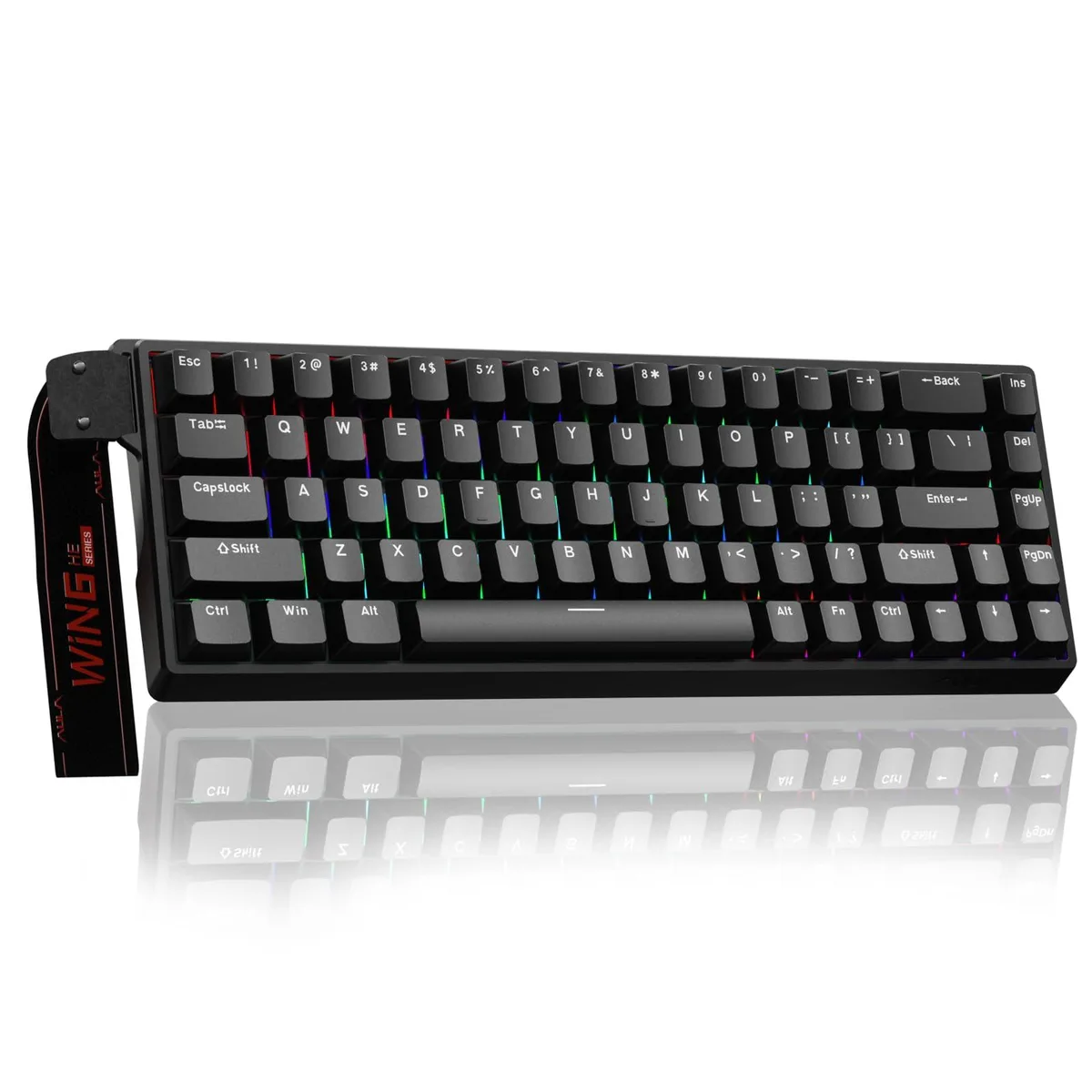


AULA WIN68 Standard Edition 60% Hall Effect Gaming Keyboard 8000Hz RGB Wired Black
Compact 60% Hall Effect keyboard with adjustable actuation, 8000 Hz polling and RGB backlighting
- NameWIN68 Standard Edition
- MaterialPlastic
- Design StyleRainbow
- Palm RestContemporary
- Mechanical KeyboardKeyboard*1 / Linear
- Key SwitchLinear
- 8,000 Hz polling rate delivers 0.3 ms latency for instant command response
- Hall Effect magnetic switches enable 0.02 mm to 3.44 mm adjustable actuation per key
- Web driver customises RT, SOCD, DKS, MT, TGL, macros and RGB without software download
- 60 % compact layout saves desk space while retaining full key functionality
- RGB backlighting provides per-key illumination for personalised lighting setups
Compact Hall Effect Keyboard
The AULA WIN68 Standard Edition is a 60 percent wired gaming keyboard that uses Hall Effect magnetic switches with an adjustable actuation range of 0.02 mm to 3.44 mm. An 8000 Hz polling rate and 0.3 ms latency give near-instant command registration for competitive play and fast typing workflows. RGB backlighting and a black plastic chassis complete the package.
Suited For Precise Actuation Control
Gamers and coders who want per-key actuation tuning down to 0.1 mm increments will benefit from the magnetic switch design and web-based driver. The driver runs only on Windows and does not support macOS, so buyers needing native Mac configuration should look elsewhere. No mouse is included despite references in the data, so users requiring a bundled pointing device must purchase separately.
Web Driver Setup And Limits
Configuration is handled through a browser-based driver at the supplied link, avoiding a traditional software install on Windows. Because the driver is Windows-only, Mac owners cannot adjust RT, SOCD, DKS, MT, TGL functions, macros or RGB profiles. The compact 60 percent layout omits dedicated function and navigation keys, which may require a learning curve for users accustomed to full-size boards.
Pontos fortes
- 8,000 Hz polling rate delivers 0.3 ms latency for instant command response
- Hall Effect magnetic switches enable 0.02 mm to 3.44 mm adjustable actuation per key
- Web driver customises RT, SOCD, DKS, MT, TGL, macros and RGB without software download
- 60 % compact layout saves desk space while retaining full key functionality
- RGB backlighting provides per-key illumination for personalised lighting setups
Especificações
| Brand | AULA |
|---|---|
| Series | WIN68 Standard Edition |
| Name | WIN68 Standard Edition |
| Model | WIN68 Standard Edition |
| Part Number | WIN68 Standard Edition |
| Material | Plastic |
| Design Style | Rainbow |
| Palm Rest | Contemporary |
| Mechanical Keyboard | Keyboard*1 / Linear |
| Key Switch | Linear |
| Key Switch Type | Linear |
| Keyboard Color | Black |
| Backlit | RGB |
| Dimensions | 2.4 in x 3.96 in x 1.3 in |
| Mouse Included | Contemporary |
| Mouse DPI | Gaming |
| Hand Orientation | Ambidextrous |
| Tracking Method | Portable |
| Scrolling Capability | Hot-Swappable |
| Mouse Color | Black |
| Power Source | Corded Electric |
| Operating Time | Corded Electric, false |
| Distance | 14 L x 6 W x 1.7 H inches |
| Features | rgb, Plastic, Ambidextrous |
Perguntas sobre este artigo
What computer port is needed for the 8000Hz polling rate on this USB-C keyboard?
A USB-C port on a Windows PC is required to achieve the 8000Hz polling rate; the web driver for RT, SOCD, DKS, MT and TGL settings runs only on Windows.
Will the adjustable 0.02mm-3.44mm actuation points still function if I keep using my older USB 2.0 hub?
The Hall Effect switches and their 0.1mm actuation granularity operate independently of the hub, but the 8000Hz polling rate and 0.3ms latency need a direct USB-C connection.
How can I verify the 0.3ms latency and per-key RGB are active after setup?
Open the web driver at bit.ly/m/AULA on Windows, confirm the polling rate reads 8000Hz, set a unique actuation value per key, then check that each key lights individually.
Também nesta secção
Os clientes também compararam
Mesma prateleira, mesma finalização da compra — oito moedas e uma taxa bloqueada durante 30 minutos.



Cherry
Cherry MX 3.1 Mechanical Wired Gaming Keyboard White MX2A Silent Red
- Red Switch
- White
116,99 US$
0.00145639BTC
Em stock