


ASUS
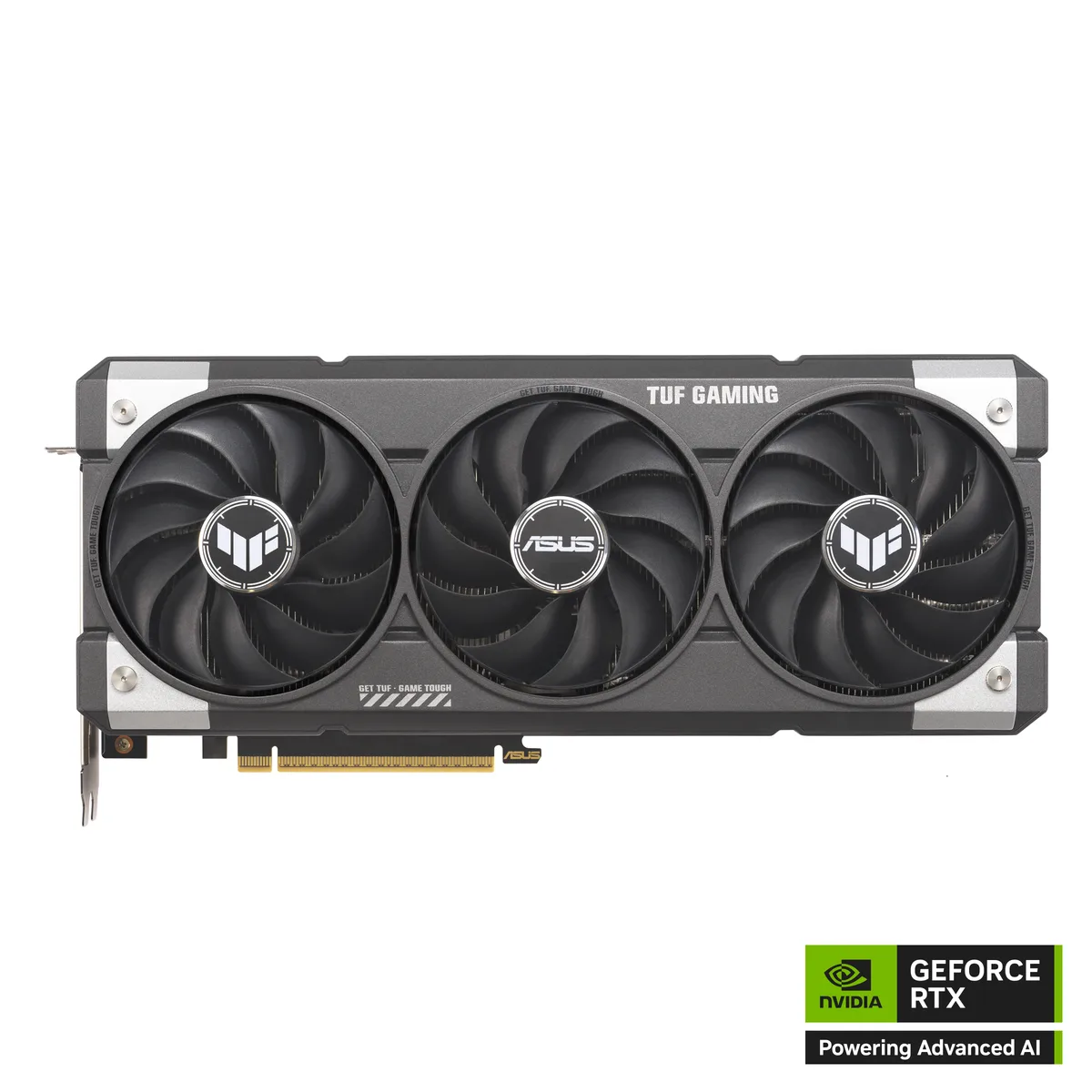
ASUS TUF-RTX5060TI-O16G-GAMING GeForce RTX 5060 Ti 16GB graphics card
16 GB GDDR7 graphics card with 4608 CUDA cores, PCIe 5.0 x8 and HDMI 2.1b plus three DisplayPort 2.1b outputs
- InterfacePCI Express 5.0 x8
- Chipset ManufacturerNVIDIA
- GPU SeriesNVIDIA GeForce RTX 50 Series
- GPUGeForce RTX 5060 Ti
- ArchitectureBlackwell
- CUDA Cores4608
Option RTX 5060 Ti 16GB
- RTX 5060 Ti 16GB
- RTX 5060 Ti 8GB
- 16GB GDDR7 memory delivers 28 Gbps bandwidth for high-resolution textures
- 4608 CUDA cores on Blackwell architecture accelerate ray tracing and AI workloads
- PCI Express 5.0 x8 interface provides high-speed data transfer to the platform
- HDMI 2.1b plus three DisplayPort 2.1b outputs drive up to four displays
- DLSS 4.0 upscaling boosts frame rates while preserving image quality
ASUS TUF GeForce RTX 5060 Ti 16GB GDDR7
This graphics card uses the NVIDIA Blackwell architecture with 4608 CUDA cores and 16GB of GDDR7 memory on a 128-bit bus. It connects through a PCI Express 5.0 x8 interface and supports DirectX 12 Ultimate and OpenGL 4.6. The board provides one HDMI 2.1b and three DisplayPort 2.1b outputs for up to four displays.
Built for 1440p gaming with DLSS 4.0
The 16GB frame buffer suits players who want higher texture settings at 1440p and creators who need extra VRAM for local workloads. DLSS 4.0 and the 28 Gbps effective memory clock help sustain frame rates in modern titles. Users targeting 4K high-refresh gaming or compute tasks that demand a wider memory bus should consider a different tier.
128-bit memory interface defines bandwidth ceiling
The 128-bit bus paired with 28 Gbps GDDR7 sets the maximum memory bandwidth available to the GPU. This specification determines whether the card can feed the 4608 cores fast enough for your target resolution and quality preset. Check your workload’s bandwidth sensitivity against this limit before buying.
商品特色
- 16GB GDDR7 memory delivers 28 Gbps bandwidth for high-resolution textures
- 4608 CUDA cores on Blackwell architecture accelerate ray tracing and AI workloads
- PCI Express 5.0 x8 interface provides high-speed data transfer to the platform
- HDMI 2.1b plus three DisplayPort 2.1b outputs drive up to four displays
- DLSS 4.0 upscaling boosts frame rates while preserving image quality
商品規格
| Brand | ASUS |
|---|---|
| Series | TUF Gaming |
| Model | TUF-RTX5060TI-O16G-GAMING |
| Part Number | 90YV0MG0-M0AA00 |
| Interface | PCI Express 5.0 x8 |
| Chipset Manufacturer | NVIDIA |
| GPU Series | NVIDIA GeForce RTX 50 Series |
| GPU | GeForce RTX 5060 Ti |
| Architecture | Blackwell |
| CUDA Cores | 4608 |
| Effective Memory Clock | 28 Gbps |
| Memory Size | 16GB |
| Memory Interface | 128-Bit |
| Memory Type | GDDR7 |
| DirectX | DirectX 12 Ultimate |
| OpenGL | OpenGL 4.6 |
| Multi-Monitor Support | 4 |
| HDMI | 1 x HDMI 2.1b |
| DisplayPort | 3 x DisplayPort 2.1b |
| Color | Gray |
| Max Resolution | 7680 x 4320 |
| CrossFireX Support | No |
| SLI Support | No |
| Virtual Reality Ready | Yes |
| Cooler | Triple Fans |
| Recommended PSU Wattage | 550W |
| Power Connector | 1 x 16-Pin |
| HDCP Ready | Yes |
| Features | • AI Performance: 785 AI TOPS • OC mode boosts clock 2692 MHz (OC mode)/ 2662 MHz (Default mode) • Powered by the NVIDIA Blackwell architecture and DLSS 4 • Military-grade components deliver rock-solid power and longer lifespan for ultimate durability • Protective PCB coating helps protect against short circuits caused by moisture, dust, or debris • 3.1-slot design with massive fin array optimized for airflow from three Axial-tech fans • ASUS GPU Guard secure the GPU, reducing the risk of cracks • Auto-Extreme precision automated manufacturing helps ensure higher reliability • GPU Tw |
| Form Factor | ATX |
| Max GPU Length | 302 mm |
| Card Dimensions (L x H) | 302 x 133 x 62 mm 11.89 x 5.26 x 2.44 inch |
| Slot Width | 3.1 Slots |
| 出貨重量 | 1.91 kg |
| 包裝尺寸 | 419 × 229 × 89 mm |
其他版本
同系列還有 4 款
同系列產品,記憶體、散熱器或時脈不同 — 下單前請先比較。


ASUS
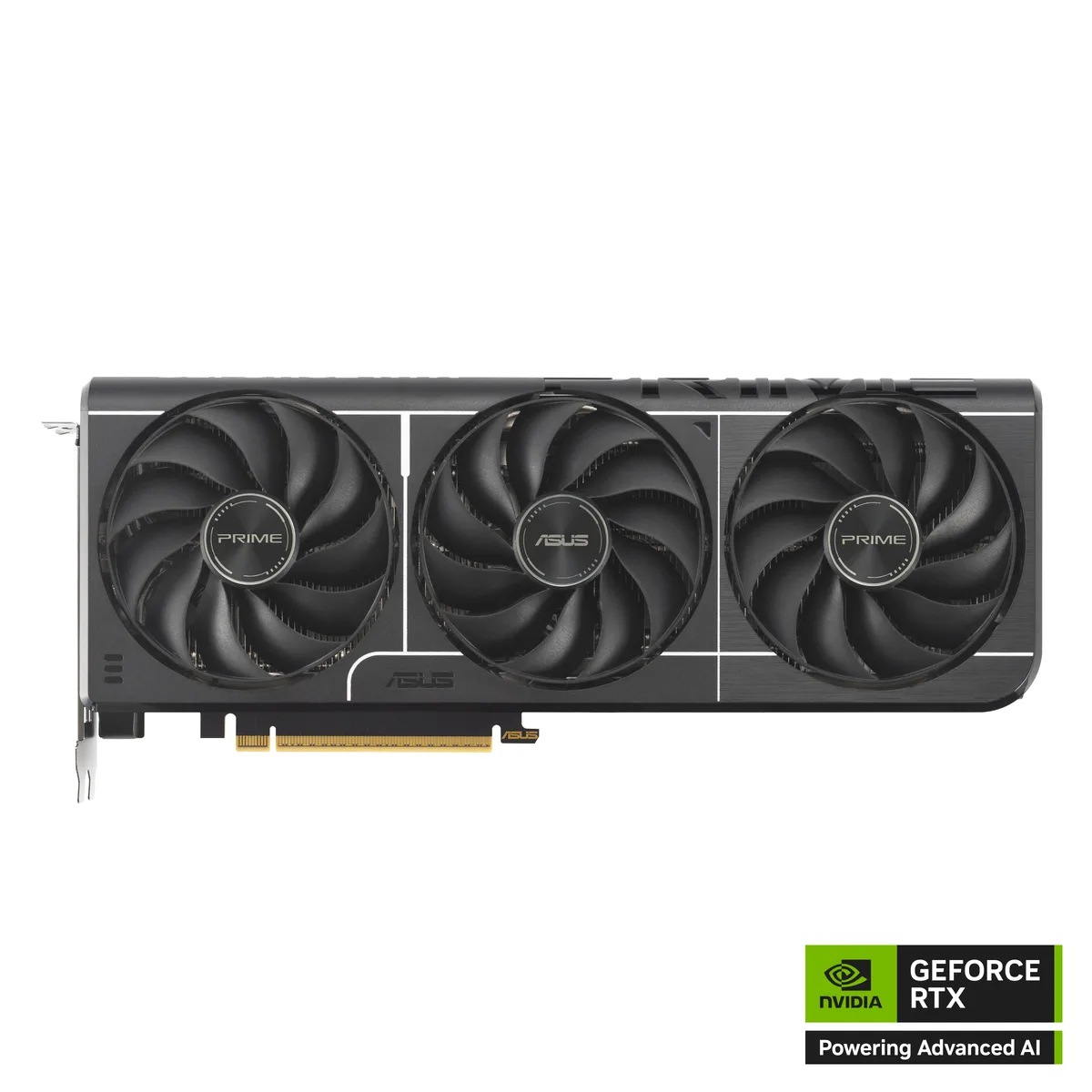
ASUS PRIME GeForce RTX 5060 Ti 8GB GDDR7 Graphics Card PRIME-RTX5060TI-8G
- PCI Express 5.0 x8
- NVIDIA
US$443.99
0.00573393BTC
現貨
ASUS
ASUS PRIME GeForce RTX 5060 Ti 8GB GDDR7 graphics card PRIME-RTX5060TI-O8G
- PCI Express 5.0 x8
- NVIDIA
US$486.99
0.00628926BTC
現貨
ASUS
ASUS TUF-RTX5060TI-O8G-GAMING GeForce RTX 5060 Ti 8GB GDDR7 graphics card
- PCI Express 5.0 x8
- NVIDIA
US$564.99
0.0072966BTC
現貨商品問答
Will the PCI Express 5.0 x8 interface fit my motherboard's slot?
The card uses a PCI Express 5.0 x8 edge connector that seats in any standard x16 slot; the shorter electrical width does not change the physical length required.
What is the step people get wrong when installing the 16GB GDDR7 model?
Insert the card fully until the retention clip clicks, then attach both 8-pin power cables from the PSU; skipping either connector causes a no-post condition.
When should I replace the thermal paste on the 4608 CUDA core GPU?
Re-paste only if temperatures rise unexpectedly after years of use; the factory compound is rated for the card's normal service life.
同類商品
顧客也比較過
同一分類,同一套結帳流程 — 支援八種加密貨幣,匯率鎖定 30 分鐘。

BFKK
BFKK 3U Rackmount Server Chassis EATX/ATX/MATX 4x5.25 6x3.5 Top/Side Cooling
- Rackmount
US$214.99
0.0027765BTC
現貨

