

SanDisk
SanDisk Cruzer Blade 8 GB USB 2.0 USB flash drive Black SDCZ50-008G-B35
US$391.99
0.00497993BTC
現貨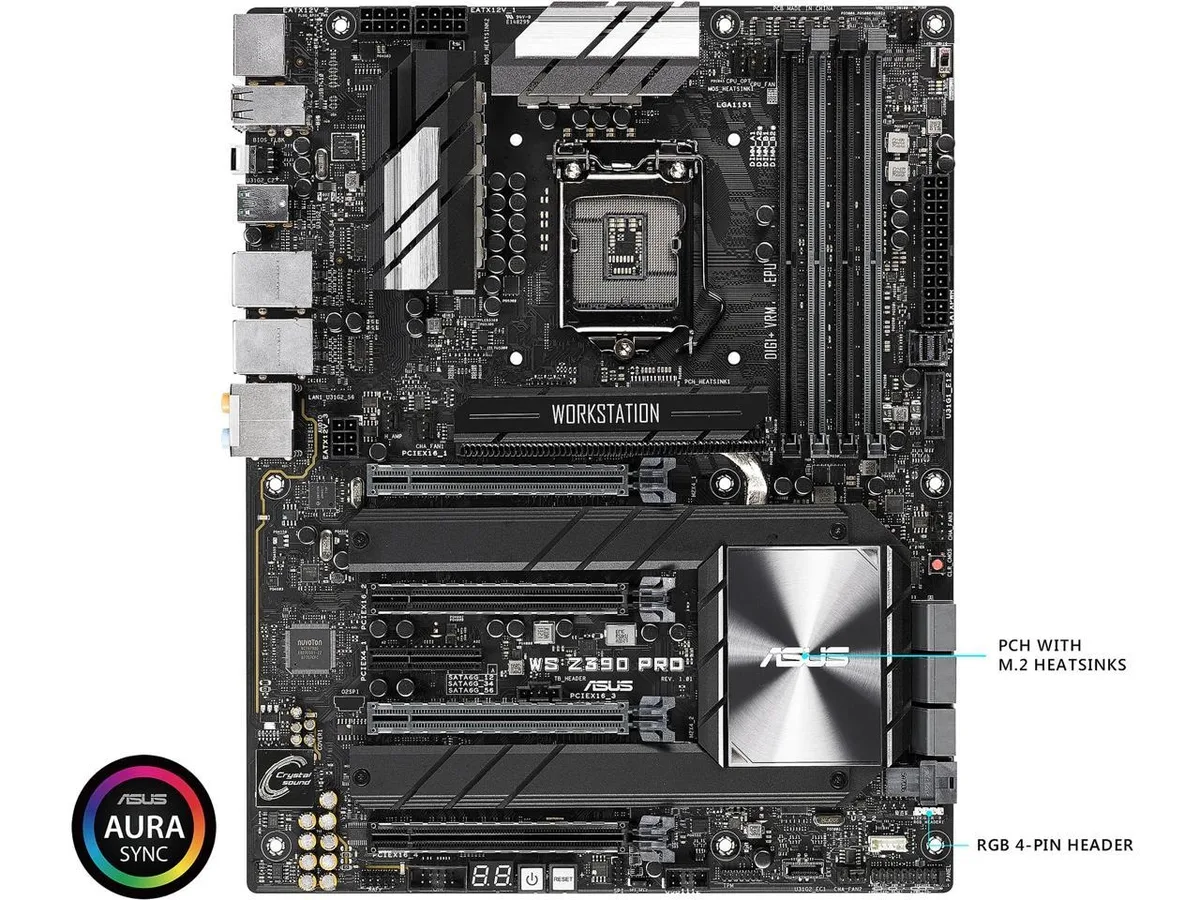
ASUS
Workstation-class ATX board with Intel Z390 chipset, LGA 1151 socket, HDMI output, SATA 6Gb/s and USB 3.1 connectivity
The ASUS WS Z390 PRO is an ATX motherboard built around the Intel Z390 chipset and LGA 1151 socket. It targets professionals assembling workstations that require stable multi-core performance and extensive I/O connectivity. The board delivers a reliable foundation for content creation and compute tasks.
This motherboard fits builders configuring a single Intel processor on the 300-series platform with SATA storage and USB 3.1 peripherals. It does not serve users who need dual-socket capability, server-grade management features, or support for newer processor generations that require a different socket.
The physical LGA 1151 socket is the specification that determines which CPUs can be installed. Buyers must confirm their processor matches this exact socket before purchase, as compatibility with other socket types is not possible.
本商品目前尚未公佈規格。
Mount the board on the supplied standoffs, connect the 24-pin and CPU power cables, then install the I/O shield before securing the board — the shield is the step most builders forget.
Periodically remove dust from the heatsinks and fan headers with compressed air; the only user-replaceable part is the onboard CMOS battery when the system clock begins to drift.
The chipset heatsink reaches its thermal limit before the VRM or SATA interfaces, so case airflow directly over the PCH area becomes the bottleneck.
同類商品
同一分類,同一套結帳流程 — 支援八種加密貨幣,匯率鎖定 30 分鐘。
您支付所用的幣種,以及查看價格所用的貨幣。
結帳時由您的錢包發送
僅供顯示 — 商品目錄以美元計價
查無符合的貨幣。
請選擇網站使用的語言。
查無符合的語言。
初次造訪?
已經有帳戶了嗎?
本店沒有自動重設密碼的機制:由於不寄送電子郵件,也就沒有一次性連結可供申請。只要將地址留在帳戶中,之後將由專人處理。
請求已收到
不會有任何郵件寄到您的信箱 — 本商店完全不寄送電子郵件。會有人親自處理這些申請。
想起來了嗎?



