


DELL
DELL E2100-CCQDA2 200GbE Dual-Port QSFP56 PCIe 4.0 x16 IPU Network Card
Dual-port 200GbE IPU adapter with QSFP56 connectors on a PCIe 4.0 x16 interface
- Offloads networking and storage tasks with Intel IPU architecture
- Dual QSFP56 ports each deliver 200 Gbps data rate
- PCIe 4.0 x16 host interface provides high bandwidth
- 16 lanes enable fast communication with the host CPU
- Designed for NVMe over Fabrics virtualization workloads
200 Gbps Dual-Port IPU Adapter
The Dell E2100-CCQDA2 is an Infrastructure Processing Unit that delivers 200 Gbps per port through two QSFP56 connectors. It installs in a PCIe 4.0 x16 slot and uses an Intel ASIC-based architecture to offload networking and storage tasks from the host CPU.
Suited for hyperscale and cloud data centres
This card fits environments that need hardware acceleration for software-defined networking and NVMe over Fabrics virtualization. It is not intended for general-purpose servers that only require basic connectivity or for systems lacking a PCIe 4.0 x16 slot.
PCIe 4.0 x16 host interface
The adapter requires a full-length PCIe 4.0 x16 slot to operate at its rated 200 Gbps per port. Verify that the target server provides this exact interface before purchase.
商品特色
- Offloads networking and storage tasks with Intel IPU architecture
- Dual QSFP56 ports each deliver 200 Gbps data rate
- PCIe 4.0 x16 host interface provides high bandwidth
- 16 lanes enable fast communication with the host CPU
- Designed for NVMe over Fabrics virtualization workloads
商品規格
| Brand | Dell |
|---|---|
| Model | E2100-CCQDA2 |
| Part Number | YJDYV |
商品問答
Will the PCIe 4.0 x16 slot in my server provide enough lanes for this adapter to run at 200 Gbps per port?
The adapter is designed for a PCIe 4.0 x16 host interface; the slot must supply 16 lanes at 4.0 speed to achieve the rated 200 Gbps per port.
Can I keep my existing NVMe storage targets while adding this IPU for NVMe-oF acceleration?
The IPU offloads NVMe-oF processing from the host CPU, so current NVMe targets remain accessible while the adapter handles fabric transport.
How do I confirm both QSFP56 ports are negotiating 200 Gbps after installation?
Check the link status LEDs on each port and verify 200 Gbps link speed in the OS network tool or switch management console.
同類商品
顧客也比較過
同一分類,同一套結帳流程 — 支援八種加密貨幣,匯率鎖定 30 分鐘。

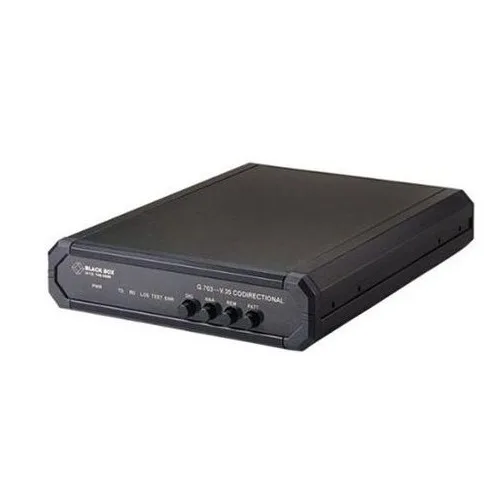
Black Box Corporation
Black Box Corporation IC714A-V35-R2 G.703 V.35 64Kbps Codirectional Converter
US$664.99
0.00867861BTC
現貨
Other Electricities
Other Electricities SFP Transceiver J4859C 1000BASE-LX 1310nm 10km
- sfp
US$10.99
0.00014343BTC
現貨
Black Box Corporation
Black Box Corporation E-LR SFP+ EXT DIAGSM 1310 LC 10KM LSP422 SFP transceiver
- Transceiver
US$261.99
0.00341916BTC
現貨