

HPE
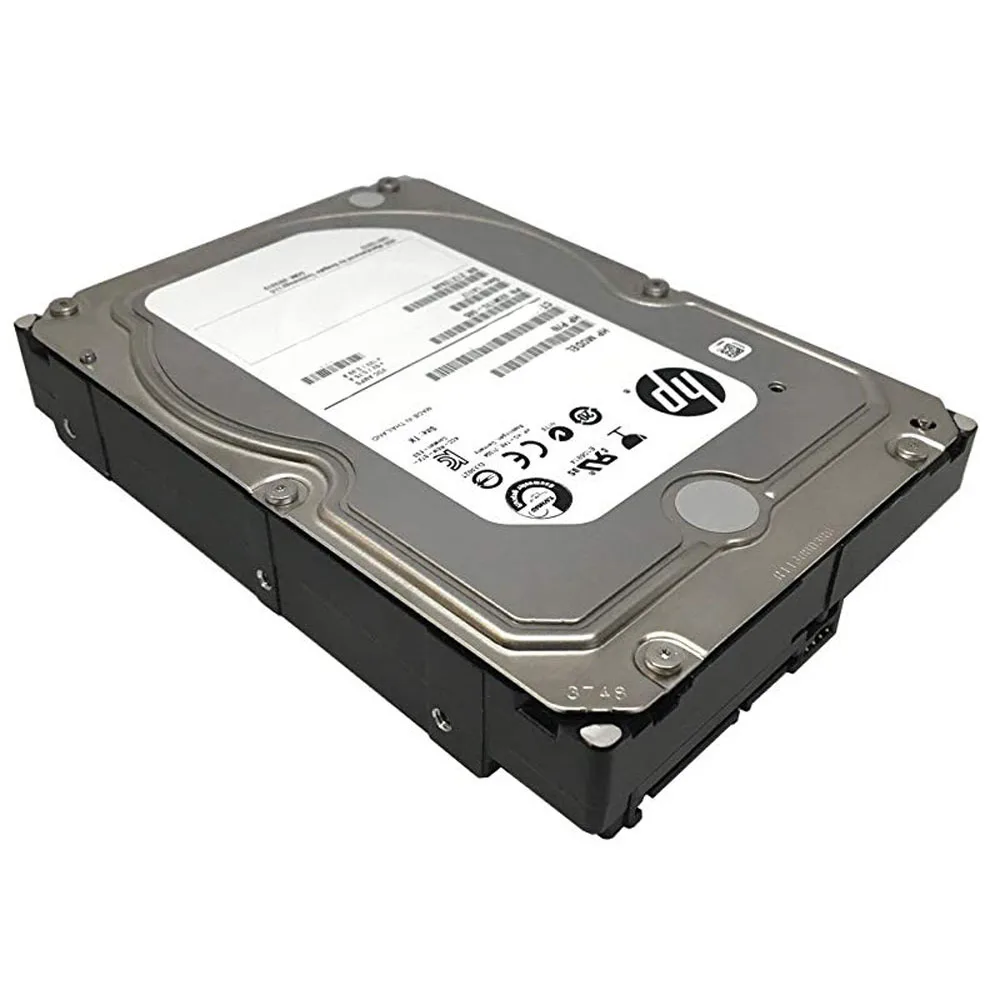
HPE 4TB 7200 RPM SATA 3.5" Internal Hard Drive 861683-B21
A 4 TB 7200 RPM SATA 3.5-inch internal hard drive for HPE Apollo 4200 Gen9 servers
- InterfaceSATA
- Capacity4TB
- RPM7200 RPM
- Form Factor3.5"
- 4 TB capacity stores large datasets
- 7200 RPM spindle speed delivers responsive data access
- SATA 600 interface provides broad system compatibility
- 5 inch form factor fits standard drive bays
- Designed for HPE Apollo 4200 Gen9 server integration
HPE 4TB 7200 RPM SATA Hard Drive
This HPE internal hard drive provides 4TB of storage on a 3.5-inch form factor. It operates at 7200 RPM with a SATA 600 interface for standard desktop or server installations. The drive is supplied new and carries part number 861683-B21.
Suited for capacity-focused storage arrays
This drive suits administrators expanding HPE Apollo 4200 Gen9 Server storage or populating 3.5-inch bays with high-capacity rotational media. Builders who need solid-state speed, a smaller 2.5-inch form factor, or a different interface should look at other options.
SATA 600 interface determines host compatibility
The drive connects through a SATA 600 interface, so the host system must provide a matching SATA port. Verify that the server or desktop backplane supports 3.5-inch drives and the required SATA revision before purchase.
商品特色
- 4 TB capacity stores large datasets
- 7200 RPM spindle speed delivers responsive data access
- SATA 600 interface provides broad system compatibility
- 5 inch form factor fits standard drive bays
- Designed for HPE Apollo 4200 Gen9 server integration
商品規格
| Interface | SATA |
|---|---|
| Capacity | 4TB |
| RPM | 7200 RPM |
| Form Factor | 3.5" |
商品問答
Will the 3.5" form factor fit a standard LFF drive bay in an HPE Apollo 4200 Gen9 server?
Yes, the 3.5" large form factor matches the LFF bays used in the HPE Apollo 4200 Gen9, and the SATA interface connects directly to the server backplane.
How is the drive installed in the server, and what step is often missed?
Slide the drive into the hot-plug carrier until it clicks, then close the carrier lever fully; the step often missed is not seating the carrier latch completely, which prevents the server from detecting the drive.
What maintenance or replacement should be planned for this 7200 RPM drive over time?
Monitor SMART attributes for reallocated sectors and rising seek errors; replace the drive once the SMART health status indicates imminent failure or after the rated workload limit is reached.
同類商品
顧客也比較過
同一分類,同一套結帳流程 — 支援八種加密貨幣,匯率鎖定 30 分鐘。


