

SanDisk
SanDisk Cruzer Blade 8 GB USB 2.0 USB flash drive Black SDCZ50-008G-B35
US$391.99
0.00498905BTC
現貨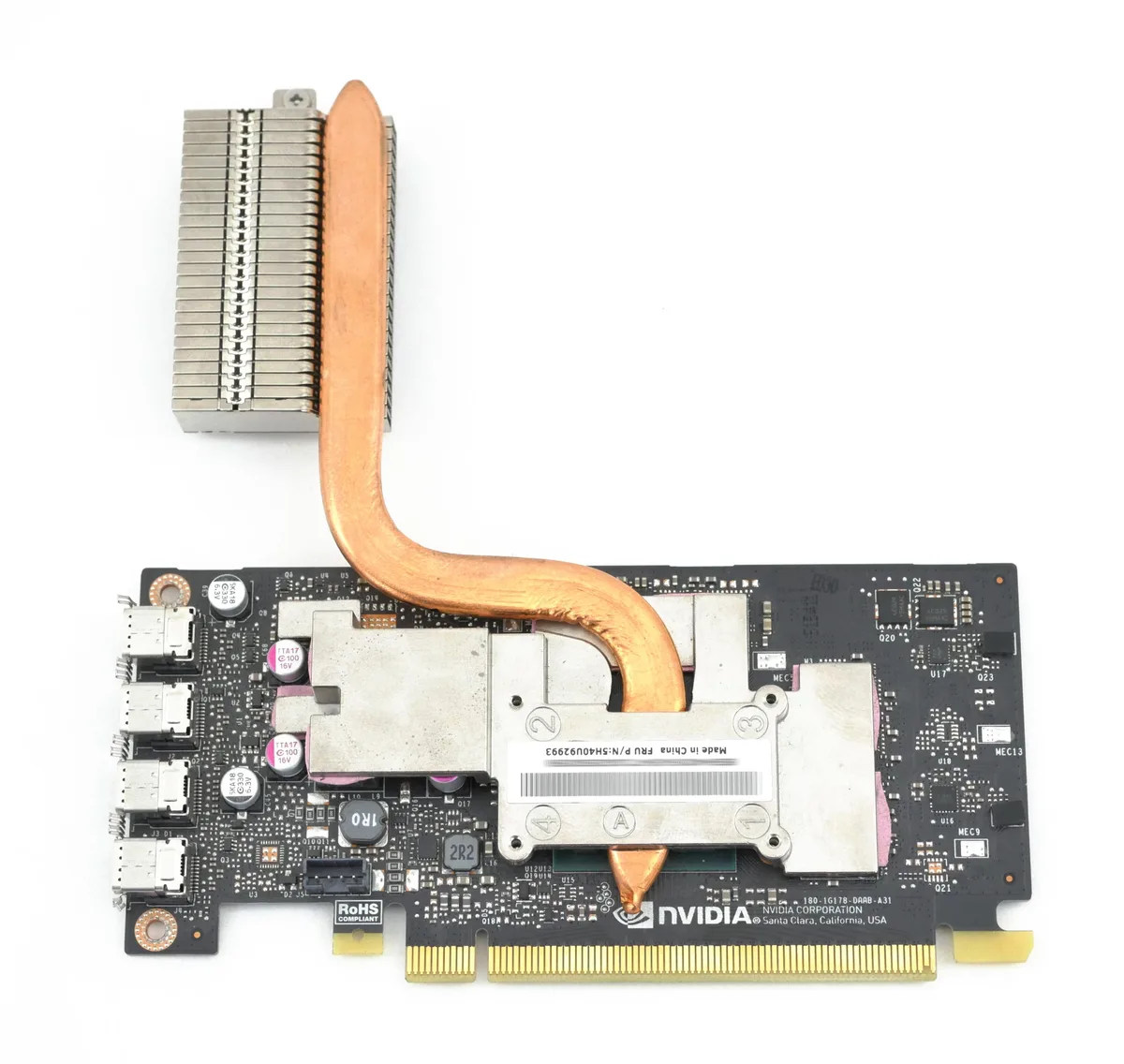


Lenovo
Low-profile NVIDIA P1000 with 4 GB GDDR5, 640 CUDA cores and four miniDP 1.4 outputs for up to four 4K or 5K displays
This low-profile graphics card is built for the Lenovo Tiny M90q, P340 and P360 chassis. It delivers professional visual computing in a compact form factor that fits the restricted space of those systems. The included heatsink ensures thermal performance without a bulky cooler.
The card connects through a standard PCI Express 3.0 x16 slot and provides four miniDP 1.4 ports. Each port can drive a 4096x2160 or 5120x2880 display at 60 Hz, supporting up to four simultaneous monitors directly or through Multi-Stream Transport. The small connectors keep cable routing tidy inside tight enclosures.
Replacing integrated graphics with the 640 CUDA core P1000 adds hardware acceleration for DirectX 12.0, Vulkan 1.0, OpenGL 4.5 and compute workloads via CUDA, DirectCompute and OpenCL. The jump is worth it when you need four high-resolution displays or GPU-accelerated professional applications in a Tiny workstation.
| Memory Type | GDDR5 |
|---|
The card runs on a PCI Express 3.0 x16 link, giving up to 16 GT/s per lane for host communication.
It is a low-profile card with an included heatsink designed to fit the proprietary Tiny chassis slot and bracket.
Remove the chassis cover, insert the card into the dedicated PCIe slot, then secure the heatsink screws to the board — the screw step is frequently skipped.
同類商品
同一分類,同一套結帳流程 — 支援八種加密貨幣,匯率鎖定 30 分鐘。
您支付所用的幣種,以及查看價格所用的貨幣。
結帳時由您的錢包發送
僅供顯示 — 商品目錄以美元計價
查無符合的貨幣。
請選擇網站使用的語言。
查無符合的語言。
初次造訪?
已經有帳戶了嗎?
本店沒有自動重設密碼的機制:由於不寄送電子郵件,也就沒有一次性連結可供申請。只要將地址留在帳戶中,之後將由專人處理。
請求已收到
不會有任何郵件寄到您的信箱 — 本商店完全不寄送電子郵件。會有人親自處理這些申請。
想起來了嗎?



