


MSI
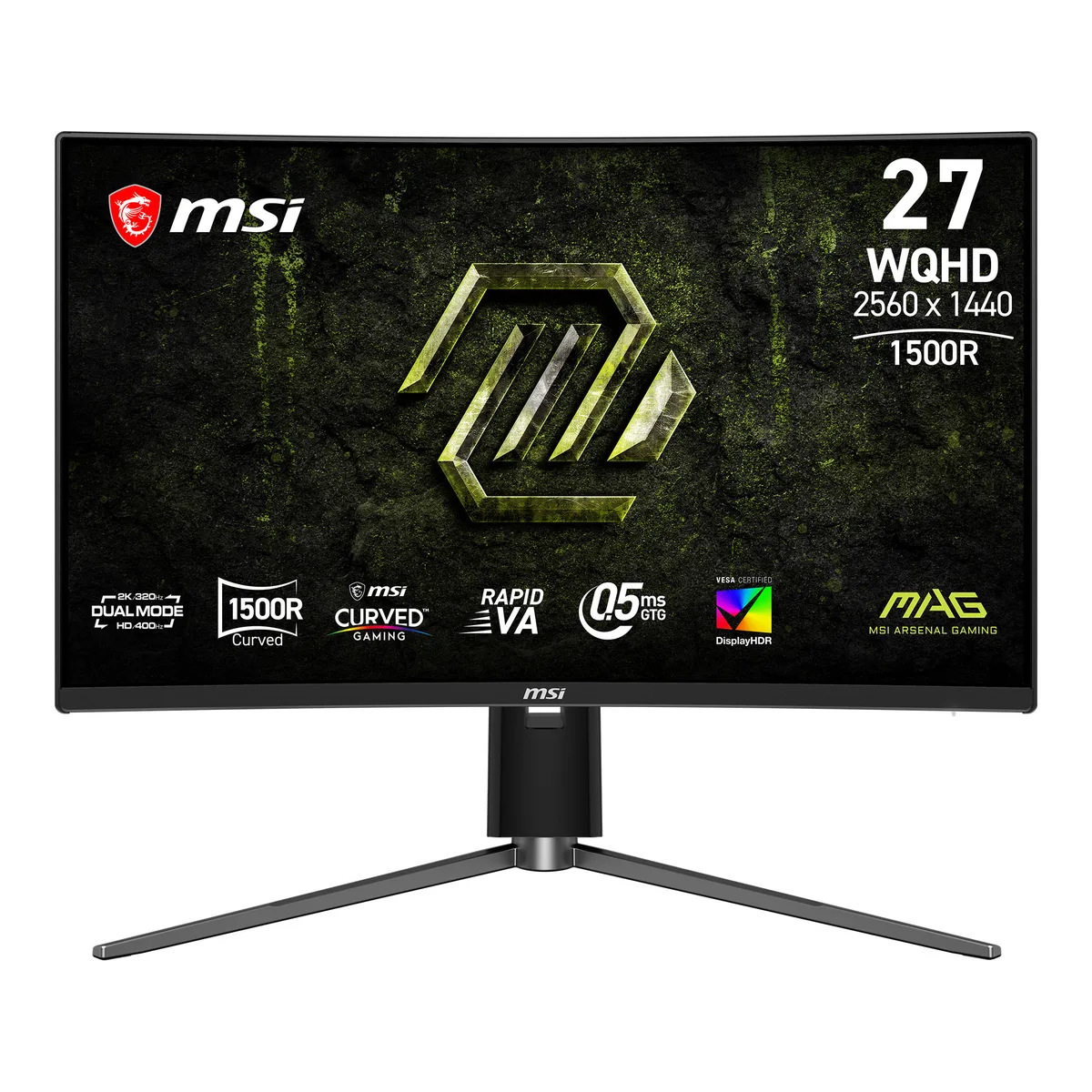
MSI MAG 274CQPDF X32 27" Dual Mode gaming monitor
A 27 inch curved Rapid VA gaming monitor with dual-mode WQHD 320Hz and FHD 400Hz, 0.5ms response, FreeSync Premium and VESA DisplayHDR 400
- Cabinet ColorBlack
- Bezel Design3 Sided Frameless
- Screen Size27"
- WidescreenYes
- Glare ScreenAnti-glare
- LED BacklightRapid VA/LED
- Dual Mode switches between 320 Hz at 1440p and 400 Hz at 1080p for each game type
- 5 ms GtG response keeps fast motion sharp without ghosting
- 1500R curvature wraps the 27 inch panel for deeper immersion
- FreeSync Premium matches GPU output to eliminate tearing
- VESA DisplayHDR 400 lifts contrast and shadow detail for brighter highlights
Dual-Mode Gaming Monitor
This 27-inch Rapid VA display offers a 1500R curvature and a WQHD native resolution of 2560 x 1440. It supports two distinct operating modes: 320 Hz at the full resolution or 400 Hz at a lower resolution. AI Dual Mode switches the refresh rate automatically when the resolution changes. AMD FreeSync Premium and SLMB Sync work together to reduce tearing and motion blur.
Competitive Players Seeking Flexibility
The monitor suits gamers who alternate between high-resolution immersion and maximum motion clarity for fast shooters. Console players benefit from a dedicated Console Mode and VRR support. Buyers who require a flat panel, higher peak brightness than 350 cd/m², or factory-calibrated colour accuracy should consider other models.
0.5 ms GtG Response Time
A minimum grey-to-grey response of 0.5 ms drives the panel’s ability to keep up with 320 Hz and 400 Hz refresh rates. This figure is the primary indicator of whether motion clarity meets a specific competitive standard. The 5000:1 contrast ratio and 95% DCI-P3 coverage support image depth but do not define the speed envelope.
商品特色
- Dual Mode switches between 320 Hz at 1440p and 400 Hz at 1080p for each game type
- 5 ms GtG response keeps fast motion sharp without ghosting
- 1500R curvature wraps the 27 inch panel for deeper immersion
- FreeSync Premium matches GPU output to eliminate tearing
- VESA DisplayHDR 400 lifts contrast and shadow detail for brighter highlights
商品規格
| Brand | MSI |
|---|---|
| Series | MAG |
| Model | MAG 274CQPDF X32 |
| Cabinet Color | Black |
| Bezel Design | 3 Sided Frameless |
| Screen Size | 27" |
| Widescreen | Yes |
| Glare Screen | Anti-glare |
| LED Backlight | Rapid VA/LED |
| Panel | Rapid VA |
| Display Type | WQHD |
| Adaptive Sync Technology | FreeSync Premium (AMD Adaptive Sync) |
| Maximum Resolution | 2560 x 1440 |
| Resolution | 2560 x 1440 |
| Viewing Angle | 178° (H) / 178° (V) |
| Aspect Ratio | 16:9 |
| Brightness | 350 cd/m2 |
| Contrast Ratio | 5000:1 |
| Response Time | 0.50 ms |
| Color Gamut | sRGB 90.3%, DCI-P3 95% |
| Display Colors | 1.07 Billion |
| Monitor Pixel Density | 0.2331mm |
| Refresh Rate | 400Hz |
| HDR Standard | HDR10 |
| VESA Certified DisplayHDR | DisplayHDR 400 |
| Curved Surface Screen | Curved |
| Curvature Radius | 1500R |
| Input Video Compatibility | Digital |
| Connectors | 2x HDMI 2.1 (QHD@320Hz), DisplayPort 1.4a, Headphone-out |
| DVI | No |
| HDMI | 2 x HDMI 2.1 |
| DisplayPort | 1 x DisplayPort 1.4a |
| Video Ports | 1 x DisplayPort 1.4a / 2 x HDMI 2.1 |
| Power Supply | 100 - 240V, 50/60Hz |
| Stand Adjustments | Height, Swivel, Tilt |
| Built-in Speakers | No |
| Built-in Webcam | No |
| VESA Compatibility - Mountable | 100 x 100mm |
| Dimensions | Dimension with Stand (W x D x H): 613.5 x 278.3 x 403.7 mm (24.15 x 10.96 x 15.89 inch) Dimension without Stand (W x D x H): 613.5 x 78.3 x 363.6 mm (24.15 x 3.08 x 14.31 inch) |
| Weight | Weight Without Stand: 3 kg (6.61 lbs) Weight (NW / GW): 4.7 kg (10.36 lbs) / 7.7 kg (16.98 lbs) |
| Package Contents | 1x DisplayPort Cable (1.4a), 1x Power Cord (C13), 1x Power Adaptor, 1x Quick Guide, 4x Stand Screw |
| 出貨重量 | 8.07 kg |
| 包裝尺寸 | 864 × 470 × 150 mm |
商品問答
What cables and accessories come in the box and what must I buy separately?
The package includes the 27 inch Rapid VA panel, the height-adjustable stand with swivel and tilt, and standard power and video cables. No additional cables are required for DisplayPort or HDMI connection.
Should I run the monitor at WQHD 320 Hz or FHD 400 Hz for my setup?
Choose WQHD 2560 x 1440 at 320 Hz for maximum detail in RPGs or strategy titles. Switch to FHD at 400 Hz when you need the lowest motion blur in competitive shooters.
How does the 0.5 ms GtG response time actually look in fast games?
The 0.5 ms grey-to-grey minimum combined with SLMB Sync keeps moving edges sharp and reduces ghosting even when variable refresh rate is active.
同類商品
顧客也比較過
同一分類,同一套結帳流程 — 支援八種加密貨幣,匯率鎖定 30 分鐘。




