

SanDisk
SanDisk Cruzer Blade 8 GB USB 2.0 USB flash drive Black SDCZ50-008G-B35
US$391.99
0.00501664BTC
現貨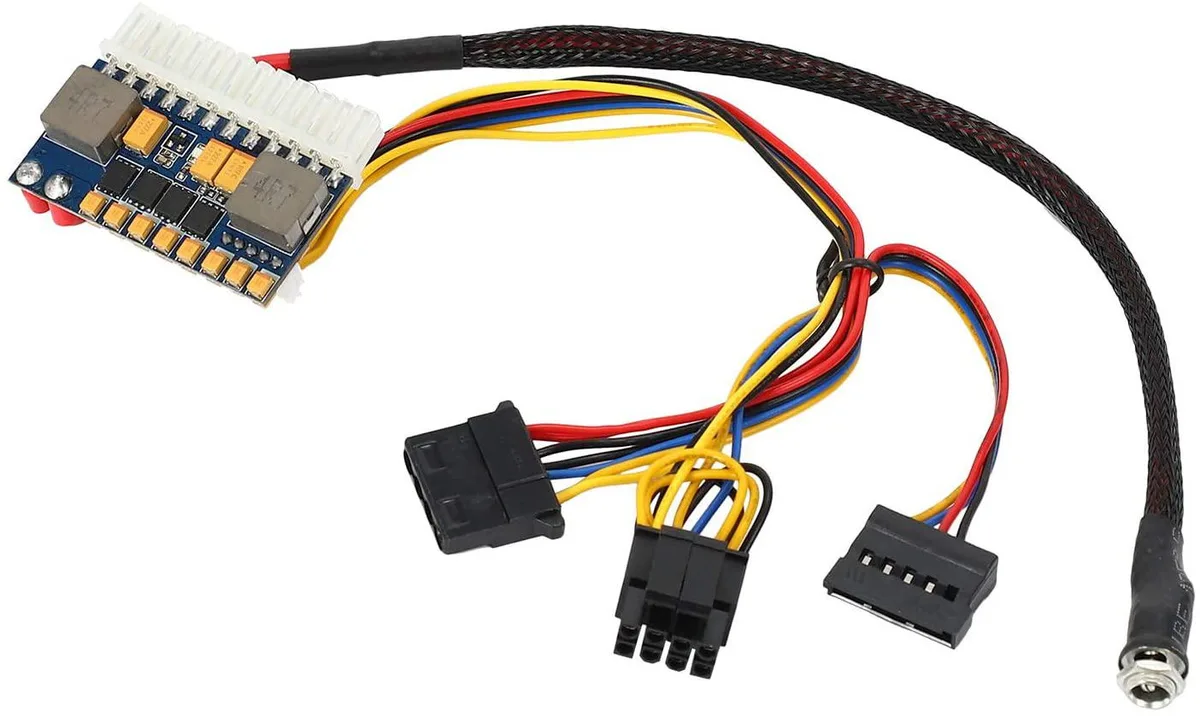


myVolts
A compact 19 V pico-ATX supply delivering up to 200 W with a full modular cable set for ITX motherboards
The myVolts Bobin delivers up to 200 W from a 16 V to 24 V DC source, with 19 V suggested. It provides a 24-pin ATX connector, 4-pin CPU auxiliary, one SATA power lead, one Molex and one floppy connector. Active PFC and full modular cabling keep the layout tidy inside small-form-factor or server chassis.
The unit suits ITX motherboards that need standard ATX voltages — +3.30 V, +5.00 V and +12.00 V — without an internal AC inlet. The jump is worth it when space or noise rules out a full-size PSU and a suitable 19 V laptop-style adapter is already available. It is not for systems that require more than 200 W or multiple 12 V GPU connectors.
Installation is a straight swap: connect the barrel plug to the adapter, then attach the modular leads to the board and drives. What usually goes wrong is undersizing the external adapter — it must supply the full 200 W at 19 V — or forgetting that the single SATA lead limits drive count without extra splitters.
| Type | AT |
|---|
It uses a DC barrel jack with a 2.5 mm inner diameter and a 5.5 mm outer diameter.
Connect the 12 V input plug, then attach the 20+4 pin ATX, 4 pin CPU, SATA, Molex and floppy cables; the step often missed is verifying the source delivers 16–24 V before powering on.
The 20+4 pin ATX, 4 pin CPU auxiliary, SATA power, 4 pin Molex and floppy drive cables are the items most likely to wear out over time.
同類商品
同一分類,同一套結帳流程 — 支援八種加密貨幣,匯率鎖定 30 分鐘。
您支付所用的幣種,以及查看價格所用的貨幣。
結帳時由您的錢包發送
僅供顯示 — 商品目錄以美元計價
查無符合的貨幣。
請選擇網站使用的語言。
查無符合的語言。
初次造訪?
已經有帳戶了嗎?
本店沒有自動重設密碼的機制:由於不寄送電子郵件,也就沒有一次性連結可供申請。只要將地址留在帳戶中,之後將由專人處理。
請求已收到
不會有任何郵件寄到您的信箱 — 本商店完全不寄送電子郵件。會有人親自處理這些申請。
想起來了嗎?



