partaker
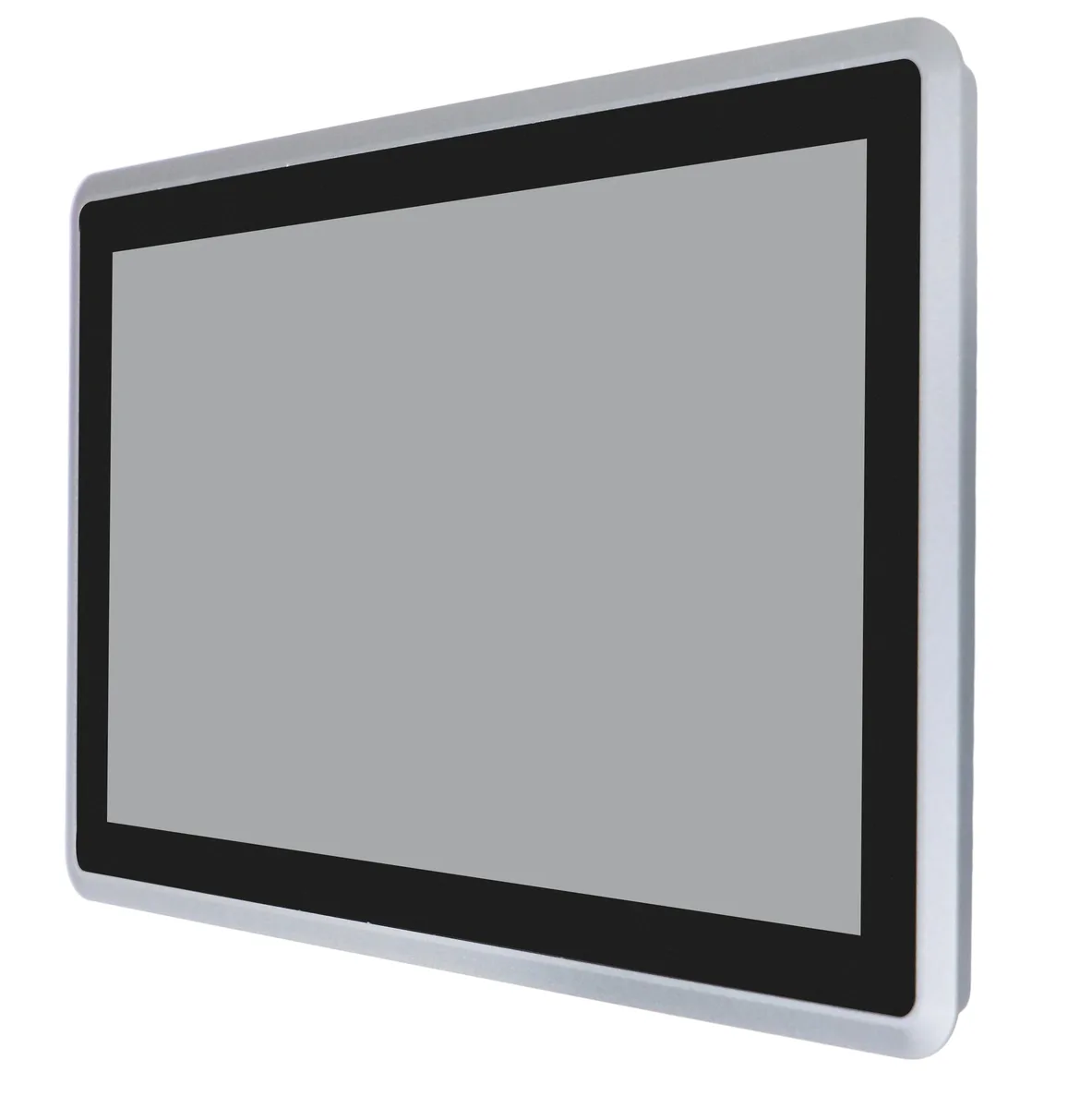
Partaker A26 12.1" AI edge system i3-5005U 4GB 128GB
- All-in-One PC
- All-in-One
US$472.99
0.00612912BTC
現貨


partaker
A 15 inch IP65 resistive touch panel PC with an Intel Core i5-4200U, 16GB DDR3 and 256GB storage for industrial edge AI
A27 15" Resistive I5 4200U 16GB RAM / 256GB SSD
The Partaker A27 is a 15-inch all-in-one industrial panel PC built around an Intel Core i5-4200U processor running up to 2.60 GHz. It ships with Windows 10 Pro, 16 GB of DDR3 memory and a 256 GB mSATA drive. The IP65-rated front panel resists dust and water jets, while the fanless aluminium chassis operates silently from -20 °C to +60 °C.
This unit fits machine builders who need a compact, sealed touchscreen computer with dual Gigabit Ethernet, two configurable RS232/485 serial ports and four USB interfaces. The resistive touch panel withstands 50 million touches and works with gloves. Buyers who require a capacitive multi-touch surface, higher-resolution graphics or a different mounting cutout should evaluate alternative models.
The 15-inch TFT LCD delivers a 4:3 aspect ratio at 1024×768 resolution with 350 cd/m² brightness. The default resistive layer supports stylus and gloved input, while an optional capacitive variant is available. Verify that this resolution, aspect ratio and touch technology match the HMI software and operator workflow before purchase.
| Type | All-in-One PC |
|---|---|
| Form Factor | All-in-One |
| Color | Gray |
| Operating System | Windows 10 Pro |
| CPU Type | Intel Core i5 4th Gen |
| CPU Name | Intel Core i5-4200U |
| Screen Size | 15" |
| Screen Type | Multi-Touch Screen |
其他版本
同系列產品,記憶體、散熱器或時脈不同 — 下單前請先比較。
The 4:3 aspect panel resolves to 1024×768 and the resistive layer registers one touch point at a time, so multi-touch gestures are not supported and fine stylus work is the practical ceiling.
The front bezel seals in a 355×279 mm cutout; the fanless aluminum chassis sits behind that opening, so allow enough rear clearance for the DC12V inlet, dual Gigabit LAN, HDMI, two COM ports, four USB ports and audio jack.
The board boots from the single mSATA slot; insert the drive before first power-on, enable the AMI EFI BIOS boot entry for that slot, and remember to connect the LVDS cable that is already wired to the LCD or the installer will show no display.
同類商品
同一分類,同一套結帳流程 — 支援八種加密貨幣,匯率鎖定 30 分鐘。
您支付所用的幣種,以及查看價格所用的貨幣。
結帳時由您的錢包發送
僅供顯示 — 商品目錄以美元計價
查無符合的貨幣。
請選擇網站使用的語言。
查無符合的語言。
初次造訪?
已經有帳戶了嗎?
本店沒有自動重設密碼的機制:由於不寄送電子郵件,也就沒有一次性連結可供申請。只要將地址留在帳戶中,之後將由專人處理。
請求已收到
不會有任何郵件寄到您的信箱 — 本商店完全不寄送電子郵件。會有人親自處理這些申請。
想起來了嗎?