

HP
HP EliteBook 1040 G9 i7-1255U 32GB 512GB 14in business laptop
- Silver
- Windows 11 Pro
418,99 US$
0.0053147BTC
En stockAceptamos criptomonedas — así, las criptos que usted tiene pueden comprar hardware real.Pague en cripto y gástela en hardware real. Envío asegurado gratis a nivel mundial a partir de $399. Cajas neutras, sin marca, enviadas desde Alemania.Envío asegurado gratis a partir de $399. Su cotización queda bloqueada 30 minutos en cuanto se abre el pago.Cotización bloqueada 30 minutos. Todos los artículos vienen sellados, con el número de serie verificado y cubiertos por una garantía de 24 meses.Sellado, con 24 meses de garantía.


Lenovo
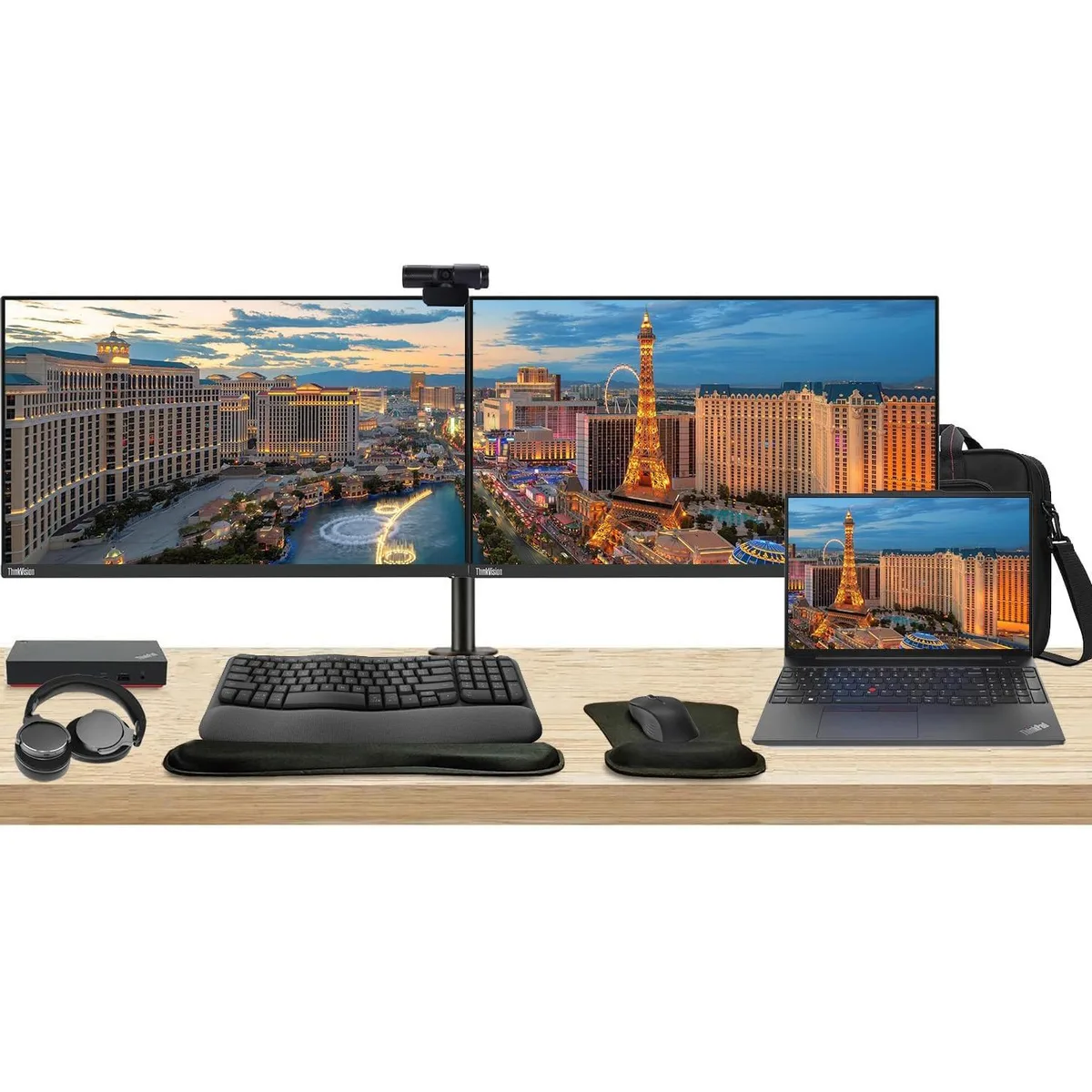
Complete workstation bundle with 16" touchscreen laptop, dual 27" monitors, USB-C dock, wireless keyboard and mouse, webcam, headphones and briefcase
The Lenovo E16 combines a 16-inch 1920 x 1200 touchscreen, Ryzen 5 7530U processor, 16GB RAM and 256GB SSD in a single chassis. Two ThinkVision T27i monitors each deliver a 27-inch 1920 x 1080 IPS panel at 60 Hz with 300 Nit brightness and 16.7 million colours. The bundle adds a 135 W USB-C dock, MK670 wireless keyboard and mouse, Cam 313 webcam, U Evolve headphones, dual monitor stand, gel wrist rest and a 12.8 x 16.8 x 3.3 inch briefcase.
The Ryzen 5 7530U 6-core 2 GHz CPU handles office workloads without demanding high-power cooling inside the laptop. The included 135 W dock powers the laptop and both monitors over a single USB-C link while adding Gigabit Ethernet, two DisplayPort outputs, one HDMI port and six USB ports. No separate power bricks are required for the displays, reducing cable count and overall heat output on the desk.
The heavy-duty clamp mount lets you position both 27-inch screens at matching height, tilt and swivel for a seamless dual-monitor canvas. The Cam 313 webcam captures 1920 x 1080 video with a built-in microphone, while the U Evolve headphones provide active noise cancellation and Bluetooth or wired connectivity for calls. The MK670 combo adds a 7-button optical mouse with multimedia keys and a gel-filled wrist rest for extended comfort.
Aún no hay especificaciones publicadas para este artículo.
Connect each monitor to the dock using its HDMI or DisplayPort inputs, then plug the dock's USB-C cable into the laptop; the step often missed is connecting the dock's 135 W power adapter so the dock can drive both displays and charge the notebook.
The MK670 wireless keyboard and mouse run on batteries that will need periodic replacement, and the gel wrist rest can wear down with daily use.
The dock supports a maximum of three displays, so the two 27" monitors at 60 Hz are within its output limit; sustained use is constrained by the laptop's thermal design rather than the dock's display capacity.
También en este pasillo
Mismo estante, mismo pago — ocho criptomonedas y un tipo de cambio fijado 30 minutos.
Lo que usted paga, y la moneda en la que lee los precios.
Se envía desde su billetera al finalizar la compra
Solo informativo — el catálogo está en dólares
Ninguna moneda coincide.
Elija el idioma en el que el sitio le habla.
Ningún idioma coincide.
¿Es nuevo aquí?
¿Ya tiene una?
No existe ningún restablecimiento automático: esta tienda no envía correos electrónicos, así que no hay ningún enlace de un solo uso que solicitar. Deje la dirección asociada a la cuenta y se atenderá de forma manual.
Solicitud registrada
No hay nada de camino a su bandeja de entrada: esta tienda no envía correos en absoluto. Alguien se encarga de esto manualmente.
¿La recordó?


