

HP
HP EliteBook 1040 G9 i7-1255U 32GB 512GB 14in business laptop
- Silver
- Windows 11 Pro
418,99 US$
0.00537098BTC
Em stockAceitamos criptomoeda — para que as moedas que detém possam comprar material informático real.Pague em cripto, gaste-a em material informático real. Envio seguro gratuito para todo o mundo acima de 399 $. Caixas neutras, sem marca, expedidas a partir da Alemanha.Envio seguro gratuito acima de 399 $. A sua taxa fica bloqueada durante 30 minutos assim que abre a finalização da compra.Taxa bloqueada 30 minutos. Cada artigo é selado, o seu número de série é verificado, e está coberto por uma garantia de 24 meses.Selado, garantido 24 meses.


Lenovo
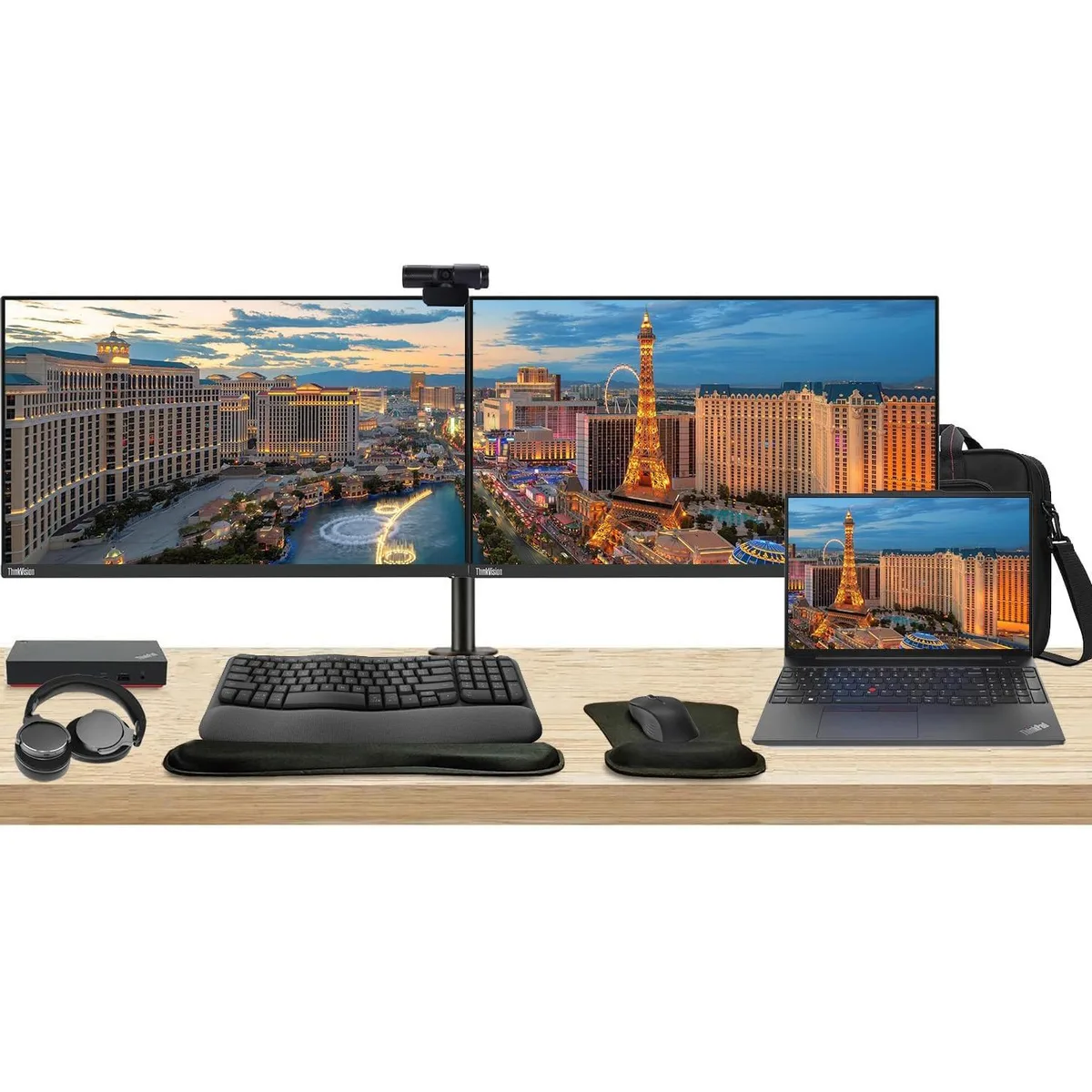
Complete workstation bundle with 16" touchscreen laptop, dual 27" monitors, USB-C dock, wireless keyboard and mouse, webcam, headphones and briefcase
The Lenovo E16 combines a 16-inch 1920 x 1200 touchscreen, Ryzen 5 7530U processor, 16GB RAM and 256GB SSD in a single chassis. Two ThinkVision T27i monitors each deliver a 27-inch 1920 x 1080 IPS panel at 60 Hz with 300 Nit brightness and 16.7 million colours. The bundle adds a 135 W USB-C dock, MK670 wireless keyboard and mouse, Cam 313 webcam, U Evolve headphones, dual monitor stand, gel wrist rest and a 12.8 x 16.8 x 3.3 inch briefcase.
The Ryzen 5 7530U 6-core 2 GHz CPU handles office workloads without demanding high-power cooling inside the laptop. The included 135 W dock powers the laptop and both monitors over a single USB-C link while adding Gigabit Ethernet, two DisplayPort outputs, one HDMI port and six USB ports. No separate power bricks are required for the displays, reducing cable count and overall heat output on the desk.
The heavy-duty clamp mount lets you position both 27-inch screens at matching height, tilt and swivel for a seamless dual-monitor canvas. The Cam 313 webcam captures 1920 x 1080 video with a built-in microphone, while the U Evolve headphones provide active noise cancellation and Bluetooth or wired connectivity for calls. The MK670 combo adds a 7-button optical mouse with multimedia keys and a gel-filled wrist rest for extended comfort.
Ainda não há especificações publicadas para este artigo.
Connect each monitor to the dock using its HDMI or DisplayPort inputs, then plug the dock's USB-C cable into the laptop; the step often missed is connecting the dock's 135 W power adapter so the dock can drive both displays and charge the notebook.
The MK670 wireless keyboard and mouse run on batteries that will need periodic replacement, and the gel wrist rest can wear down with daily use.
The dock supports a maximum of three displays, so the two 27" monitors at 60 Hz are within its output limit; sustained use is constrained by the laptop's thermal design rather than the dock's display capacity.
Também nesta secção
Mesma prateleira, mesma finalização da compra — oito moedas e uma taxa bloqueada durante 30 minutos.
O que paga, e a moeda em que vê os preços.
Enviado da sua carteira ao finalizar a compra
Apenas informativo — o catálogo está em dólares
Nenhuma moeda corresponde.
Escolha o idioma em que o site lhe fala.
Nenhum idioma corresponde.
Ainda não tem conta?
Já tem conta?
Não existe reposição automática: esta loja não envia qualquer e-mail, pelo que não há nenhum link de utilização única para pedir. Deixe o endereço na conta e ele será tratado manualmente.
Pedido registado
Não vai chegar nada à sua caixa de entrada — esta loja não envia qualquer e-mail. Alguém trata disto manualmente.
Recordou-se dela?


