TP-Link
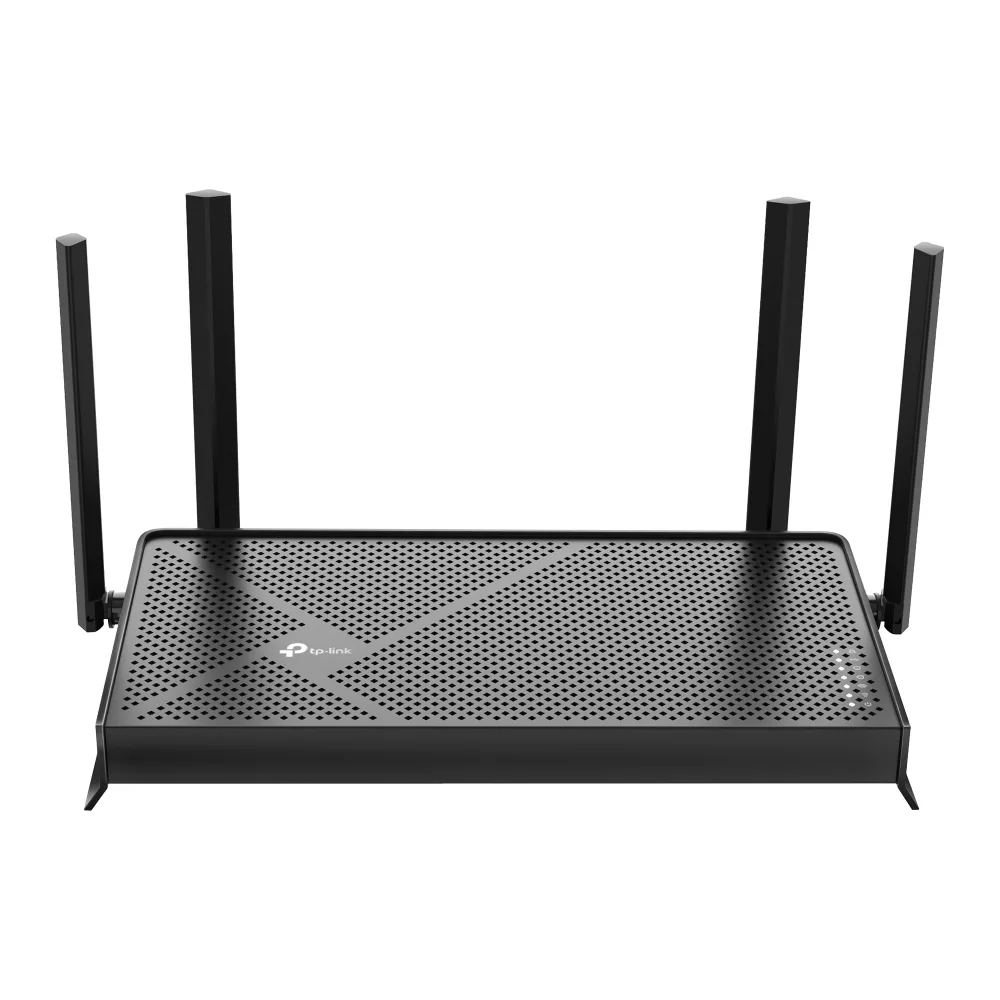
TP-Link Archer BE230 BE3600 Wi-Fi 7 wireless router
- IEEE 802.11be/ax/ac…
- Wi-Fi 7
$99.99$133.99−25%
0.00128783BTC
在庫あり


TP-Link
Tri-band Wi-Fi 7 router delivering up to 9.7 Gbps with a 10 Gbps WAN port and four 2.5 Gbps LAN ports
Model Archer BE550 Pro
The Archer BE550 Pro is a tri-band Wi-Fi 7 router delivering up to 9.7 Gbps aggregate wireless throughput. It targets households and small offices that need high-capacity connectivity for 8K streaming, VR applications and dense device environments. The design supports IEEE 802.11 a/b/g/n/ac/be standards across the 2.4 GHz, 5 GHz and 6 GHz bands.
A single 10 Gbps WAN port connects to multi-gig internet services while four 2.5 Gbps LAN ports serve wired clients such as NAS units, workstations and gaming consoles. Physical controls include dedicated power, Wi-Fi, LED, WPS and reset buttons for direct management. The unit operates between 0 and 40 °C with humidity up to 90 % non-condensing.
Multi-Link Operation transmits across the 2.4 GHz, 5 GHz and 6 GHz bands simultaneously, reducing latency compared with Wi-Fi 6 and 6E routers. EasyMesh compatibility allows the router to join an existing EasyMesh system for whole-home coverage. Buyers who require more than four wired 2.5 Gbps connections or a second 10 Gbps port should consider models with additional multi-gig interfaces.
| Brand | TP-Link |
|---|---|
| Model | Archer BE550 Pro |
| Standards | IEEE 802.11 a/b/g/n/ac/be |
| WPA | • WPA • WPA2 • WPA3 • WPA/WPA2-Enterprise (802.1x) |
| WAN Ports | 1× 10 Gbps WAN |
| LAN Ports | 4× 2.5 Gbps LAN |
| Buttons | • Power On/Off Button • Wi-Fi On/Off Button • LED Button • WPS Button • Reset Button |
| Temperature | • Operating Temperature: 0?~40? (32? ~104?) |
| Humidity | • Operating Humidity: 10%~90% non-condensing |
| Package Contents | • Wi-Fi 7 Router Archer BE550 Pro • Power Adapter • RJ45 Ethernet Cable • Quick Installation Guide |
| 配送重量 | 2.09 kg |
| 梱包サイズ | 274 × 240 × 145 mm |
このモデルの他のバージョン
同じファミリーで、メモリ・クーラー・クロックが異なります — 購入前に比較してください。
The single 10 Gbps WAN port caps incoming internet throughput at ten gigabits per second, so any ISP plan faster than that will be limited by the port.
The rear panel holds four 2.5 Gbps LAN ports spaced for standard RJ45 plugs; allow at least 45 mm depth behind the router for straight cables or use angled connectors in tighter spaces.
Press the dedicated WPS button on the rear panel after enabling WPS in the web interface; a common mistake is holding the reset button instead, which restores factory defaults.
同じ売り場の商品
同じ売り場、同じレジ — 8種類のコインと30分間のレートロック。
お支払いに使うコインと、価格表示に使う通貨です。
チェックアウト時にウォレットから送信されます。
表示のみ—カタログの価格は米ドル建てです。
該当する通貨がありません。
サイトの表示言語を選択してください。
初めてのご利用ですか?
すでにお持ちですか?
自動的な再設定はありません。当店はメールを送信しないため、ワンタイムリンクをお送りすることもできません。アカウントにメールアドレスを残しておいていただければ、担当者が手作業で確認いたします。
リクエストを受け付けました
受信箱に何かが届くことはありません — 当店はメールを一切送信していません。担当者が手作業で確認いたします。
思い出しましたか?