Silicon Power
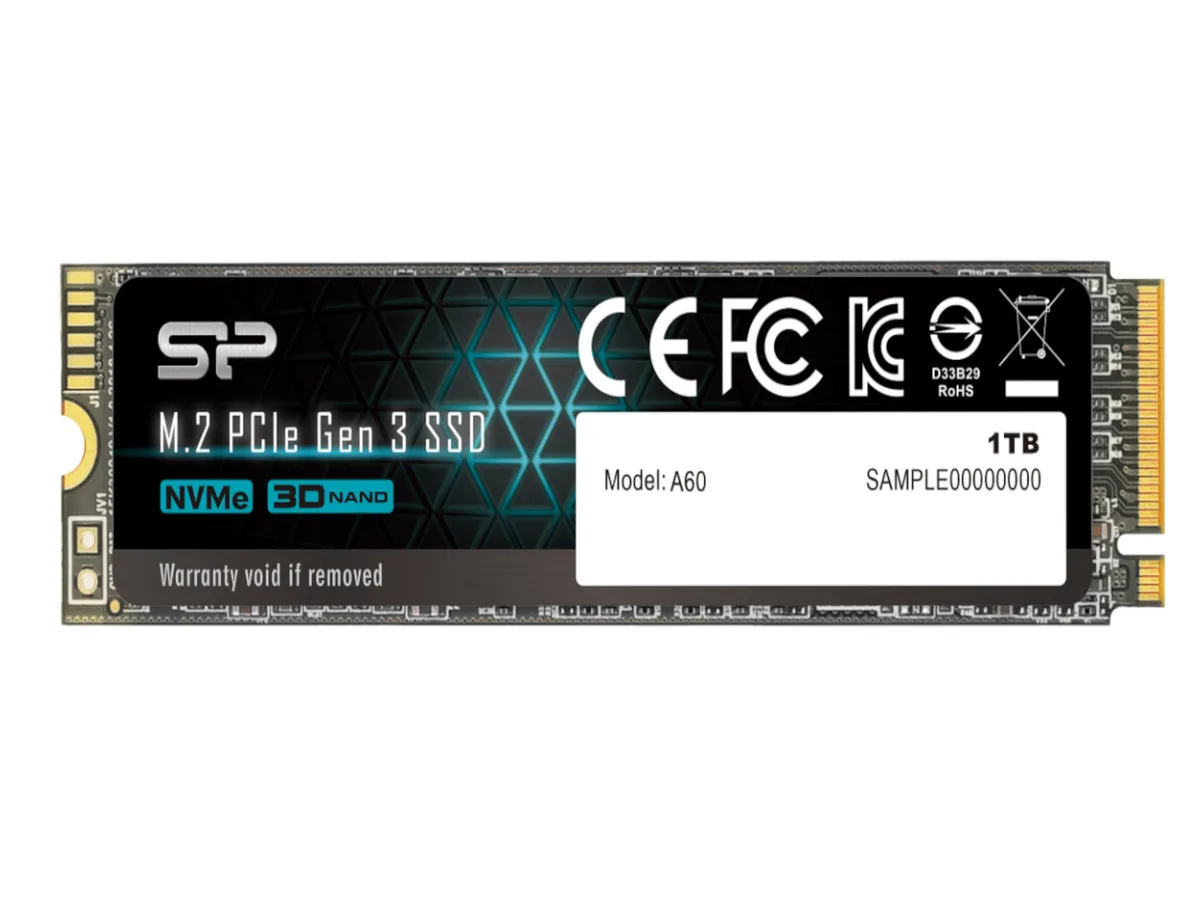
Silicon Power SP128GBP34A60M28 128GB internal SSD
- Up to 2200 MBps
- Up to 1600 MBps
$35.99
0.00046495BTC
In stockWe take cryptocurrency — so the coins you hold can buy real hardware.Pay in crypto, spend it on real hardware. Free insured shipping worldwide over $399. Plain, unbranded boxes, sent from Germany.Free insured shipping over $399. Your rate is locked for 30 minutes once checkout opens.Rate locked 30 minutes. Every item sealed, serial-checked and covered by a 24-month warranty.Sealed, 24-month warranty.


Silicon Power
M.2 2280 drive with PCIe 3.0 x4 interface delivering sequential reads up to 2,200 MB/s and writes up to 1,600 MB/s
The Silicon Power P34A60 is a 512GB internal SSD built for consumer laptops and desktops. It uses a PCIe 3.0 x4 interface and complies with NVMe 1.3. The M.2 2280 form factor fits modern slots in compact systems and ultrabooks.
The drive measures 80.00mm long, 22.00mm wide and 3.50mm high, weighing 8.00g. It uses TLC memory components and an advanced controller. The small footprint allows straightforward installation in tight chassis without extra brackets or cables.
Operating temperature spans 0°C to 70°C and the SSD has no mechanical components, so it runs silently. Power draw stays low during typical workloads. LDPC ECC, End-To-End data protection and a RAID engine maintain data integrity under sustained use.
| Brand | Silicon Power |
|---|---|
| Series | P34A60 |
| Model | SU512GBP34A60M28SN |
| Part Number | M.2 2280 (80mm) form factor |
| Device Type | Internal Solid State Drive (SSD) |
| Used For | Consumer |
| Form Factor | M.2 2280 |
| Capacity | 512GB |
| Memory Components | TLC |
| Interface | PCI-Express 3.0 x4 |
| Max Sequential Read | Up to 2200 MBps |
| Max Sequential Write | Up to 1600 MBps |
| MTBF | 2,000,000 hours |
| Features | PCIe Gen 3 x4 interface with read speeds up to 2,200 MB/s and write speeds up to 1,600 MB/s Massive storage capacity options up to 2TB LDPC (Low-Density Parity Check) error correction code (ECC) technology, End-To-End (E2E) data protection, and RAID engine for enhanced data integrity and stability Supports NVMe 1.3, Host Memory Buffer (HMB), and SLC Cache to deliver high and efficient performance Small form factor M.2 2280 (80mm) allows for easy installation in laptops, small form factor PC systems, and some ultrabooks |
| Operating Temperature | 0°C ~ +70°C |
| Max Shock Resistance | 1500G / 0.5 ms |
| Height | 3.50mm |
| Width | 22.00mm |
| Depth | 80.00mm |
| Weight | 8.00g |
| Shipping weight | 0.03 kg |
| Package size | 130 × 84 × 18 mm |
Other versions of this model
Same family, different memory, cooler or clock — compare before you commit.
The PCIe Gen 3 x4 interface caps sequential reads at 2200 MB/s and writes at 1600 MB/s, matching the rated maximums for this 512GB model.
The drive measures 22.00mm wide, 80.00mm long and 3.50mm high, so it fits any standard M.2 2280 slot in laptops, desktops or ultrabooks.
Insert the drive at an angle into the M.2 slot, press it flat and secure it with the motherboard screw; the step often missed is fastening that screw, which keeps the drive from lifting and losing contact.
Also in this aisle
Same shelf, same checkout — eight coins and a 30-minute rate lock.
What you pay in, and what you read prices in.
Sent from your wallet at checkout
Display only — the catalogue is priced in USD
No currency matches that.
Pick the language the site speaks to you in.
New here?
Already have one?
There is no automatic reset: this shop sends no mail, so there is no one-time link to ask for. Leave the address on the account and it gets picked up by hand.
Request noted
Nothing is on its way to your inbox — this shop sends no mail at all. Someone picks these up by hand.
Remembered it?