
SAMSUNG
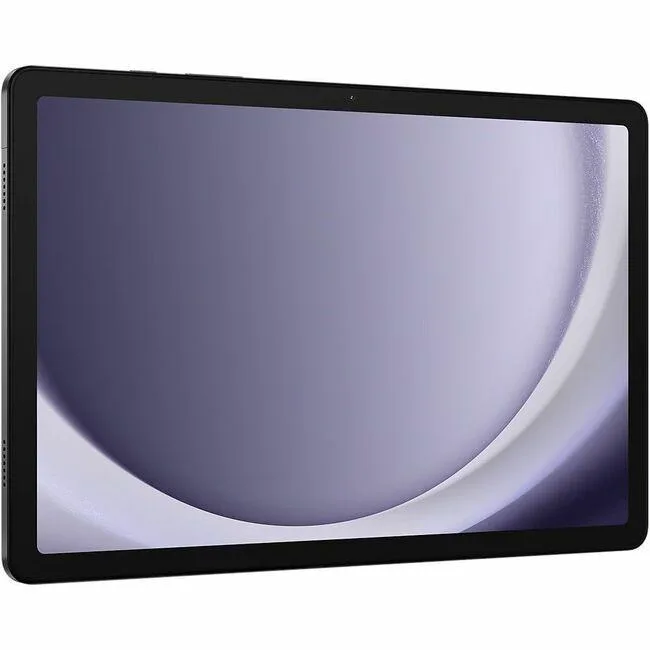
SAMSUNG SM-X210NZAEXAR Galaxy Tab A9+ tablet 11" 8GB 128GB Graphite
- Graphite
- Android 14
202,99 US$247,99 US$−18%
0.0026015BTC
Em stockAceitamos criptomoeda — para que as moedas que detém possam comprar material informático real.Pague em cripto, gaste-a em material informático real. Envio seguro gratuito para todo o mundo acima de 399 $. Caixas neutras, sem marca, expedidas a partir da Alemanha.Envio seguro gratuito acima de 399 $. A sua taxa fica bloqueada durante 30 minutos assim que abre a finalização da compra.Taxa bloqueada 30 minutos. Cada artigo é selado, o seu número de série é verificado, e está coberto por uma garantia de 24 meses.Selado, garantido 24 meses.


SAMSUNG
An 11-inch Android 14 tablet with 90Hz WUXGA display, Snapdragon 69 processor, 4GB RAM and 64GB storage
Screen Size 11.0"
As versões riscadas existem, mas não estão disponíveis aqui.
Built-in Storage 64GB
The Samsung Galaxy Tab A9+ is an 11-inch tablet running Android 14 with a WUXGA display at 1920 x 1200 resolution. It uses a Qualcomm Snapdragon 69 processor paired with 4GB of RAM and 64GB of built-in storage. The graphite metal body measures 257.1 x 6.9 x 168.7 mm and houses a 7,040mAh battery. Connectivity includes dual-band 802.11 Wi-Fi and Bluetooth v5.1.
This model suits users who want a slim 90Hz screen for reading, video playback and casual multitasking with split-screen support. The 4GB RAM and 64GB storage limit heavy multitasking and large local libraries. Buyers who need more storage or memory for demanding apps should look at configurations with higher capacities. The single USB 2.0 port restricts high-speed peripheral use.
The tablet provides a 480-nit display and Dolby Atmos speakers for media consumption without external hardware. An 8.0 MP rear camera and 5.0 MP front camera handle video calls and basic photography. MicroSD expansion up to 1TB frees internal space for offline files. The USB 2.0 port charges the battery and connects basic accessories, while wireless standards cover network and accessory pairing.
| Brand | SAMSUNG |
|---|---|
| Series | Galaxy Tab |
| Model | A9+ |
| Part Number | SM-X210NZAAXAR |
| Color | Graphite |
| Operating System | Android 14 |
| CPU Type | Qualcomm |
| Screen Size | 11" |
| Display Type | WUXGA |
| Resolution | 1920 x 1200 |
| Webcam | Yes |
| Front-Facing Camera | 5.0 MP |
| Rear Camera | 8.0 MP |
| Built-in Storage | 64GB |
| Memory | 4GB |
| WLAN | 802.11 a/b/g/n/ac 2.4G+5GHz, VHT80 |
| Bluetooth | Bluetooth v5.1 |
| USB | 1 x USB 2.0/1.1 |
| Battery | 7,040mAh |
| Dimensions (W x D x H) | 257.1 x 6.9 x 168.7 mm |
| Weight | 1.06 lbs |
| Peso de envio | 0.75 kg |
| Dimensões da embalagem | 264 × 175 × 28 mm |
Outras versões deste modelo
Mesma família, memória, ventoinha ou frequência diferentes — compare antes de decidir.
The tablet accepts a microSD card up to 1TB, so you can add one if you want more space beyond the built-in 64GB.
Yes, the tablet supports 802.11 a/b/g/n/ac on both 2.4GHz and 5GHz bands, so it works with older 2.4GHz routers.
Open Settings, go to Motion smoothness or Display, and verify the High refresh rate option is selected for the 90Hz panel.
Também nesta secção
Mesma prateleira, mesma finalização da compra — oito moedas e uma taxa bloqueada durante 30 minutos.
O que paga, e a moeda em que vê os preços.
Enviado da sua carteira ao finalizar a compra
Apenas informativo — o catálogo está em dólares
Nenhuma moeda corresponde.
Escolha o idioma em que o site lhe fala.
Nenhum idioma corresponde.
Ainda não tem conta?
Já tem conta?
Não existe reposição automática: esta loja não envia qualquer e-mail, pelo que não há nenhum link de utilização única para pedir. Deixe o endereço na conta e ele será tratado manualmente.
Pedido registado
Não vai chegar nada à sua caixa de entrada — esta loja não envia qualquer e-mail. Alguém trata disto manualmente.
Recordou-se dela?


