

SanDisk
SanDisk Cruzer Blade 8 GB USB 2.0 USB flash drive Black SDCZ50-008G-B35
US$391.99
0.00500306BTC
現貨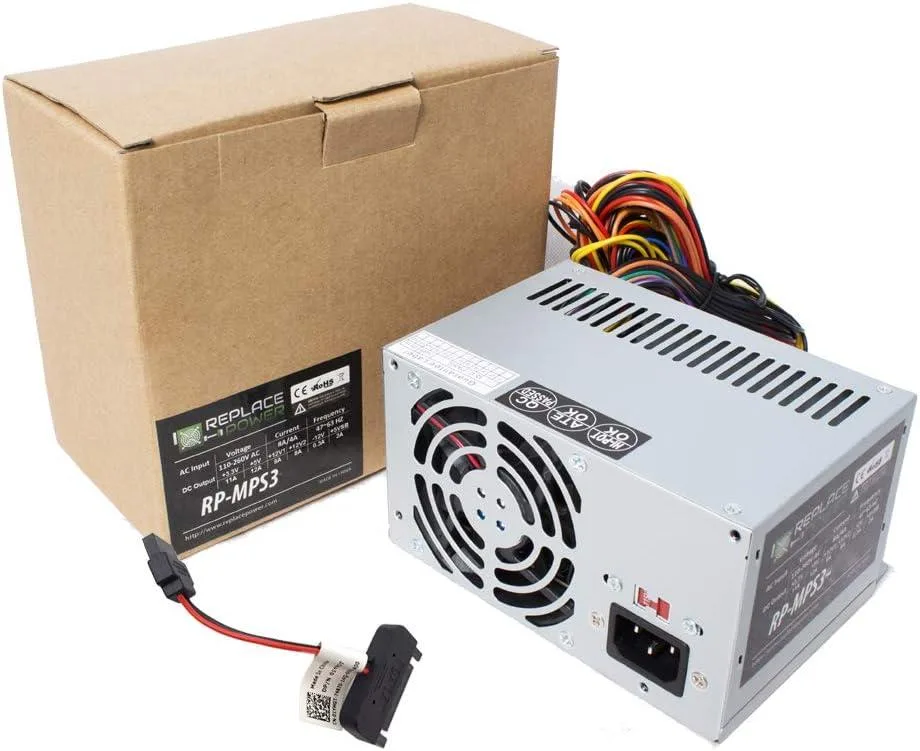
myVolts
Replacement AT power supply with 20+4 pin ATX, 12 V 4-pin, 6-pin and three SATA connectors for HP Pavilion 510-p011la desktops
This power supply is built as a direct replacement for the HP Pavilion Desktop 510-p011la DT PC. It matches the original AT form factor and connector layout so the system powers up without adapter cables or case modifications. Ideal for owners restoring a failed unit or upgrading an ageing original supply.
The unit uses a conventional AT design with a 20+4 pin ATX connector, a +12V 4-pin CPU connector, three SATA power leads and one 6-pin peripheral connector. Power draw follows the host system’s demand; acoustic output and thermal behaviour remain consistent with the original supply under normal desktop workloads.
This PSU replaces the original equipment supply when it no longer delivers stable voltage or has suffered component fatigue. The jump is worth it when the desktop shows random shutdowns, boot failures or connector damage. Builders needing higher wattage for discrete graphics cards or additional drive bays cannot use this unit.
| Type | AT |
|---|
Align the 20+4 pin ATX connector with the motherboard socket and press firmly until the latch clicks; the step often missed is fully seating the separate 4-pin +12V connector near the CPU socket.
Periodically clean dust from the intake and exhaust vents with compressed air to keep airflow steady; no user-serviceable parts inside so no further replacement is expected.
The 11 A rating on the +12 V rail is the first ceiling you will hit during prolonged heavy draw.
同類商品
同一分類,同一套結帳流程 — 支援八種加密貨幣,匯率鎖定 30 分鐘。
您支付所用的幣種,以及查看價格所用的貨幣。
結帳時由您的錢包發送
僅供顯示 — 商品目錄以美元計價
查無符合的貨幣。
請選擇網站使用的語言。
查無符合的語言。
初次造訪?
已經有帳戶了嗎?
本店沒有自動重設密碼的機制:由於不寄送電子郵件,也就沒有一次性連結可供申請。只要將地址留在帳戶中,之後將由專人處理。
請求已收到
不會有任何郵件寄到您的信箱 — 本商店完全不寄送電子郵件。會有人親自處理這些申請。
想起來了嗎?



