
LetLinkSo
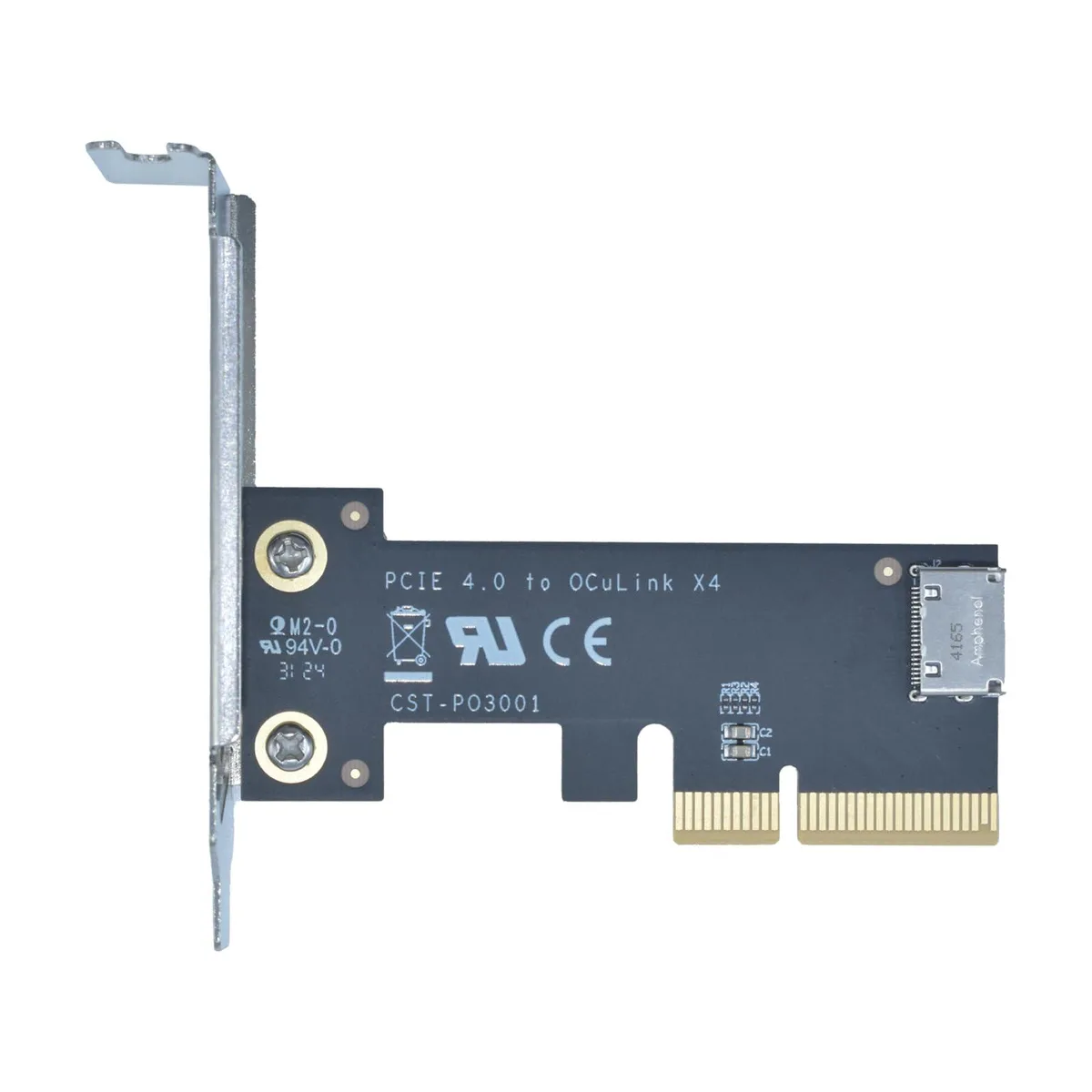
LetLinkSo LLS-CD-1PC1OC-01 PCIe 4.0 x4 to Oculink SFF-8612 Internal Adapter Card
- PCIe to Oculink Ada…
- PCIe 4.0
17,99 USD
0.00022779BTC
DisponibileAccettiamo criptovalute — così le crypto che Lei possiede possono comprare hardware reale.Paghi in crypto, la spenda in hardware reale. Spedizione assicurata gratuita in tutto il mondo oltre i 399 $. Cartoni neutri, senza marchio, spediti dalla Germania.Spedizione assicurata gratuita oltre i 399 $. Il Suo tasso resta bloccato per 30 minuti dall’apertura del checkout.Tasso bloccato 30 minuti. Ogni articolo è sigillato, il numero di serie è verificato, ed è coperto da una garanzia di 24 mesi.Sigillato, garantito 24 mesi.


LetLinkSo
Adds two Oculink SFF-8612 ports over a PCIe 4.0 x8 slot for NVMe SSDs or eGPUs at 128 Gbps
Adapter Type PCIe x8 to 4-Port Oculink / External
The LetLinkSo LLS-CD-1PC2OC-01 adds two Oculink SFF-8612 x4 ports through a single PCIe 4.0 x8 slot, giving desktop builders a direct path to external NVMe storage or eGPU enclosures that use SFF-8611 cables. It targets users whose motherboards lack native Oculink headers but have a free x8 electrical slot. Buyers who need more than two ports or who only have x4 or x1 slots available cannot use this card.
Each Oculink housing is welded to the PCB rather than surface-mounted, which reduces flex during repeated cable insertion and removal. The x8 edge connector splits into two independent x4 links, so each port can run at the full PCIe 4.0 16 GT/s per lane rate without sharing bandwidth. Systems without bifurcation support in the BIOS will not see both ports simultaneously.
The adapter presents attached NVMe drives as bootable devices, allowing the operating system to load directly from external storage without an internal drive. No proprietary drivers are required; Windows, Windows Server and Linux all recognise the card natively on insertion. The package contains only the adapter board itself, so SFF-8611 cables and any mounting brackets must be sourced separately.
| Brand | LetLinkSo |
|---|---|
| Series | PCIe to Oculink Card |
| Model | LLS-CD-1PC2OC-01 |
| Type | PCIe to Oculink Adapter |
| Standard | PCIe 4.0 |
| Data Transfer Rate | 16GT/s (per lane) |
| Operating Systems Supported | Windows,Windows Server and Linux |
| Compatibility | PCIe 4.0 |
| Specifications | PCIe x8 to 2-port Oculink |
| Features | EXPANDED CONNECTIVITY |
| Weight | 1 lbs |
| Package Contents | 1 x PCIe x8 to 2-port Oculink Adapter |
Altre versioni di questo modello
Stessa famiglia, con memoria, dissipatore o frequenza diversi — confronti prima di decidere.
The card uses PCIe 4.0 across eight lanes at 16 GT/s per lane, delivering 128 Gbps total throughput.
It needs a PCIe x8 or larger slot and occupies one low-profile bracket opening for the two SFF-8612 ports.
Insert the card into the slot, secure the bracket screw, attach SFF-8611 cables to the SFF-8612 ports, then verify the motherboard BIOS sets the slot to PCIe 4.0 x8 mode — many leave it on auto and get reduced width.
Anche in questo reparto
Stesso reparto, stessa cassa — otto monete e un cambio bloccato per 30 minuti.
Cosa invia per pagare, e in quale valuta legge i prezzi.
Inviato dal Suo portafoglio alla cassa
Solo a titolo indicativo — il catalogo è espresso in dollari
Nessuna valuta corrisponde.
Scelga la lingua in cui il sito Le parla.
Nessuna lingua corrisponde.
Prima visita?
Ne ha già uno?
Non esiste un ripristino automatico: questo negozio non invia e-mail, quindi non esiste alcun link monouso da richiedere. Lasci l’indirizzo sull’account: verrà gestito manualmente.
Richiesta registrata
Non arriverà nulla nella Sua casella di posta — questo negozio non invia e-mail. Qualcuno se ne occupa manualmente.
L’ha ritrovata?





