
LetLinkSo
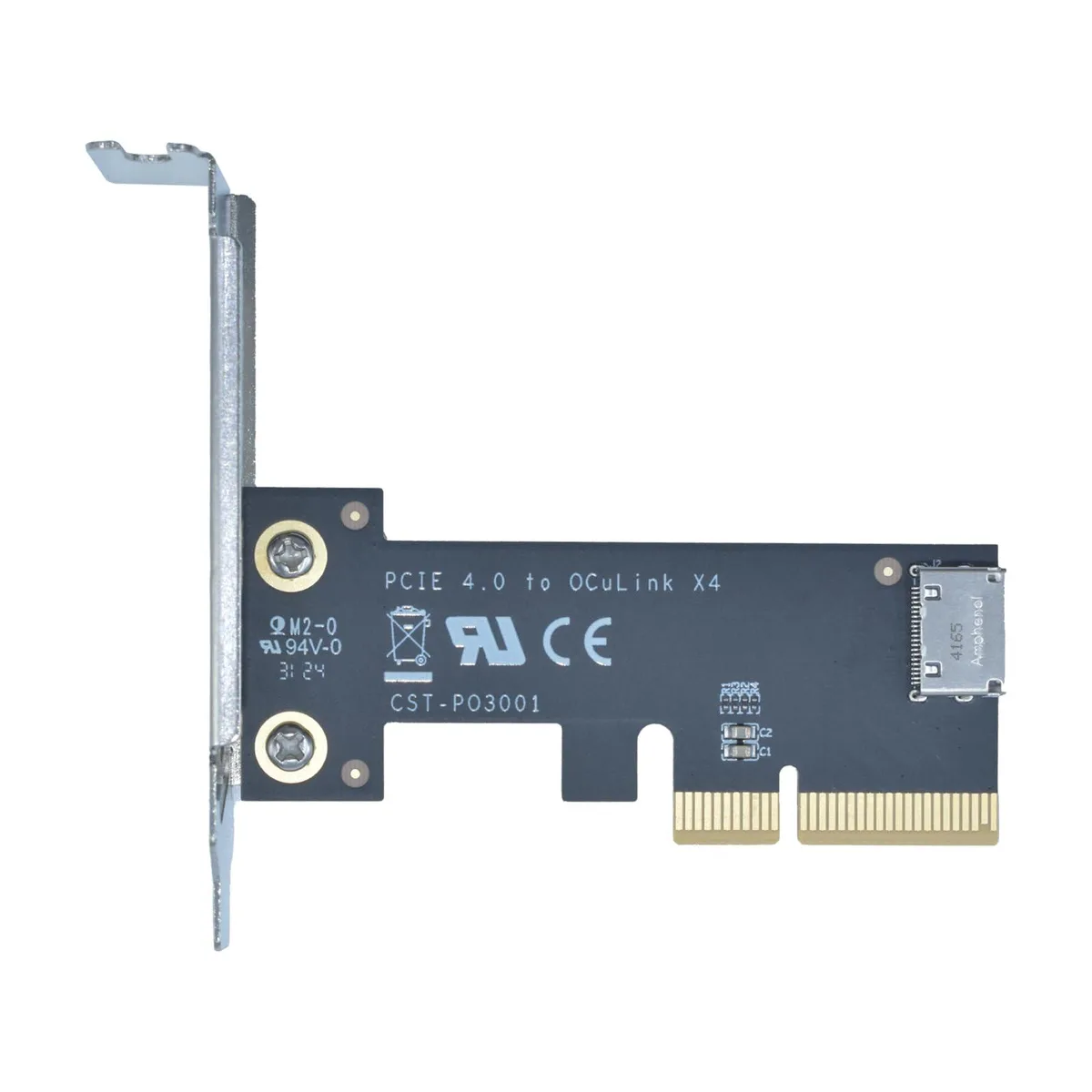
LetLinkSo LLS-CD-1PC1OC-01 PCIe 4.0 x4 to Oculink SFF-8612 Internal Adapter Card
- PCIe to Oculink Ada…
- PCIe 4.0
US$17.99
0.00022854BTC
現貨


LetLinkSo
Adds two Oculink SFF-8612 ports over a PCIe 4.0 x8 slot for NVMe SSDs or eGPUs at 128 Gbps
Adapter Type PCIe x8 to 4-Port Oculink / External
The LetLinkSo LLS-CD-1PC2OC-01 adds two Oculink SFF-8612 x4 ports through a single PCIe 4.0 x8 slot, giving desktop builders a direct path to external NVMe storage or eGPU enclosures that use SFF-8611 cables. It targets users whose motherboards lack native Oculink headers but have a free x8 electrical slot. Buyers who need more than two ports or who only have x4 or x1 slots available cannot use this card.
Each Oculink housing is welded to the PCB rather than surface-mounted, which reduces flex during repeated cable insertion and removal. The x8 edge connector splits into two independent x4 links, so each port can run at the full PCIe 4.0 16 GT/s per lane rate without sharing bandwidth. Systems without bifurcation support in the BIOS will not see both ports simultaneously.
The adapter presents attached NVMe drives as bootable devices, allowing the operating system to load directly from external storage without an internal drive. No proprietary drivers are required; Windows, Windows Server and Linux all recognise the card natively on insertion. The package contains only the adapter board itself, so SFF-8611 cables and any mounting brackets must be sourced separately.
| Brand | LetLinkSo |
|---|---|
| Series | PCIe to Oculink Card |
| Model | LLS-CD-1PC2OC-01 |
| Type | PCIe to Oculink Adapter |
| Standard | PCIe 4.0 |
| Data Transfer Rate | 16GT/s (per lane) |
| Operating Systems Supported | Windows,Windows Server and Linux |
| Compatibility | PCIe 4.0 |
| Specifications | PCIe x8 to 2-port Oculink |
| Features | EXPANDED CONNECTIVITY |
| Weight | 1 lbs |
| Package Contents | 1 x PCIe x8 to 2-port Oculink Adapter |
其他版本
同系列產品,記憶體、散熱器或時脈不同 — 下單前請先比較。
The card uses PCIe 4.0 across eight lanes at 16 GT/s per lane, delivering 128 Gbps total throughput.
It needs a PCIe x8 or larger slot and occupies one low-profile bracket opening for the two SFF-8612 ports.
Insert the card into the slot, secure the bracket screw, attach SFF-8611 cables to the SFF-8612 ports, then verify the motherboard BIOS sets the slot to PCIe 4.0 x8 mode — many leave it on auto and get reduced width.
同類商品
同一分類,同一套結帳流程 — 支援八種加密貨幣,匯率鎖定 30 分鐘。
您支付所用的幣種,以及查看價格所用的貨幣。
結帳時由您的錢包發送
僅供顯示 — 商品目錄以美元計價
查無符合的貨幣。
請選擇網站使用的語言。
查無符合的語言。
初次造訪?
已經有帳戶了嗎?
本店沒有自動重設密碼的機制:由於不寄送電子郵件,也就沒有一次性連結可供申請。只要將地址留在帳戶中,之後將由專人處理。
請求已收到
不會有任何郵件寄到您的信箱 — 本商店完全不寄送電子郵件。會有人親自處理這些申請。
想起來了嗎?


