
LetLinkSo
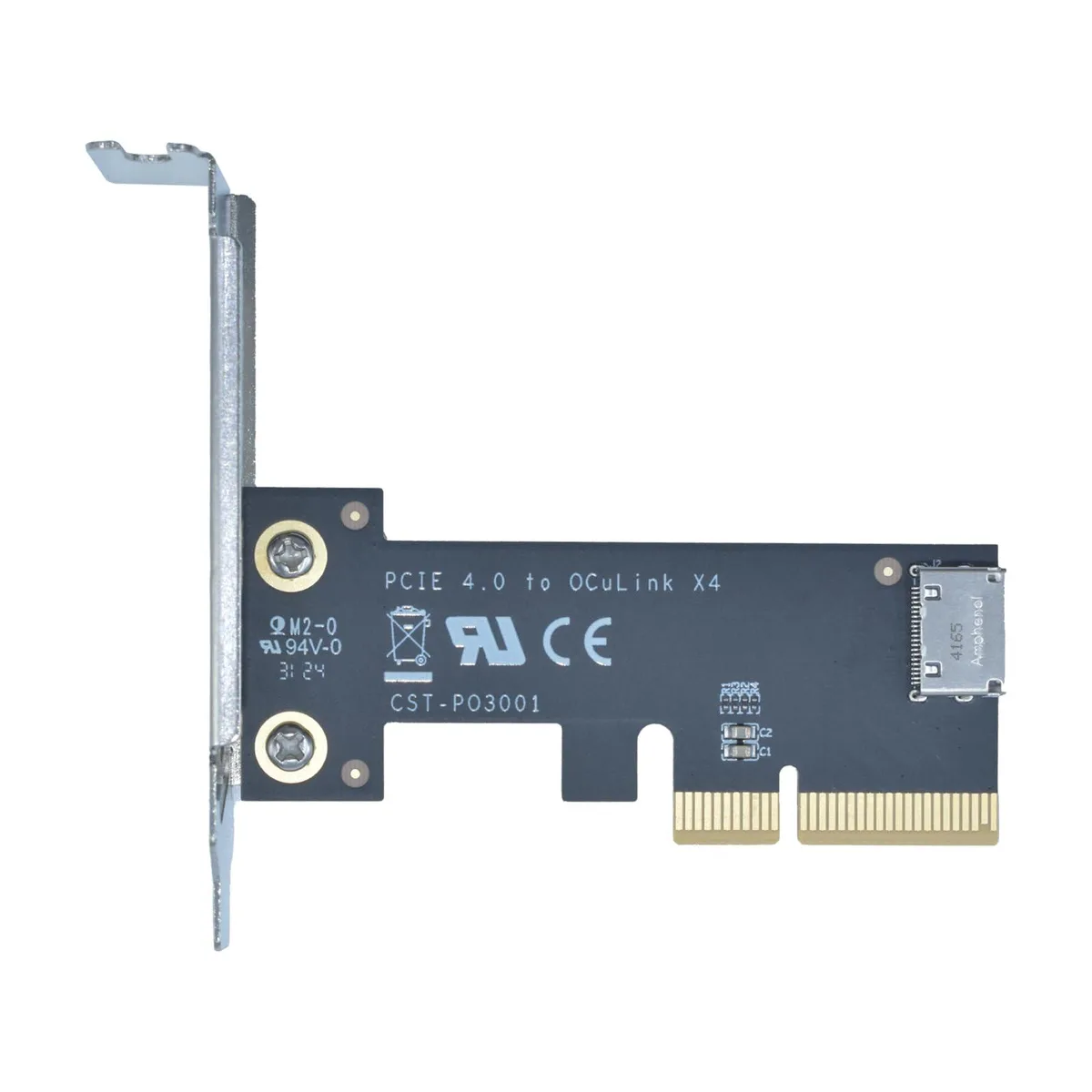
LetLinkSo LLS-CD-1PC1OC-01 PCIe 4.0 x4 to Oculink SFF-8612 Internal Adapter Card
- PCIe to Oculink Ada…
- PCIe 4.0
17,99 USD
0.00022817BTC
DostępnyAkceptujemy kryptowaluty — posiadane środki można więc wykorzystać na zakup prawdziwego sprzętu.Płatność kryptowalutą — realny sprzęt w zamian. Bezpłatna, ubezpieczona dostawa na całym świecie powyżej 399 $. Neutralne kartony, bez oznaczeń, wysyłane z Niemiec.Bezpłatna, ubezpieczona dostawa powyżej 399 $. Kurs zostaje zablokowany na 30 minut od otwarcia kasy.Kurs zablokowany na 30 minut. Każdy produkt jest fabrycznie zapieczętowany, jego numer seryjny jest sprawdzany, a całość objęta jest 24-miesięczną gwarancją.Zapieczętowane fabrycznie, 24 miesiące gwarancji.


LetLinkSo
Adds two Oculink SFF-8612 ports over a PCIe 4.0 x8 slot for NVMe SSDs or eGPUs at 128 Gbps
Adapter Type PCIe x8 to 4-Port Oculink / External
The LetLinkSo LLS-CD-1PC2OC-01 adds two Oculink SFF-8612 x4 ports through a single PCIe 4.0 x8 slot, giving desktop builders a direct path to external NVMe storage or eGPU enclosures that use SFF-8611 cables. It targets users whose motherboards lack native Oculink headers but have a free x8 electrical slot. Buyers who need more than two ports or who only have x4 or x1 slots available cannot use this card.
Each Oculink housing is welded to the PCB rather than surface-mounted, which reduces flex during repeated cable insertion and removal. The x8 edge connector splits into two independent x4 links, so each port can run at the full PCIe 4.0 16 GT/s per lane rate without sharing bandwidth. Systems without bifurcation support in the BIOS will not see both ports simultaneously.
The adapter presents attached NVMe drives as bootable devices, allowing the operating system to load directly from external storage without an internal drive. No proprietary drivers are required; Windows, Windows Server and Linux all recognise the card natively on insertion. The package contains only the adapter board itself, so SFF-8611 cables and any mounting brackets must be sourced separately.
| Brand | LetLinkSo |
|---|---|
| Series | PCIe to Oculink Card |
| Model | LLS-CD-1PC2OC-01 |
| Type | PCIe to Oculink Adapter |
| Standard | PCIe 4.0 |
| Data Transfer Rate | 16GT/s (per lane) |
| Operating Systems Supported | Windows,Windows Server and Linux |
| Compatibility | PCIe 4.0 |
| Specifications | PCIe x8 to 2-port Oculink |
| Features | EXPANDED CONNECTIVITY |
| Weight | 1 lbs |
| Package Contents | 1 x PCIe x8 to 2-port Oculink Adapter |
Inne wersje tego modelu
Ta sama rodzina, inna pamięć, inne chłodzenie lub taktowanie — proszę porównać przed decyzją.
The card uses PCIe 4.0 across eight lanes at 16 GT/s per lane, delivering 128 Gbps total throughput.
It needs a PCIe x8 or larger slot and occupies one low-profile bracket opening for the two SFF-8612 ports.
Insert the card into the slot, secure the bracket screw, attach SFF-8611 cables to the SFF-8612 ports, then verify the motherboard BIOS sets the slot to PCIe 4.0 x8 mode — many leave it on auto and get reduced width.
Także w tym dziale
Ten sam dział, ta sama kasa — osiem kryptowalut i 30-minutowa blokada kursu.
Waluta płatności i waluta wyświetlania cen.
Wysyłane z portfela przy kasie
Tylko podgląd — katalog wyceniony jest w dolarach
Brak pasującej waluty.
Wybierz język, w którym wyświetla się strona.
Brak pasującego języka.
Pierwsza wizyta?
Konto już założone?
Nie ma automatycznego resetowania hasła: ten sklep nie wysyła żadnych e-maili, więc nie ma jednorazowego linku, o który można by poprosić. Adres pozostawiony przy koncie zostanie obsłużony ręcznie.
Zgłoszenie zapisane
Do skrzynki odbiorczej nic nie trafi — ten sklep nie wysyła żadnych e-maili. Zgłoszenia są obsługiwane ręcznie.
Hasło się przypomniało?





