WRIARICH
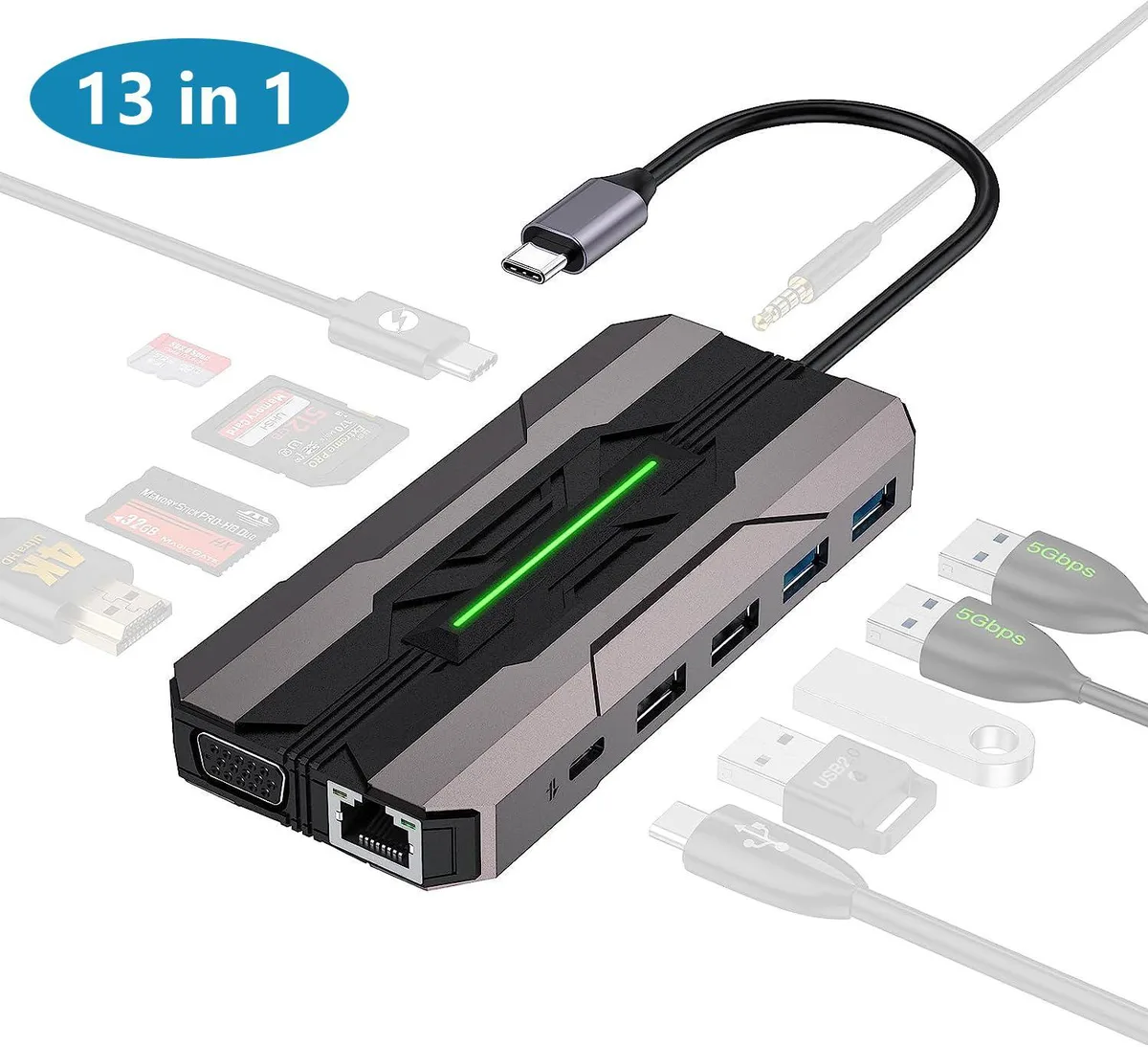
WRIARICH 13 in 1 USB C Hub Gray 100W PD 4K HDMI VGA Ethernet SD TF 2 USB 3.0 2 USB 2.0 USB C 3.0
- Gray
- Up to 5 Gbps
36,99 US$
0.00045418BTC
Em stockAceitamos criptomoeda — para que as moedas que detém possam comprar material informático real.Pague em cripto, gaste-a em material informático real. Envio seguro gratuito para todo o mundo acima de 399 $. Caixas neutras, sem marca, expedidas a partir da Alemanha.Envio seguro gratuito acima de 399 $. A sua taxa fica bloqueada durante 30 minutos assim que abre a finalização da compra.Taxa bloqueada 30 minutos. Cada artigo é selado, o seu número de série é verificado, e está coberto por uma garantia de 24 meses.Selado, garantido 24 meses.

Fans
Replacement CPU cooling fan compatible with Samsung NP-700Z3A series laptops
This new cooling fan fits Samsung NP-700Z3A and NP-700Z3AS06US laptops. It matches part codes 0M104271 and BA62-00630A. The component restores proper airflow to the processor heatsink.
Buyers with an NP-700Z3A series laptop needing a direct replacement will find the correct fit. Anyone repairing a different brand, a different Samsung series, or a desktop chassis should look elsewhere.
The single specification that decides fit is the exact connector pinout and screw-hole pattern for the NP-700Z3A series. Verify these against the original fan before ordering.
Ainda não há especificações publicadas para este artigo.
Remove the bottom cover, disconnect the old fan cable from the motherboard header, then secure the new fan; the step often missed is re-routing the cable exactly as the original to avoid pinching.
Clean dust from the heatsink fins and fan blades every six to twelve months using compressed air; the sleeve bearing is not user-serviceable and the whole unit is replaced when noise or speed drops.
The sleeve bearing temperature limit is reached first; prolonged high RPM operation increases bearing wear, leading to rising noise and reduced airflow before any electronic component fails.
Também nesta secção
Mesma prateleira, mesma finalização da compra — oito moedas e uma taxa bloqueada durante 30 minutos.
O que paga, e a moeda em que vê os preços.
Enviado da sua carteira ao finalizar a compra
Apenas informativo — o catálogo está em dólares
Nenhuma moeda corresponde.
Escolha o idioma em que o site lhe fala.
Nenhum idioma corresponde.
Ainda não tem conta?
Já tem conta?
Não existe reposição automática: esta loja não envia qualquer e-mail, pelo que não há nenhum link de utilização única para pedir. Deixe o endereço na conta e ele será tratado manualmente.
Pedido registado
Não vai chegar nada à sua caixa de entrada — esta loja não envia qualquer e-mail. Alguém trata disto manualmente.
Recordou-se dela?