Lenovo
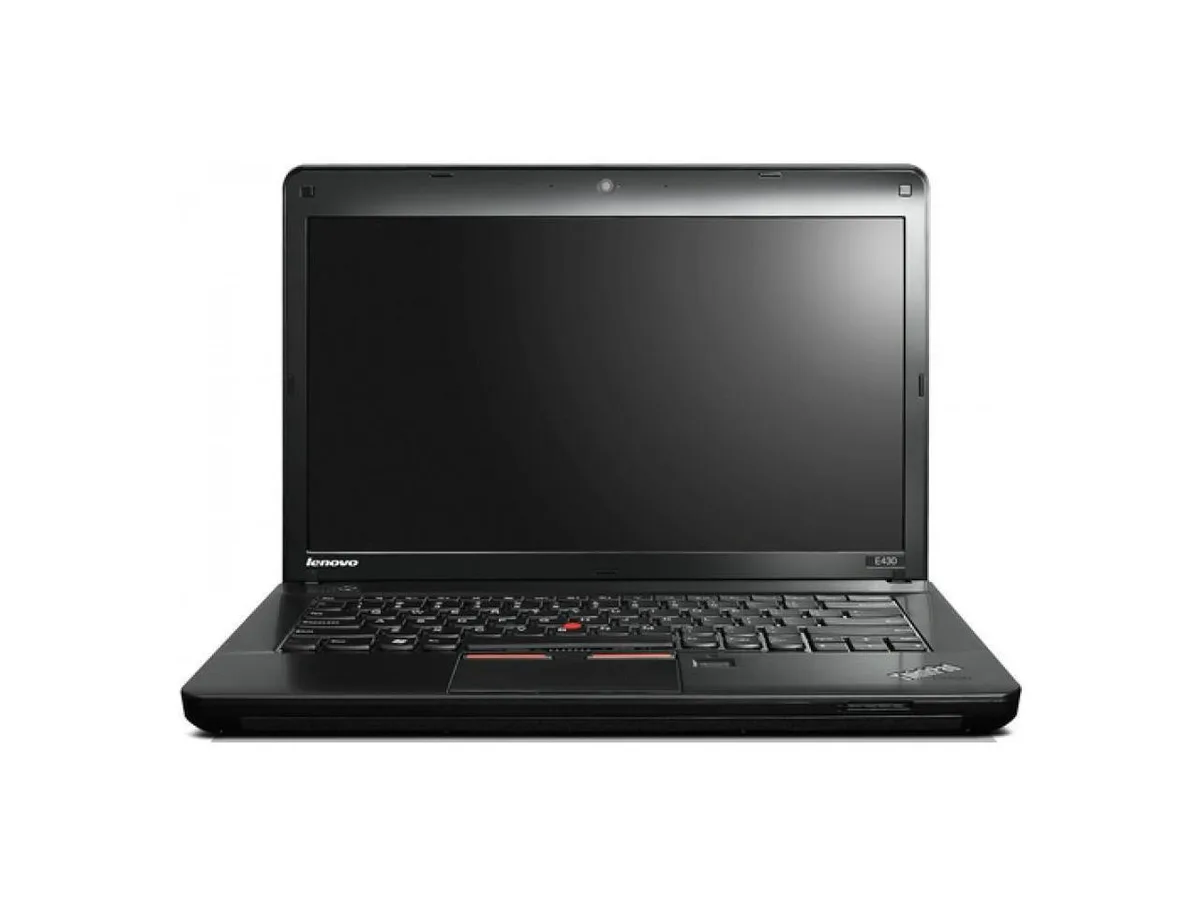
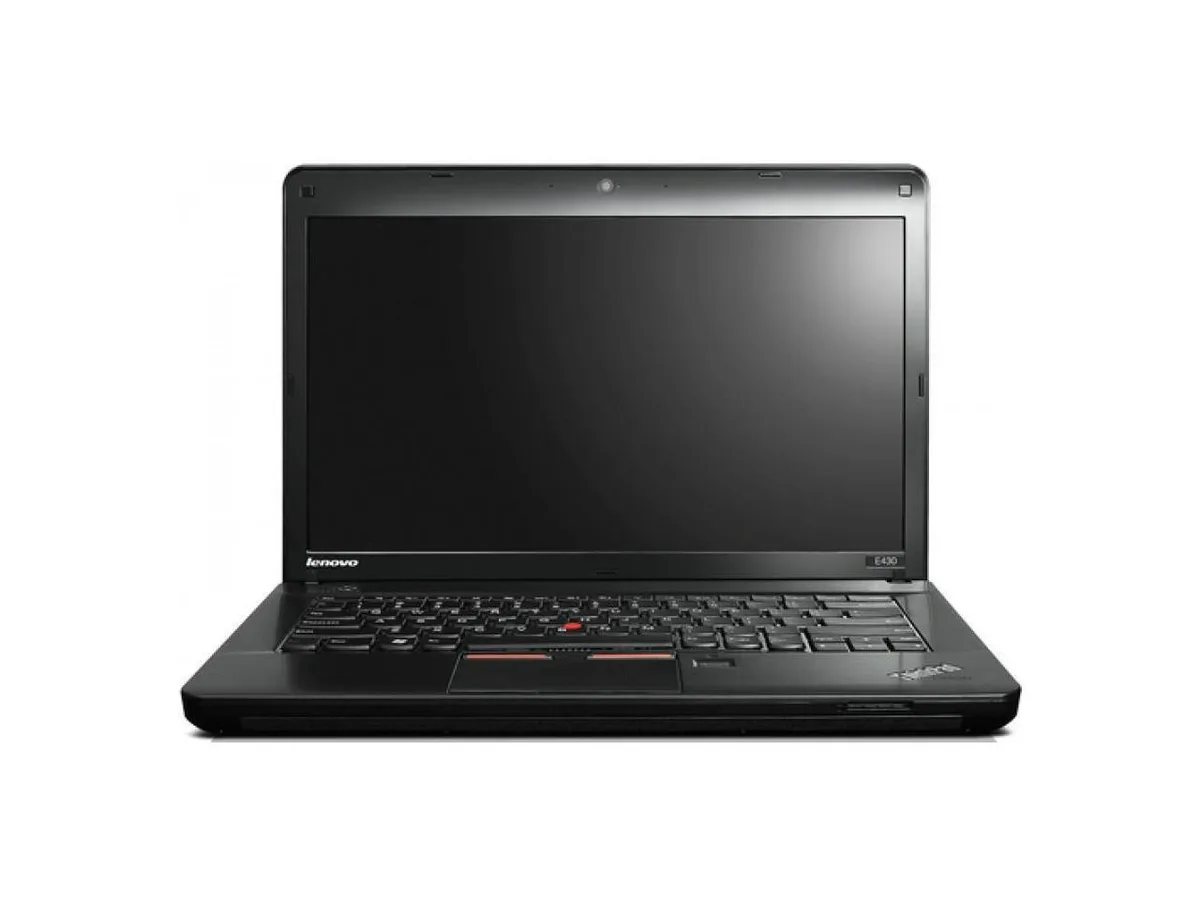
Lenovo ThinkPad Edge E430 laptop 14" Core i3 2.4GHz 16GB DDR3 256GB SSD
- Black
- Windows 10 Pro
287,99 US$
0.00369275BTC
Em stockAceitamos criptomoeda — para que as moedas que detém possam comprar material informático real.Pague em cripto, gaste-a em material informático real. Envio seguro gratuito para todo o mundo acima de 399 $. Caixas neutras, sem marca, expedidas a partir da Alemanha.Envio seguro gratuito acima de 399 $. A sua taxa fica bloqueada durante 30 minutos assim que abre a finalização da compra.Taxa bloqueada 30 minutos. Cada artigo é selado, o seu número de série é verificado, e está coberto por uma garantia de 24 meses.Selado, garantido 24 meses.


Lenovo
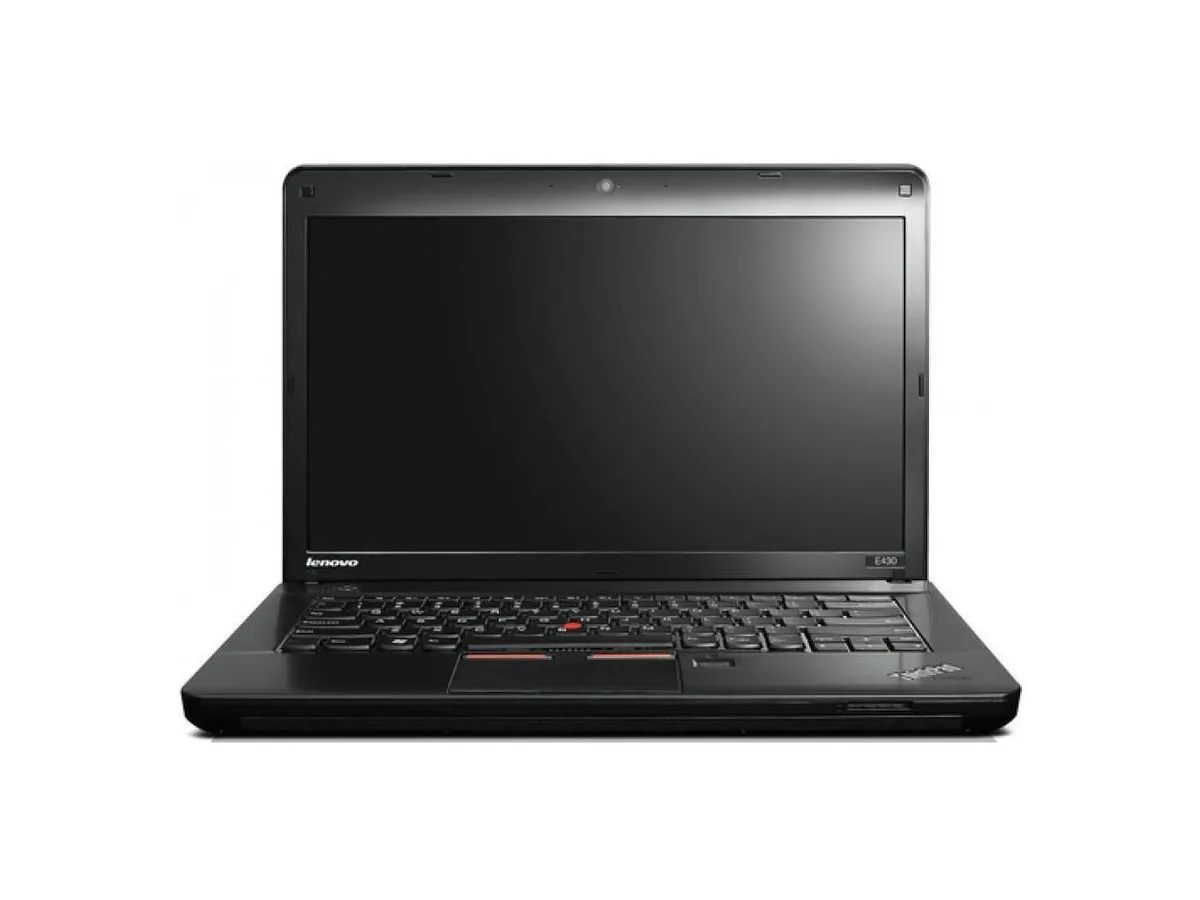
A 14-inch laptop with an Intel Core i3 2.4 GHz processor, 4 GB DDR3 memory, 256 GB SSD, DVD-RW drive and Windows 10 Pro
Options 4GB/256GB
This 14.0 inch laptop uses an Intel Core i3 processor running at 2.40GHz. It comes with 4GB of DDR3 memory in a dual-channel 2 GB x 2 configuration across two filled slots. A 2.5 inch 256GB solid-state drive provides storage. Windows 10 Pro 64-bit is pre-installed with a Certificate of Authenticity.
The 1360 x 768 non-touch screen and integrated graphics handle documents and web browsing. The DVD-RW drive reads and writes optical media. Both VGA and HDMI outputs connect external displays. Buyers who want more storage or faster multi-tasking should look at models with larger SSDs and higher memory configurations.
Under continuous load the dual-core processor maintains its 2.40GHz clock while the SSD keeps data access consistent. The 4GB DDR3 limit means heavy multi-tasking will swap to the drive, reducing responsiveness. The 16 GB maximum supported memory allows a future upgrade if workloads grow.
| Brand | Lenovo |
|---|---|
| Series | Edge |
| Model | Thinkpad |
| Part Number | E430 |
| Color | Black |
| Operating System | Windows 10 Pro |
| CPU Type | Intel Core i3 |
| Processor Name | 2.40GHz |
| Screen Size | 14.0" |
| Touchscreen | Non-Touch Screen |
| Resolution | 1360 x 768 |
| SSD | 256GB |
| HDD | No |
| Storage Spec | 2.5" 256 GB Solid State Drive |
| Memory | 4GB |
| Memory Speed | DDR3 |
| Memory Spec | 2 GB x 2 |
| Memory Slot (Total) | 2 |
| Memory Slot (Available) | 0 |
| Max Memory Supported | 16 GB |
| Optical Drive Type | DVD-R/RW |
| LAN | 10/100/1000Mbps |
| WLAN | 802.11b/g/n |
| USB | 3 x USB 3.0, 1 x Powered USB 2.0 |
| Video Port | 1 x VGA, 1 x HDMI |
| HDMI | 1 x HDMI |
| Audio Ports | 1 x Headphone/Microphone Combo Jack |
| Audio | Integrated Sound card |
| Speaker | Internal Speakers |
| Touchpad | ThinkPad UltraNav |
| Keyboard | Standard |
| Other Input Devices | Yes |
| Webcam | Yes |
| Card Reader | 4-in-1 |
| Style | Standard |
| Type | Everyday Value |
| Usage | Consumer |
| AC Adapter/Charger | 65-watt AC Adapter |
| Weight | 7 - 7.9 lbs. |
| Software Included | Installed |
Outras versões deste modelo
Mesma família, memória, ventoinha ou frequência diferentes — compare antes de decidir.
The board has two DDR3 slots, both filled with 2 GB modules. To reach the 16 GB limit you would replace both with 8 GB DDR3 SO-DIMMs.
Yes, the integrated graphics can mirror or extend to an external display over VGA or HDMI while the internal screen remains on.
Open Windows Settings, go to System > Storage, and verify the 256 GB drive appears as the C: partition with Windows 10 Pro installed.
Também nesta secção
Mesma prateleira, mesma finalização da compra — oito moedas e uma taxa bloqueada durante 30 minutos.
O que paga, e a moeda em que vê os preços.
Enviado da sua carteira ao finalizar a compra
Apenas informativo — o catálogo está em dólares
Nenhuma moeda corresponde.
Escolha o idioma em que o site lhe fala.
Nenhum idioma corresponde.
Ainda não tem conta?
Já tem conta?
Não existe reposição automática: esta loja não envia qualquer e-mail, pelo que não há nenhum link de utilização única para pedir. Deixe o endereço na conta e ele será tratado manualmente.
Pedido registado
Não vai chegar nada à sua caixa de entrada — esta loja não envia qualquer e-mail. Alguém trata disto manualmente.
Recordou-se dela?