GIGABYTE
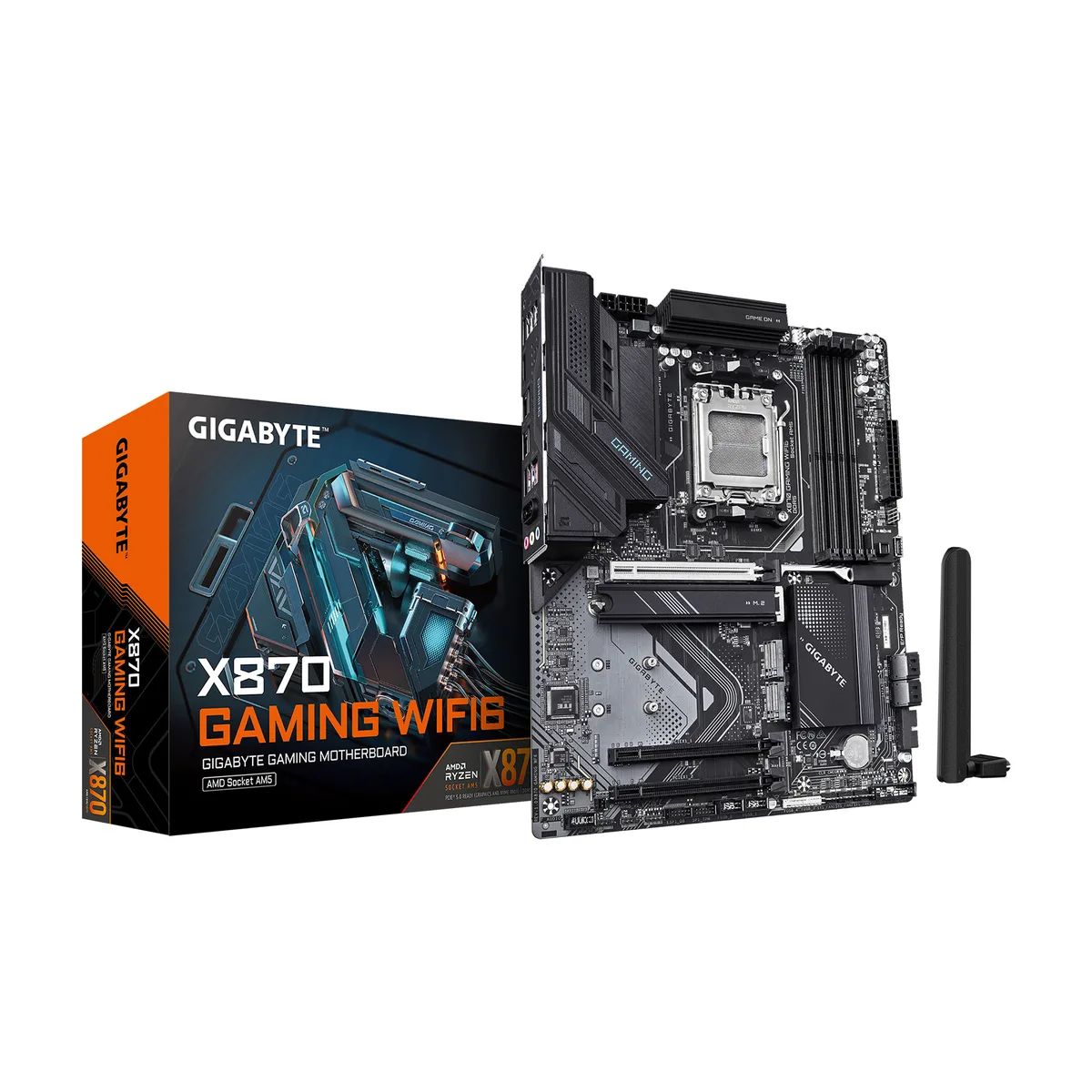
GIGABYTE X870 GAMING WIFI6 AMD motherboard
- AM5
- Ryzen 7000 Series /…
$173.99
0.00225008BTC
In stockWe take cryptocurrency — so the coins you hold can buy real hardware.Pay in crypto, spend it on real hardware. Free insured shipping worldwide over $399. Plain, unbranded boxes, sent from Germany.Free insured shipping over $399. Your rate is locked for 30 minutes once checkout opens.Rate locked 30 minutes. Every item sealed, serial-checked and covered by a 24-month warranty.Sealed, 24-month warranty.


GIGABYTE
Mini-ITX AM5 board with DDR5 up to 9000, PCIe 5.0 x16, dual M.2, Wi-Fi 7 and 2.5GbE LAN
Option X870I AORUS PRO ICE
Struck-through versions exist but are not stocked here.
The GIGABYTE X870I AORUS PRO ICE is a Mini-ITX motherboard for AMD Ryzen 7000, 8000 and 9000 series processors. It fits small-form-factor cases while keeping a full feature set. Builders who need high memory speeds and modern connectivity in a tight footprint will find it suitable.
Moving from an earlier AM5 Mini-ITX board adds PCIe 5.0 graphics and storage support with Ryzen 7000 or 9000 CPUs plus Wi-Fi 7 and 2.5 GbE LAN. The jump is worth it when you need faster GPU bandwidth, quicker NVMe drives or the latest wireless standard without changing case size.
The single PCIe 5.0 x16 slot runs at x16 with Ryzen 7000 or 9000 CPUs but drops to x8 or x4 with Ryzen 8000 series chips. The CPU-linked M.2 slot supports PCIe 5.0 x4 NVMe SSDs only on those same 7000 and 9000 series processors. DDR5 memory tops out at the listed speeds up to DDR5 9000 with a maximum capacity of 128 GB.
| Brand | GIGABYTE |
|---|---|
| Model | X870I AORUS PRO ICE |
| CPU Socket Type | AM5 |
| CPU Type | Ryzen 7000 Series / Ryzen 8000 Series / Ryzen 9000 Series |
| Chipset | AMD X870 |
| Number of Memory Slots | 2x288pin (DDR5) |
| Memory Standard | DDR5 5600 / DDR5 6000 / DDR5 6200 / DDR5 6400 / DDR5 6600 / DDR5 6666 / DDR5 6800 / DDR5 7000 / DDR5 7200 / DDR5 7600 / DDR5 7800 / DDR5 8000 / DDR5 8200 / DDR5 8800 / DDR5 9000 |
| Maximum Memory Supported | 128GB |
| Channel Supported | Dual Channel |
| Memory Performance Profile | Intel XMP 3.0 / AMD EXPO |
| ECC Supported | Non-ECC |
| Buffer Supported | Un-buffered |
| PCI Express 5.0 x16 | 1 x PCI Express x16 slot, integrated in the CPU: AMD Ryzen 9000/7000 Series Processors support PCIe 5.0 x16 mode AMD Ryzen 8000 Series-Phoenix 1 Processors support PCIe 4.0 x8 mode AMD Ryzen 8000 Series-Phoenix 2 Processors support PCIe 4.0 x4 mode * The PCIEX16 slot can only support a graphics card or an NVMe SSD. |
| Serial ATA (SATA) | 2 x SATA 6Gb/s |
| M.2 | 1 x M.2 connector (M2A_CPU), integrated in the CPU, supporting Socket 3, M key, type 2280 SSDs: AMD Ryzen 9000/7000 Series Processors support PCIe 5.0 x4/x2 SSDs AMD Ryzen 8000 Series-Phoenix 1 Processors support PCIe 4.0 x4/x2 SSDs AMD Ryzen 8000 Series-Phoenix 2 Processors support PCIe 4.0 x4/x2 SSDs 1 x M.2 connector on the back of the motherboard (M2C_SB), integrated in the Chipset, supporting Socket 3, M key, type 2280 PCIe 4.0 x4/x2 SSDs |
| SATA RAID | RAID 0, RAID 1, RAID 5, and RAID 10 support for NVMe SSD storage devices * RAID 5 is only available on AMD Ryzen 9000 Series Processors. RAID 0 and RAID 1 support for SATA storage devices |
| Audio Chipset | Realtek ALC4080 |
| Audio Channels | 2 Channels |
| Max LAN Speed | 2.5Gbps |
| Wireless LAN | Realtek Wi-Fi 7 RTL8922AE |
| Back I/O Ports | 1 x Q-Flash Plus button 1 x HDMI port (Note) 2 x antenna connectors (2T2R) 1 x USB4 USB Type-C port (DisplayPort (Note)) 1 x USB Type-C port, with USB 3.2 Gen 2 support 2 x USB 3.2 Gen 2 Type-A ports (red) 2 x USB 3.2 Gen 1 ports 2 x USB 2.0/1.1 ports 1 x RJ-45 port 2 x audio jacks (Note) Actual support may vary by CPU. |
| Onboard USB | 1 x USB Type-C header, with USB 3.2 Gen 2 support 1 x USB 3.2 Gen 1 header 1 x USB 2.0/1.1 header |
| Other Connectors | 1 x CPU fan header 1 x CPU fan/water cooling pump header 1 x system fan header 2 x addressable RGB Gen2 LED strip headers 1 x RGB LED strip header 2 x M.2 Socket 3 connectors 2 x SATA 6Gb/s connectors 1 x front panel header 1 x speaker header 1 x front panel audio header (routed from the adapter card on the rear panel) 1 x reset jumper 1 x Clear CMOS jumper 1 x chassis intrusion header |
| Form Factor | Mini ITX |
| Dimensions (W x L) | 6.7" x 6.7" |
| Power Pin | 1 x 24-pin ATX main power connector 1 x 8-pin ATX 12V power connector |
| BIOS Feature | 1 x 256 Mbit flash Use of licensed AMI UEFI BIOS PnP 1.0a, DMI 2.7, WfM 2.0, SM BIOS 2.7, ACPI 5.0 |
| Windows 11 | Support for Windows 11 64-bit |
| Features | Support for GIGABYTE Control Center (GCC) Support for Q-Flash Support for Q-Flash Plus Support for Smart Backup |
| Shipping weight | 1.29 kg |
| Package size | 241 × 229 × 102 mm |
Other versions of this model
Same family, different memory, cooler or clock — compare before you commit.
The board follows the Mini-ITX form factor; allow extra height above the socket area for the VRM thermal guard and above the M.2 slot for the integrated heatsink.
The EZ-Latch design uses a single captive screw; press the latch to release the SSD, then lift it out without fully removing the screw.
Thermal pads on the VRM heatsink do not have a fixed interval; inspect them if temperatures rise unexpectedly or during a major rebuild.
Also in this aisle
Same shelf, same checkout — eight coins and a 30-minute rate lock.
What you pay in, and what you read prices in.
Sent from your wallet at checkout
Display only — the catalogue is priced in USD
No currency matches that.
Pick the language the site speaks to you in.
New here?
Already have one?
There is no automatic reset: this shop sends no mail, so there is no one-time link to ask for. Leave the address on the account and it gets picked up by hand.
Request noted
Nothing is on its way to your inbox — this shop sends no mail at all. Someone picks these up by hand.
Remembered it?