GIGABYTE
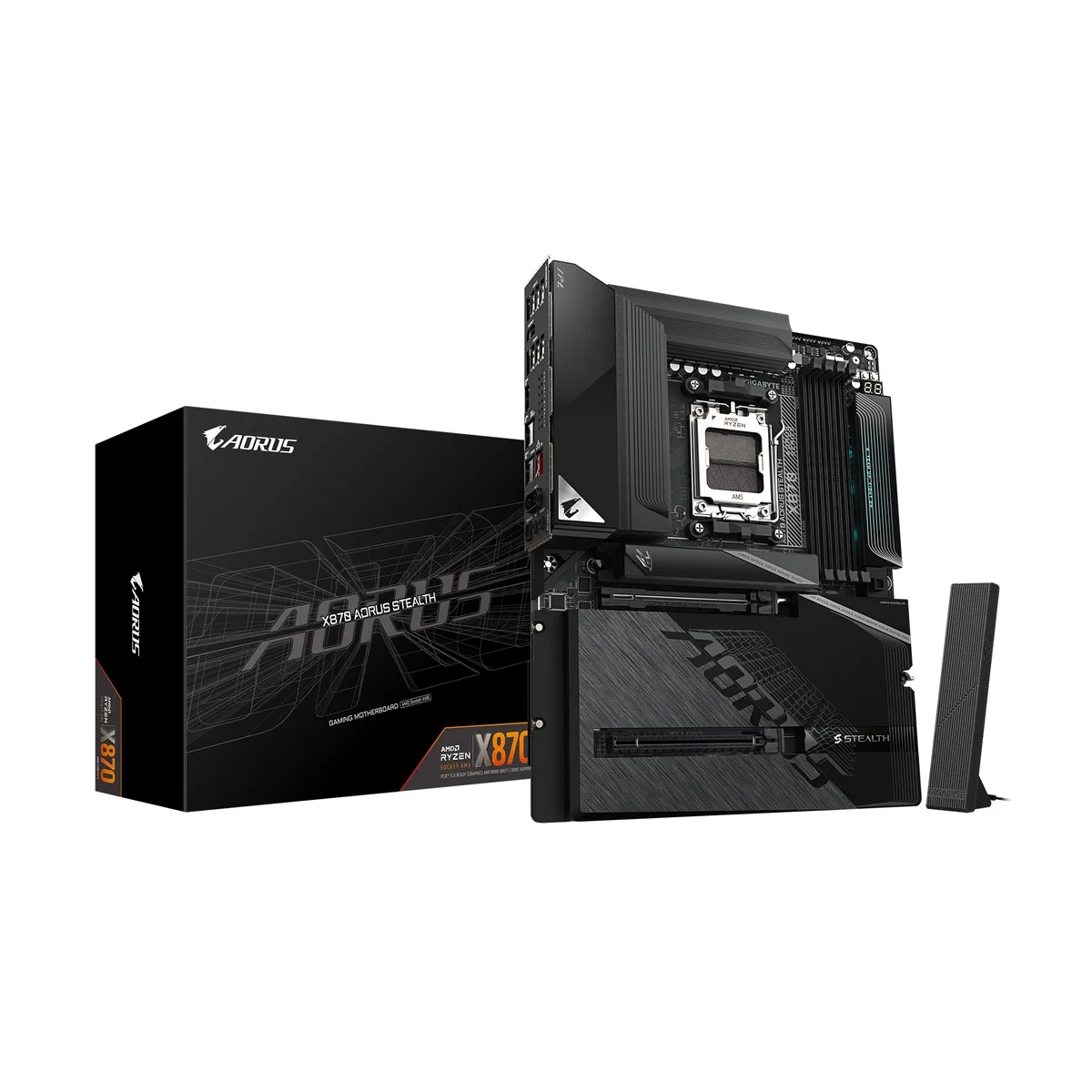
GIGABYTE X870 AORUS STEALTH AMD motherboard
- AM5
- AMD X870
$317.99$336.99−6%
0.00410808BTC
In stockWe take cryptocurrency — so the coins you hold can buy real hardware.Pay in crypto, spend it on real hardware. Free insured shipping worldwide over $399. Plain, unbranded boxes, sent from Germany.Free insured shipping over $399. Your rate is locked for 30 minutes once checkout opens.Rate locked 30 minutes. Every item sealed, serial-checked and covered by a 24-month warranty.Sealed, 24-month warranty.
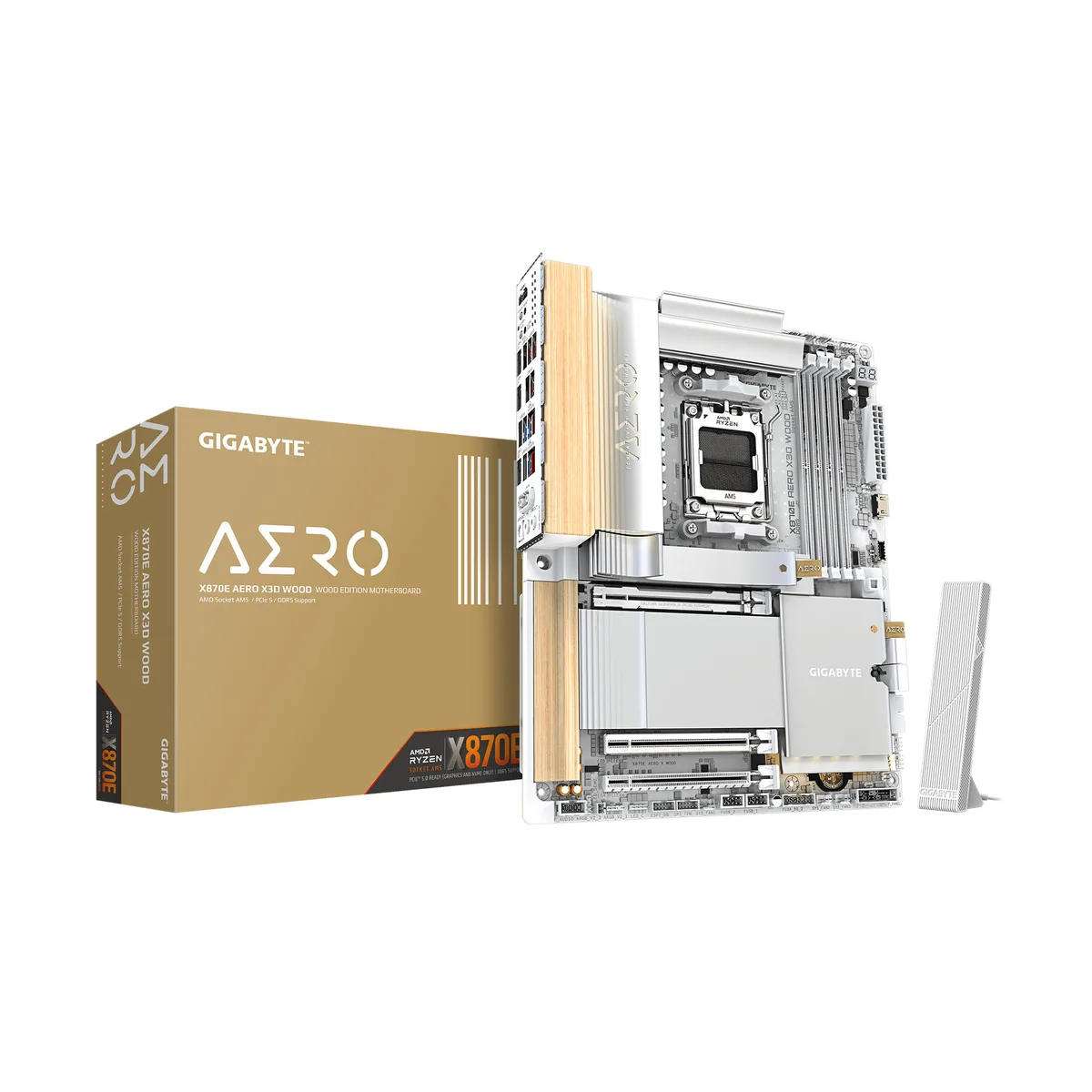


GIGABYTE
ATX board for AM5 Ryzen 7000/8000/9000 CPUs with 16+2+2 power phases, four DDR5 slots up to 256 GB, PCIe 5.0 x16, four M.2 sockets, USB4 Type-C, WIFI7, Bluetooth 5.4 and dual 5 GbE LAN
Model X870E AERO X3D WOOD
This ATX motherboard uses the AMD X870E chipset and AM5 socket to support Ryzen 7000, 8000 and 9000 series processors. Four DDR5 slots accept up to 256 GB of unbuffered non-ECC memory running at 5200 MT/s with AMD EXPO or Intel XMP profiles. A 16+2+2 digital twin power phase design on an eight-layer PCB delivers steady current to the CPU.
Builders moving from an older AM4 system gain PCIe 5.0 graphics and storage lanes, dual 5 Gbps Ethernet, WIFI7 and Bluetooth 5.4 in one step. The jump is worth it when a new Ryzen 9000 or 7000 series CPU is paired with a PCIe 5.0 NVMe drive and high-speed DDR5 kit. Ryzen 8000 series processors limit the primary slot to PCIe 4.0 x8 or x4 and the CPU-attached M.2 to PCIe 4.0 speeds.
The CPU-linked PCIe 5.0 x16 slot shares bandwidth with the chipset x16 slot; populating the second slot reduces the first to x8. One M.2 socket runs at PCIe 5.0 x4 with Ryzen 9000 and 7000 CPUs but drops to PCIe 4.0 with Ryzen 8000 chips. SATA RAID 0, 1, 5 and 10 are available for NVMe devices, though RAID 5 requires a Ryzen 9000 processor.
| Brand | GIGABYTE |
|---|---|
| Model | X870E AERO X3D WOOD |
| CPU Socket Type | AM5 |
| CPU Type | Ryzen 7000 Series / Ryzen 8000 Series / Ryzen 9000 Series |
| Chipset | AMD X870E |
| Number of Memory Slots | 4x288pin (DDR5) |
| Memory Standard | DDR5 5200 |
| Maximum Memory Supported | 256GB |
| Channel Supported | Dual Channel |
| Memory Performance Profile | AMD EXPO / Intel XMP |
| ECC Supported | Non-ECC |
| Buffer Supported | Un-buffered |
| PCI Express 5.0 x16 | 1 x PCI Express x16 slot (PCIEX16), integrated in the CPU: AMD Ryzen 9000/7000 Series Processors support PCIe 5.0 x16 mode AMD Ryzen 8000 Series-Phoenix 1 Processors support PCIe 4.0 x8 mode AMD Ryzen 8000 Series-Phoenix 2 Processors support PCIe 4.0 x4 mode * The PCIEX8 slot shares bandwidth with the PCIEX16 slot. When the PCIEX8 slot is populated, the PCIEX16 slot operates at up to x8 mode. * The PCIEX16 and PCIEX8 slots can only support a graphics card or an NVMe SSD. If only one graphics card is to be installed, be sure to install it in the PCIEX16 slot. 1 x PCI Express x16 slot |
| PCI Express x16 | Chipset: - 1 x PCI Express x16 slot, supporting PCIe 4.0 and running at x4 (PCIEX4) |
| Serial ATA (SATA) | 4 x SATA 6Gb/s |
| M.2 | 1 x M.2 connector (M2A_CPU), integrated in the CPU, supporting Socket 3, M key, type 2580/2280 SSDs: AMD Ryzen 9000/7000 Series Processors support PCIe 5.0 x4/x2 SSDs AMD Ryzen 8000 Series-Phoenix 1 Processors support PCIe 4.0 x4/x2 SSDs AMD Ryzen 8000 Series-Phoenix 2 Processors support PCIe 4.0 x4/x2 SSDs 1 x M.2 connector (M2B_CPU), integrated in the CPU, supporting Socket 3, M key, type 22110/2280 SSDs: AMD Ryzen 9000/7000 Series Processors support PCIe 5.0 x4/x2 SSDs * The M2B_CPU connector shares bandwidth with the ASMedia USB4 controller. When a device is installed in theM2B_C |
| SATA RAID | RAID 0, RAID 1, RAID 5, and RAID 10 support for NVMe SSD storage devices * RAID 5 is only available on AMD Ryzen 9000 Series Processors. |
| Audio Chipset | Realtek ALC1220 |
| Audio Channels | 7.1 Channels |
| Max LAN Speed | 2 x 5Gbps |
| Wireless LAN | Wi-Fi 802.11 be |
| Bluetooth | BLUETOOTH 5.4 |
| Back I/O Ports | 1 x Q-Flash Plus button 1 x Clear CMOS button 1 x power button 1 x reset button 1 x HDMI port (Note) 2 x USB4 USB Type-C ports (DisplayPorts (Note)) 1 x USB Type-C port, with USB 3.2 Gen 2x2 support 5 x USB 3.2 Gen 2 Type-A ports (red) 3 x USB 3.2 Gen 1 ports 2 x RJ-45 ports 2 x antenna connectors (2T2R) 2 x audio jacks 1 x optical S/PDIF Out connector |
| Onboard USB | 1 x USB Type-C header, with USB 3.2 Gen 2x2 support 2 x USB 3.2 Gen 1 headers 2 x USB 2.0/1.1 headers |
| Other Connectors | 1 x CPU fan header 1 x CPU fan/water cooling pump header 4 x system fan headers 2 x system fan/water cooling pump headers 3 x addressable RGB Gen2 LED strip headers 1 x RGB LED strip header 4 x M.2 Socket 3 connectors 4 x SATA 6Gb/s connectors 1 x front panel header 1 x front panel audio header 1 x noise detection header 1 x Trusted Platform Module header (For the GC-TPM2.0 SPI V2 module only) 1 x HDMI port (Note) 1 x reset jumper 1 x Clear CMOS jumper 2 x temperature sensor headers |
| Form Factor | ATX |
| Dimensions (W x L) | 12.0" x 9.6" |
| Power Pin | 1 x 24-pin ATX main power connector 2 x 8-pin ATX 12V power connectors |
| BIOS Feature | 1 x 256 Mbit flash Use of licensed AMI UEFI BIOS PnP 1.0a, DMI 2.7, WfM 2.0, SM BIOS 2.7, ACPI 5.0 |
| Windows 11 | Supported |
| Shipping weight | 3.15 kg |
| Package size | 335 × 305 × 89 mm |
Other versions of this model
Same family, different memory, cooler or clock — compare before you commit.
The board uses the ATX form factor and fits standard ATX cases with the matching mounting hole pattern and I/O shield cutout.
Use the M.2 EZ-Latch Click & Plus mechanism to secure the drive without screws; the step often missed is lifting the latch fully before sliding the SSD in at the correct angle.
The BIOS firmware chip can be updated via Q-Flash Auto Scan, but the physical chip itself is not user-replaceable; no other field-replaceable maintenance parts are specified.
Also in this aisle
Same shelf, same checkout — eight coins and a 30-minute rate lock.
What you pay in, and what you read prices in.
Sent from your wallet at checkout
Display only — the catalogue is priced in USD
No currency matches that.
Pick the language the site speaks to you in.
New here?
Already have one?
There is no automatic reset: this shop sends no mail, so there is no one-time link to ask for. Leave the address on the account and it gets picked up by hand.
Request noted
Nothing is on its way to your inbox — this shop sends no mail at all. Someone picks these up by hand.
Remembered it?