


ASUS
ASUS FF4D516G6000HC38ADC01 AMD motherboard
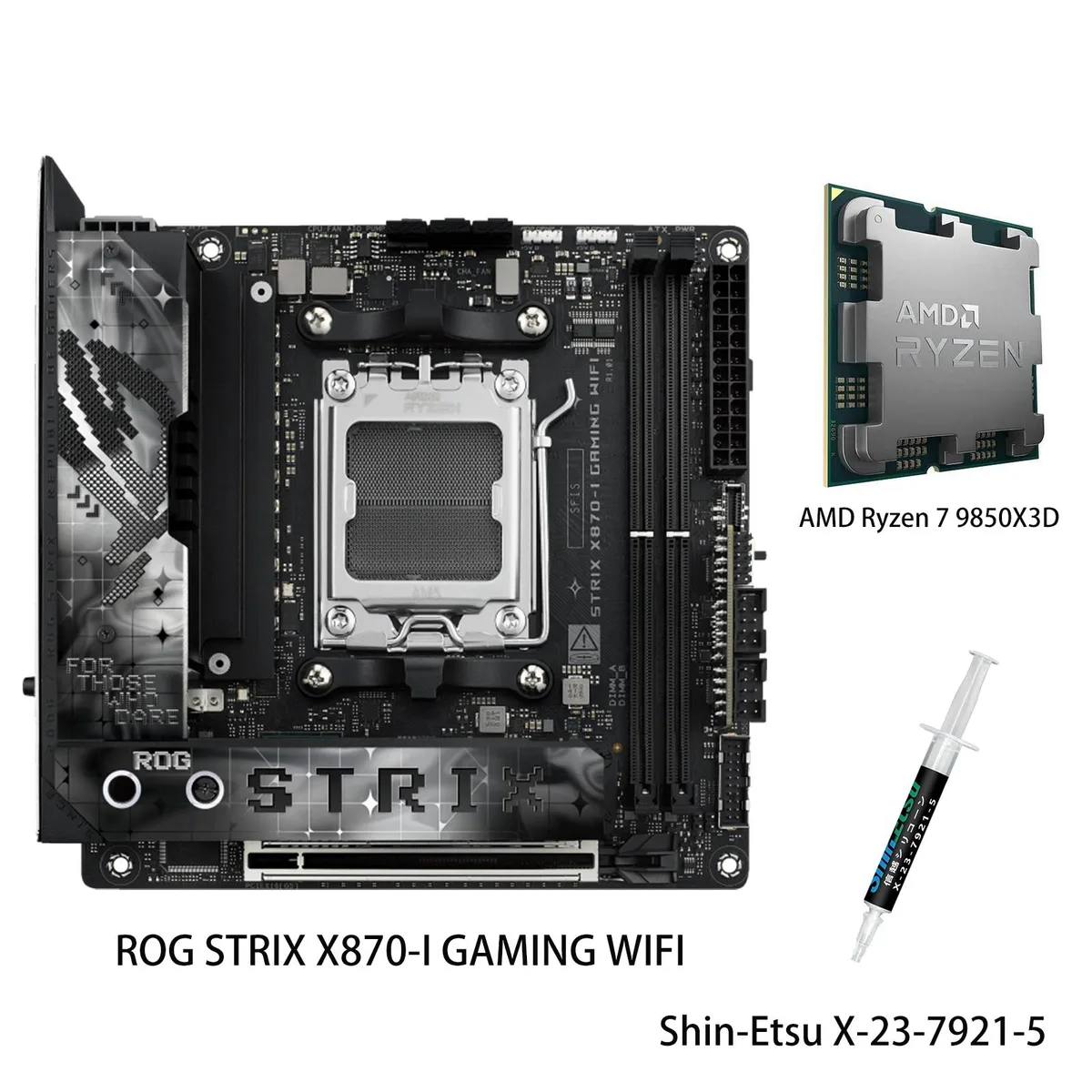
Mini ITX X870 motherboard with Ryzen 7 9850X3D CPU, 10+2+1 power, DDR5 up to 8600 MT/s, WiFi 7, PCIe 5.0 M.2 and USB4
- ChipsetAMD X870
- Number of Memory Slots4x288pin (DDR5)
- Memory StandardDDR5 4400
- Maximum Memory Supported96GB
- ECC SupportedNon-ECC
- Buffer SupportedUn-buffered
model ROG STRIX X870-I GAMING WIFI
- PROART X870E-CREATOR WIFI
- PRIME X870-P
- PRIME X870-P WIFI
- X870 MAX GAMING WIFI7
- X870 AYW GAMING WIFI W
- TUF GAMING X870-PRO WIFI7 W NEO
- TUF GAMING X870-PLUS WIFI
- TUF GAMING X870E-PLUS WIFI7
- ROG STRIX X870-I GAMING WIFI
- ROG STRIX X870-H GAMING WIFI7 S
- ROG STRIX X870E-H S MIKU
- ROG STRIX X870E-H GAMING WIFI7
+CPU + Ryzen 7 9850X3D
- AM5 socket supports Ryzen 7000, 8000 and 9000 series processors
- 10+2+1 power stages rated 110A each for stable multi-core performance
- AI overclocking, cooling and networking simplify setup and boost speed
- DDR5 memory up to 8400 MT/s with Ryzen 9000 series CPUs
- WiFi 7 2×2 on 2.4, 5 and 6 GHz bands up to 6.5 Gbps
AM5 X870 Mini ITX Combo for Gaming
This bundle pairs the ROG STRIX X870-I GAMING WIFI motherboard with the AMD Ryzen 7 9850X3D processor. The board uses the AMD X870 chipset and AM5 socket supporting Ryzen 7000, 8000 and 9000 series CPUs. It targets builders who want a compact platform with high memory speeds and modern connectivity.
Upgrade from older AM5 mITX boards
Moving to X870 adds a PCIe 5.0 x16 slot and a PCIe 5.0 M.2 2280 slot driven by Ryzen 9000 and 7000 series processors. The 10+2+1 power stage design rated at 110A per stage with ProCool II connectors supports multi-core loads. The jump is worth it when you need faster storage lanes and stronger VRM headroom.
Sustained load behaviour with AI controls
AI Overclocking, AI Cooling II and AEMP manage frequencies, fan curves and DDR5 timings continuously. Massive heatsinks with an integrated I/O cover, high-conductivity pads and an L-shaped backplate dissipate heat during long sessions. The 2.5Gbps LAN and WiFi 7 2x2 320MHz link maintain throughput under heavy traffic.
Highlights
- AM5 socket supports Ryzen 7000, 8000 and 9000 series processors
- 10+2+1 power stages rated 110A each for stable multi-core performance
- AI overclocking, cooling and networking simplify setup and boost speed
- DDR5 memory up to 8400 MT/s with Ryzen 9000 series CPUs
- WiFi 7 2×2 on 2.4, 5 and 6 GHz bands up to 6.5 Gbps
Specifications
| Brand | ASUS |
|---|---|
| Model | ROG STRIX X870-I GAMING WIFI+R7 9850X3D |
| Chipset | AMD X870 |
| Number of Memory Slots | 4x288pin (DDR5) |
| Memory Standard | DDR5 4400 |
| Maximum Memory Supported | 96GB |
| ECC Supported | Non-ECC |
| Buffer Supported | Un-buffered |
| Memory Feature | 2 x DIMM slots, max. 96GB, DDR5 Supports up to 8400+MT/s(OC) with Ryzen™ 9000 Series Processors, 8600+MT/s(OC) with Ryzen™ 8000 Series Processors, 8000+MT/s(OC) with Ryzen™ 7000 Series Processors, ECC and Non-ECC Un-buffered DIMM*" Dual channel memory architecture Supports AMD Extended Profiles for Overclocking (EXPO) ASUS Enhanced Memory Profile (AEMP) * Supported memory types, data rate (speed), and number of DRAM modules vary depending on the CPU and memory configuration, for more information please refer to CPU/Memory Support list under the Support tab of product information site |
| PCI Express 5.0 x16 | AMD Ryzen 9000 & 7000 Series Desktop Processors 1 x PCIe 5.0 x16 slot |
| PCI Express 4.0 x16 | AMD Ryzen 8000 Series Desktop Processors 1 x PCIe 4.0 x16 slot (supports x8/x4 mode) |
| Serial ATA (SATA) | 2 x SATA 6Gb/s |
| M.2 | AMD Ryzen 9000 & 7000 Series Desktop Processors* M.2_1 slot (Key M), type 2280(supports PCIe 5.0 x4 mode) AMD Ryzen 8000 Series Desktop Processors* M.2_1 slot (Key M), type 2280(supports PCIe 4.0 x4 mode) AMD X870 Chipset M.2_2 slot (Key M), type 2242/2260/2280 (supports PCIe 4.0 x4) *** Install ROG FPS Card to support 2 x SATA 6Gb/s ports. |
| SATA RAID | * AMD RAIDXpert2 Technology supports both PCIe RAID 0/1/10 and SATA RAID 0/1 |
| Max LAN Speed | 2.5Gbps |
| Wireless LAN | Wi-Fi 7* 2x2 Wi-Fi 7 (802.11be) Supports 2.4/5/6GHz frequency band** Support Wi-Fi 7 320MHz bandwidth, up to 6.5Gbpstransfer rate. *Wi-Fi features may vary depending on the operating system For Windows 11, Wi-Fi 7 will require24H2 or later version for full functions, Windows 11 21H2/22H2/23H2 only support Wi-Fi 6E. For Windows 10, please note that no driver is available, refer to the Wi-Fi chipset vendor's website for details. ** Wi-Fi 6GHz frequency band and bandwidth regulatory may vary between countries. |
| Bluetooth | Bluetooth v5.4*** *** The Bluetooth version may vary, please refer to the Wi-Fi module manufacturer's website for the latest specifications. |
| USB 3.0 | USB4 |
| Onboard USB | USB 1 x USB 10Gbps connector (supports USB Type-C® ) 1 x USB 5Gbps header support(s) 2 additional USB 5Gbps ports |
| Other Connectors | Fan and Cooling Related 1 x 4-pin CPU Fan header(s) 1 x 4-pin AIO Pump header(s) 1 x 4-pin Chassis Fan header(s) Power Related 1 x 24-pin Main Power connector 1 x 8-pin +12V CPU Power connector Storage Related 2 x M.2 slots (Key M) Miscellaneous 2 x Addressable Gen 2 headers 1 x 2-pin Power Button header 1 x Thermal Sensor header 2 x USB Type-C® connectors to install ROG FPS card ROG FPS card 2 x SATA 6Gb/s ports 1 x CPU Over Voltage jumper 1 x Front Panel header 1 x Alteration PCIe Mode switch 2 x USB 2.0 headers support 3 additional USB 2.0 ports |
| Form Factor | Mini ITX |
| Dimensions (W x L) | 6.7" x 6.7" |
| BIOS Feature | 256 Mb Flash ROM, UEFI AMI BIOS |
| Software | ROG Exclusive Software - ROG CPU-Z - Dolby Atmos ASUS Exclusive Software Armoury Crate - AIDA64 (60 days free trial) - Aura Creator - Aura Sync - Fan Xpert 4 (with AI Cooling II) - GameFirst - HWiNFO - Power Saving ASUS Driver Hub ASUS GlideX Adobe Creative Cloud (Free Trial) Norton 360 for Gamers (60 Days Free Trial) WinRAR (40 Days Free Trial) UEFI BIOS AI Overclocking Guide ASUS EZ DIY - ASUS CrashFree BIOS 3 - ASUS EZ Flash 3 - ASUS UEFI BIOS EZ Mode - ASUS MyHotkey FlexKey Dynamic OC Switcher |
| Features | ASUS Q-Design - M.2 Q-Latch - PCIe Slot Q-Release Slim (with PCIe SafeSlot) - Q-Antenna - Q-Code - Q-DIMM - Q-LED (CPU [red], DRAM [yellow], VGA [white], Boot Device [yellow green]) - Q-Slot ASUS Thermal Solution - M.2 heatsink - Aluminum backplate ASUS EZ DIY - BIOS FlashBack™ button - BIOS FlashBack™ LED - Clear CMOS button - ProCool II - Pre-mounted I/O shield - SafeSlot - SafeDIMM Aura Sync - Addressable Gen 2 header(s) ROG STRIX HIVE II 1 x USB Type-C® connects to motherboard 2 x USB 10Gbps port ( 1 x Type-A + 1 x USB Type-C®) 1 x Headphone jack with mic in 1 x Power button 1 x |
| Package Contents | 1 x AMD Ryzen 7 9850X3D CPU 1 x Shin-Etsu X-23-7921-5 (1.8g) Cables 1 x Panel cable 1 x ROG USB2.0 splitter cable 2 x SATA 6Gb/s cables ROG FPS Card 1 x ROG FPS Card ROG STRIX HIVE II 1 x ROG STRIX HIVE II 1 x USB Type-C® power connection cable Miscellaneous 1 x ASUS WiFi Q-Antenna 1 x Cable ties package 1 x M.2 Q-Latch package(s) 1 x ROG key chain 1 x ROG Strix stickers 1 x M.2 rubber package(s) Documentation 1 x Quick start guide |
Other versions of this model
5 more in the same range
Same family, different memory, cooler or clock — compare before you commit.


ASUS
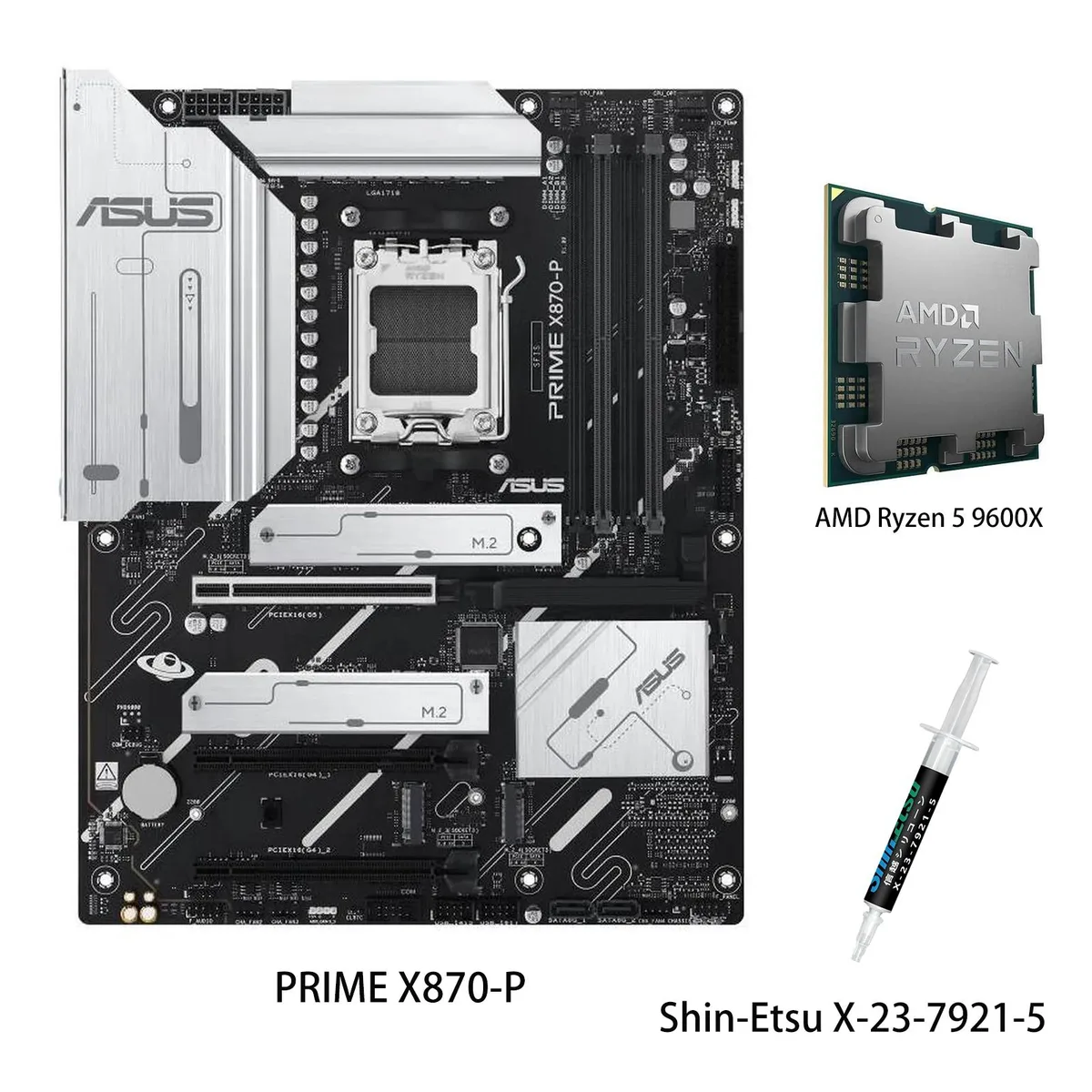
ASUS PRIME X870-P WIFI + Ryzen 5 9600X AMD motherboard CPU combo
- AMD X870
- 4x288pin (DDR5)
$769.99
0.00994973BTC
In stock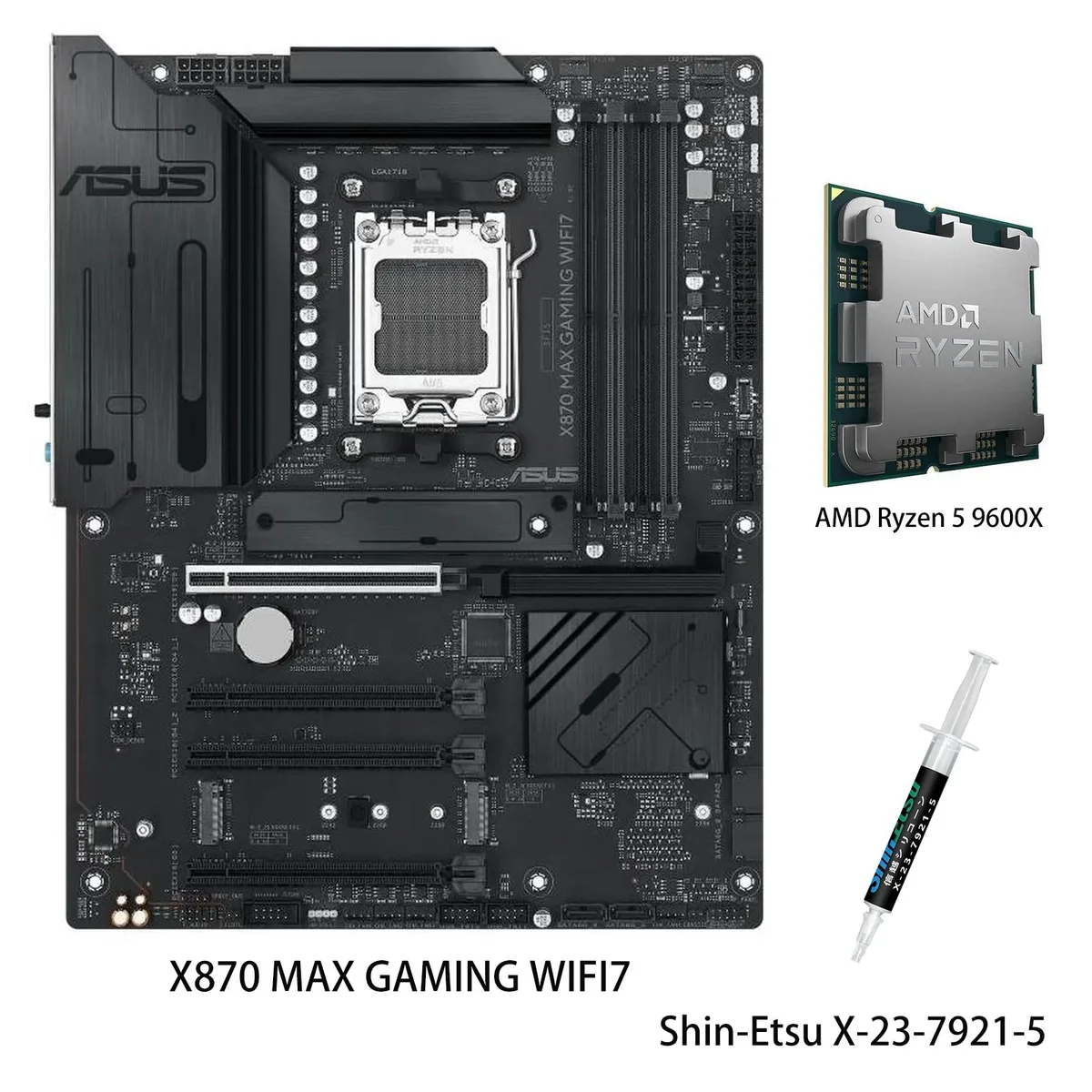
ASUS
ASUS X870 MAX GAMING WIFI7 AMD motherboard & Ryzen 5 9600X CPU combo
- AM5
$799.99
0.01033739BTC
In stock

ASUS
ASUS PRIME X870-P WIFI & Ryzen 7 9700X combo AMD motherboard
- AMD X870
- 4x288pin (DDR5)
$849.99
0.01098349BTC
In stockQuestions about this item
What case clearance does the ROG STRIX X870-I GAMING WIFI need for its massive heatsinks and integrated I/O cover?
The board uses massive heatsinks with an integrated I/O cover and an L-shaped backplate, so a Mini-ITX case with sufficient CPU cooler height and rear I/O depth clearance is required.
Which power cables must be connected to the 10+2+1 power solution before first boot?
Connect the 24-pin main power connector and the single 8-pin +12V CPU power connector; the ProCool II connectors seat firmly, so press until they click.
How are the M.2 slots cooled and when should the thermal pads be inspected?
Both M.2 slots (one PCIe 5.0, one PCIe 4.0) have substantial heatsinks with high-conductivity thermal pads; inspect pads during any major rebuild or if drive temperatures rise unexpectedly.
Also in this aisle
People compared these
Same shelf, same checkout — eight coins and a 30-minute rate lock.

Micron Technology, Inc.
Micron Technology, Inc. MT4JTF12864AZ-1G4D1 1GB DDR3 1333 Desktop RAM
- 1GB
- DDR3 1333 (PC3 1060…
$28.99
0.00037461BTC
In stock
Kingston Technology Corp.
Kingston Technology Corp. KTD-DM8400A/512 512MB DDR2 desktop RAM
- 512MB
- CL4
$12.99
0.00016786BTC
In stock
