


ASUS
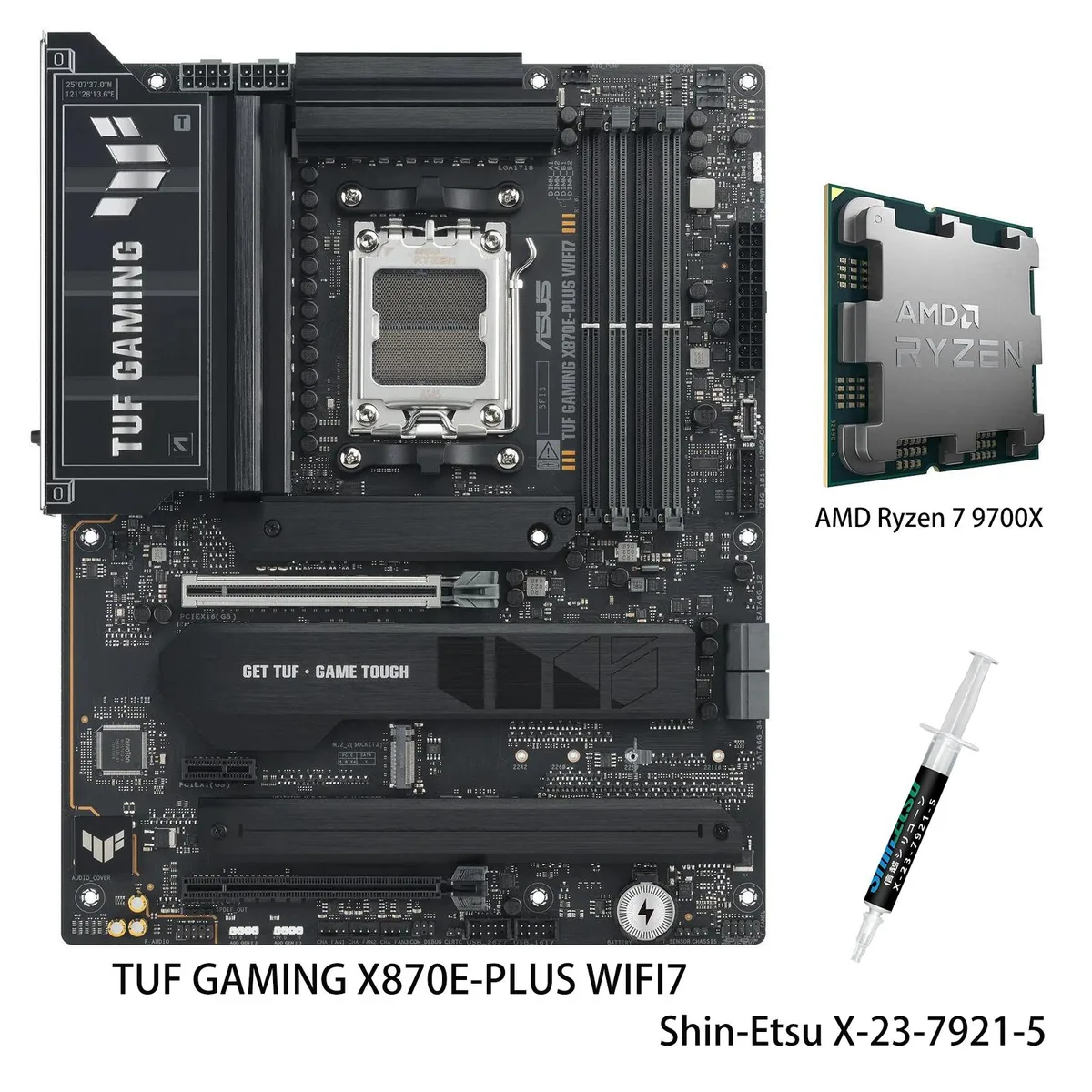
ASUS TUF GAMING X870E-PLUS WIFI7 Ryzen 7 9700X AMD motherboard combo
AM5 motherboard and 8-core Ryzen 7 9700X CPU combo with 16+2+1 80A power stages, DDR5 up to 8000 MT/s, two PCIe 5.0 M.2 slots, Wi-Fi 7, 2.5Gb Ethernet and dual USB4 40Gbps ports
- CPU Socket TypeAM5
- ChipsetAMD X870E
- Number of Memory Slots4x288pin (DDR5)
- Memory StandardSupports up to 8000+MT/s (OC)
- Maximum Memory Supported256GB
- Channel SupportedDual Channel
model TUF GAMING X870E-PLUS WIFI7
- PROART X870E-CREATOR WIFI
- PRIME X870-P
- PRIME X870-P WIFI
- X870 MAX GAMING WIFI7
- X870 AYW GAMING WIFI W
- TUF GAMING X870-PRO WIFI7 W NEO
- TUF GAMING X870-PLUS WIFI
- TUF GAMING X870E-PLUS WIFI7
- ROG STRIX X870-I GAMING WIFI
- ROG STRIX X870-H GAMING WIFI7 S
- ROG STRIX X870E-H S MIKU
- ROG STRIX X870E-H GAMING WIFI7
+CPU + Ryzen 7 9700X
- Stable overclocking headroom with 16+2+1 80A power stages and 8-layer PCB
- Simplified tuning via AI Overclocking, AI Cooling II and AEMP profiles
- Four M.2 slots including two PCIe 5.0 x4 for fastest storage expansion
- 5 Gb Ethernet plus WiFi 7 and dual USB4 40 Gbps Type-C for high-speed networking
- 8-core 16-thread Ryzen 7 9700X on Zen 5 architecture delivers 100+ FPS gaming performance
Combo Purpose
This bundle pairs the ASUS TUF GAMING X870E-PLUS WIFI7 board with an AMD Ryzen 7 9700X processor. The combination targets builders who want a ready-to-run AM5 platform for gaming and productivity without selecting parts separately. It covers the socket, chipset and CPU in one step.
Board Build and Connections
The board uses a 16+2+1 80A power stage design on an 8-layer PCB with 8+8 pin ProCool connectors, alloy chokes and durable capacitors. Two PCIe 5.0 M.2 slots and two PCIe 4.0 M.2 slots support 2280, 2242, 2260 and 22110 form factors. Rear I/O includes two USB4 40Gbps Type-C ports, a front USB 20Gbps Type-C header with 30W PD fast-charge, Realtek 2.5Gbps LAN and Wi-Fi 7.
Upgrade Context
The combo moves a system to the AM5 socket and X870E chipset, enabling DDR5 memory up to 8000+ MT/s and PCIe 5.0 graphics and storage lanes. It replaces an older AM4 or early AM5 build when the workload needs the 8-core Zen 5 CPU, the expanded M.2 capacity and the USB4 connectivity. The jump is worth it when current hardware limits memory speed, lane count or peripheral bandwidth.
Highlights
- Stable overclocking headroom with 16+2+1 80A power stages and 8-layer PCB
- Simplified tuning via AI Overclocking, AI Cooling II and AEMP profiles
- Four M.2 slots including two PCIe 5.0 x4 for fastest storage expansion
- 5 Gb Ethernet plus WiFi 7 and dual USB4 40 Gbps Type-C for high-speed networking
- 8-core 16-thread Ryzen 7 9700X on Zen 5 architecture delivers 100+ FPS gaming performance
Specifications
| Brand | ASUS |
|---|---|
| Model | TUF GAMING X870E-PLUS WIFI7+R7 9700X |
| CPU Socket Type | AM5 |
| Chipset | AMD X870E |
| Number of Memory Slots | 4x288pin (DDR5) |
| Memory Standard | Supports up to 8000+MT/s (OC) |
| Maximum Memory Supported | 256GB |
| Channel Supported | Dual Channel |
| ECC Supported | Yes |
| Buffer Supported | Un-buffered |
| Memory Feature | Supports up to 8000+MT/s (OC) with Ryzen 9000 & 8000 & 7000 Series Processors, ECC and Non-ECC Un-buffered DIMM Dual channel memory architecture Supports AMD Extended Profiles for Overclocking (EXPO) ASUS Enhanced Memory Profile (AEMP) |
| PCI Express 5.0 x16 | AMD Ryzen 9000 & 7000 Series Desktop Processors 1 x PCIe 5.0 x16 slot AMD Ryzen 8000 Series Desktop Processors 1 x PCIe 4.0 x16 slot (supports x8/x4 mode) |
| PCI Express 4.0 x16 | 1 x PCIe 4.0 x16 slot (supports x4 mode) |
| PCI Express x1 | 1 x PCIe 3.0 x1 Slot |
| Serial ATA (SATA) | 4 x SATA 6Gb/s |
| M.2 | AMD Ryzen 9000 & 7000 Series Desktop Processors M.2_1 slot (Key M), type 2280 (supports PCIe 5.0 x4 mode) M.2_2 slot (Key M), type 2242/2260/2280/22110 (supports PCIe 5.0 x4 mode)** AMD Ryzen 8000 Series Desktop Processors M.2_1 slot (Key M), type 2280 (supports PCIe 4.0 x4 mode) M.2_2 slot is not supported AMD X870 Chipset M.2_3 slot (Key M), type 2280 (supports PCIe 4.0 x4 mode) M.2_4 slot (Key M), type 2280 (supports PCIe 4.0 x4 mode) ** M.2_2 slot shares bandwidth with PCIex16(G5)_1 When M.2_2 runs at PCIe x4 mode, PCIex16(G5)_1 will run x8. |
| SATA RAID | AMD RAIDXpert2 Technology Ryzen 9000 Series Processors: RAID 0/1/5/10 Ryzen 8000 Series Processors: RAID 0/1 Ryzen 7000 Series Processors: RAID 0/1/10 |
| Audio Channels | Realtek ALC1220P 7.1 Surround Sound High Definition Audio CODEC - Impedance sense for front and rear headphone outputs - Internal audio Amplifier to enhance the highest quality sound for headphone and speakers - Supports: Jack-detection, Multi-streaming, Front Panel Jack-retasking - High quality 120 dB SNR stereo playback output and 113 dB SNR recording input (Line-in) - Supports up to 32-Bit/192 kHz playback*" Audio Features - Audio Shielding - Premium audio capacitors - Dedicated audio PCB layers - Audio cover - Unique de-pop circuit * Due to limitations in HDA bandwidth, 32-Bit/19 |
| Max LAN Speed | 2.5Gbps |
| Wireless LAN | Wi-Fi 802.11 be |
| Bluetooth | Yes |
| Back I/O Ports | 2 x USB4 (40Gbps) ports (2 x USB Type-C) 3 x USB 10Gbps ports (3 x Type-A) 4 x USB 5Gbps ports (4 x Type-A) 4 x USB 2.0 ports (4 x Type-A) 1 x HDMI port 1 x Wi-Fi module 1 x Realtek 2.5Gb Ethernet port 3 x Audio jacks 1 x BIOS FlashBack button |
| Onboard USB | 1 x USB 20Gbps connector (supports USB Type-C with up to 30W PD Fast-charge) 1 x USB 5Gbps header supports 2 additional USB 5Gbps ports 2 x USB 2.0 headers support 4 additional USB 2.0 ports |
| Other Connectors | Fan and Cooling Related 1 x 4-pin CPU Fan header 1 x 4-pin CPU OPT Fan header 1 x 4-pin AIO Pump header 4 x 4-pin Chassis Fan headers Miscellaneous 3 x Addressable Gen 2 headers 1 x Clear CMOS header 1 x Chassis Intrusion header 1 x Front Panel Audio header (F_AUDIO) 1 x 10⁻¹ pin Front System Panel header 1 x Thermal Sensor header |
| Form Factor | ATX |
| Dimensions (W x L) | 12.0" x 9.6" |
| Power Pin | 1 x 24-pin Main Power connector 2 x 8-pin +12V CPU Power connectors |
| BIOS Feature | 256 Mb Flash ROM, UEFI AMI BIOS |
| Software | ASUS Exclusive Software Armoury Crate - Aura Creator - Aura Sync - Fan Xpert 4 (with AI Cooling II) ASUS AI Advisor ASUS DriverHub ASUS GlideX USB Wattage Watcher TurboV Core TUF GAMING CPU-Z DTS Audio Processing Norton 360 for Gamers (60 Days Free Trial) WinRAR (40 Days Free Trial) UEFI BIOS AI Overclocking Guide ASUS EZ DIY - ASUS CrashFree BIOS 3 - ASUS EZ Flash 3 - ASUS UEFI BIOS EZ Mode - ASUS MyHotkey |
| Windows 11 | Supported |
| Features | ASUS TUF PROTECTION - DIGI+ VRM (- Digital power design with SPS) - ESD Guards - TUF LANGuard - Overvoltage protection - SafeSlot - Stainless-steel back I/O ASUS Q-Design - M.2 Q-Latch - Q-Release Slim (with PCIe SafeSlot) - Q-Antenna - Q-Dashboard - Q-DIMM - Q-LED (CPU [red], DRAM [yellow], VGA [white], Boot Device [yellow green]) - Q-Slot ASUS Thermal Solution - M.2 heatsinks - VRM heatsink design ASUS EZ DIY - BIOS FlashBack button - BIOS FlashBack LED - ProCool - Pre-mounted I/O shield - SafeDIMM Aura Sync - Addressable Gen 2 headers Front Panel USB 20Gbps with PD Fast Charge Sup |
| Package Contents | 1 x AMD Ryzen 7 9700X CPU 1 x Shin-Etsu X-23-7921-5 (1.8g) Cables 2 x SATA 6Gb/s cables Miscellaneous 1 x ASUS WiFi Q-Antenna 2 x M.2 rubber packages 1 x Screw package for M.2 SSD 1 x TUF GAMING sticker Documentation 1 x Quick start guide |
Other versions of this model
5 more in the same range
Same family, different memory, cooler or clock — compare before you commit.


ASUS
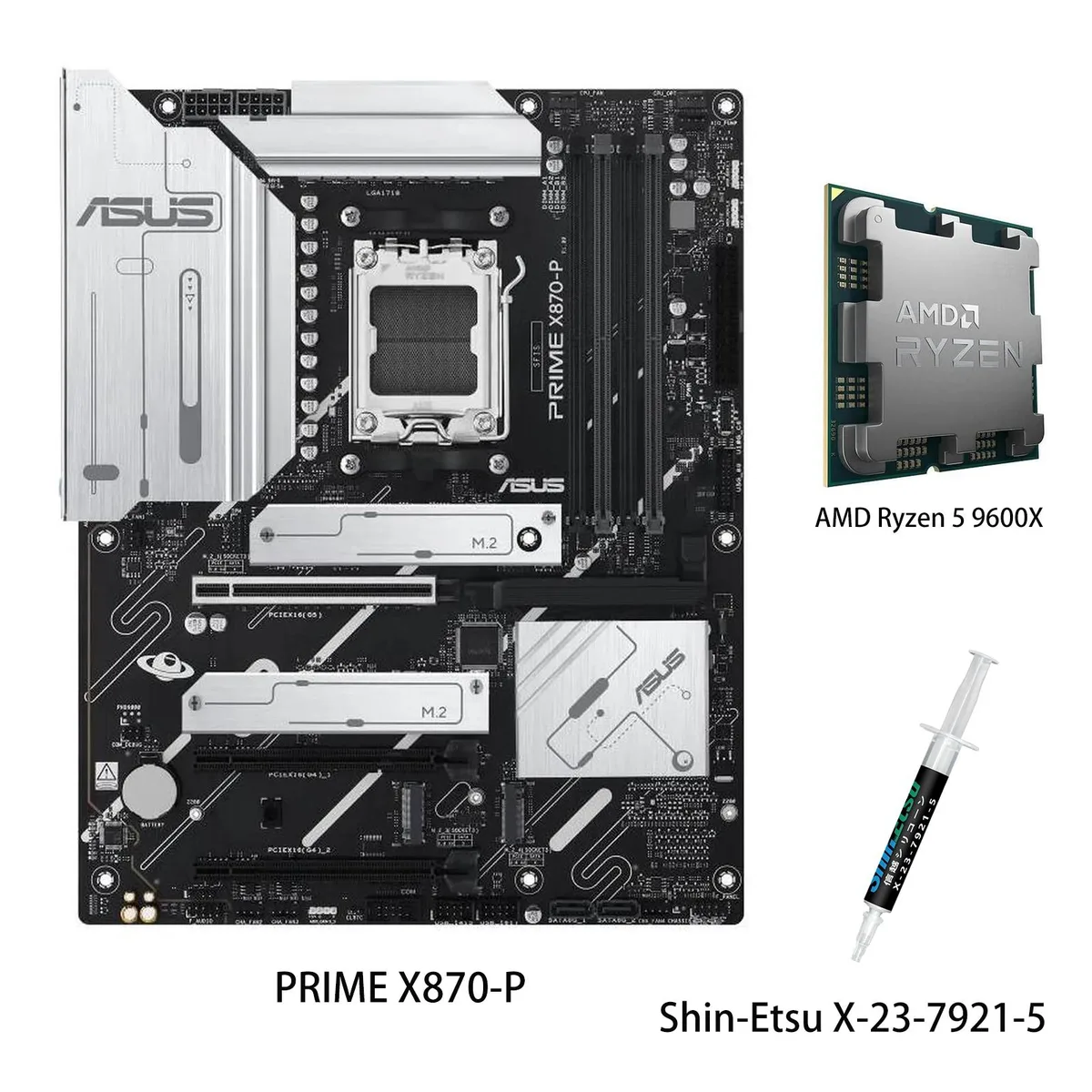
ASUS PRIME X870-P WIFI + Ryzen 5 9600X AMD motherboard CPU combo
- AMD X870
- 4x288pin (DDR5)
$769.99
0.00994742BTC
In stock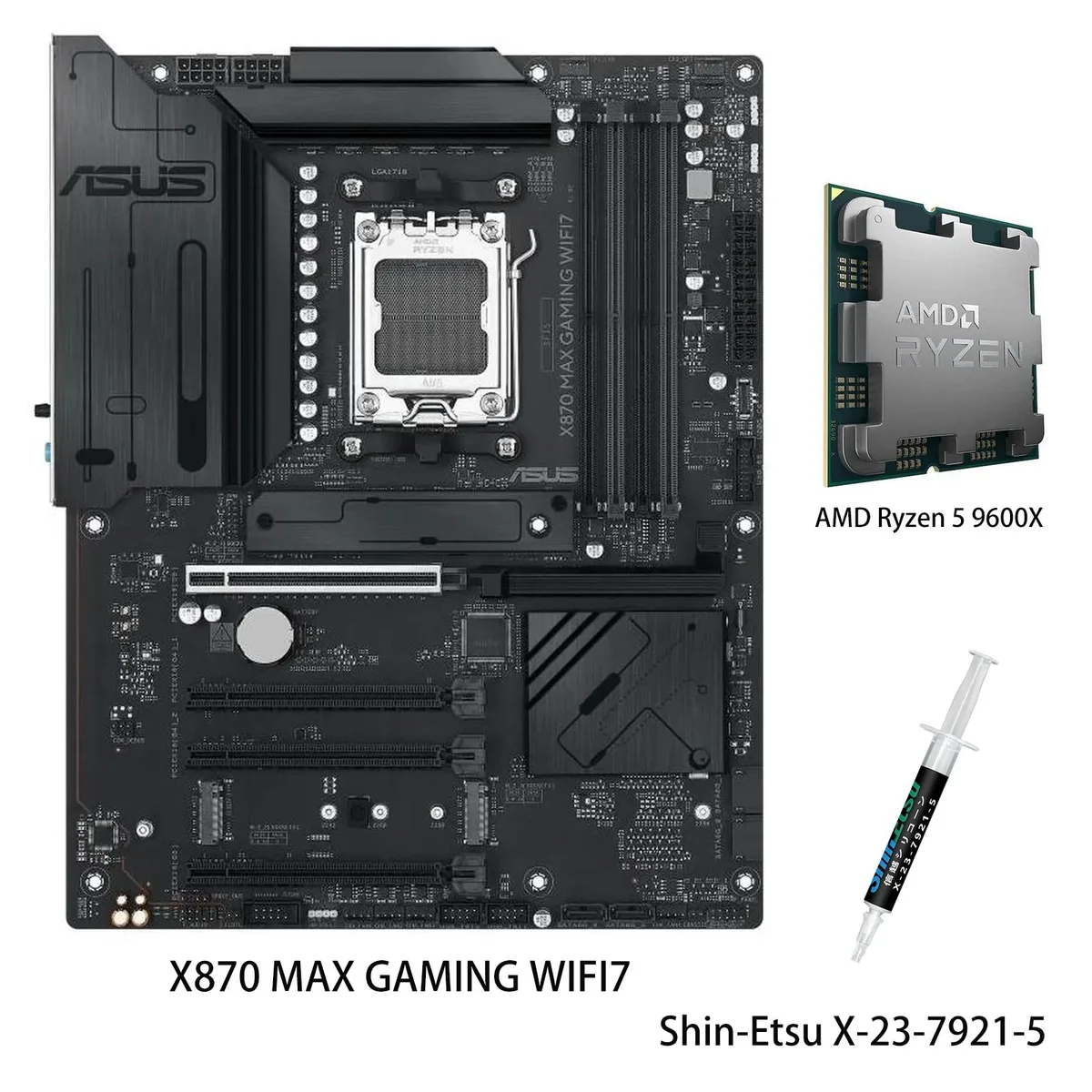
ASUS
ASUS X870 MAX GAMING WIFI7 AMD motherboard & Ryzen 5 9600X CPU combo
- AM5
$799.99
0.01033499BTC
In stock

ASUS
ASUS PRIME X870-P WIFI & Ryzen 7 9700X combo AMD motherboard
- AMD X870
- 4x288pin (DDR5)
$849.99
0.01098093BTC
In stockQuestions about this item
Does the PCIe 5.0 x16 slot run at full speed with the Ryzen 7 9700X?
Yes, the Ryzen 7 9700X is a 9000 series processor, so the single PCIe 5.0 x16 slot operates at 5.0 x16 speed.
What are the exact M.2 key and lengths supported on the two PCIe 5.0 slots?
M.2_1 is Key M type 2280; M.2_2 is Key M type 2242, 2260, 2280 and 22110, both running PCIe 5.0 x4.
Which BIOS step is required to reach DDR5 8000 MT/s with the included CPU?
Enable EXPO or AEMP in the BIOS after installing the memory; the board defaults to JEDEC speeds until a profile is selected.
Also in this aisle
People compared these
Same shelf, same checkout — eight coins and a 30-minute rate lock.

Micron Technology, Inc.
Micron Technology, Inc. MT4JTF12864AZ-1G4D1 1GB DDR3 1333 Desktop RAM
- 1GB
- DDR3 1333 (PC3 1060…
$28.99
0.00037452BTC
In stock
Kingston Technology Corp.
Kingston Technology Corp. KTD-DM8400A/512 512MB DDR2 desktop RAM
- 512MB
- CL4
$12.99
0.00016782BTC
In stock
